
A menu board app for Fire TV and smart screens
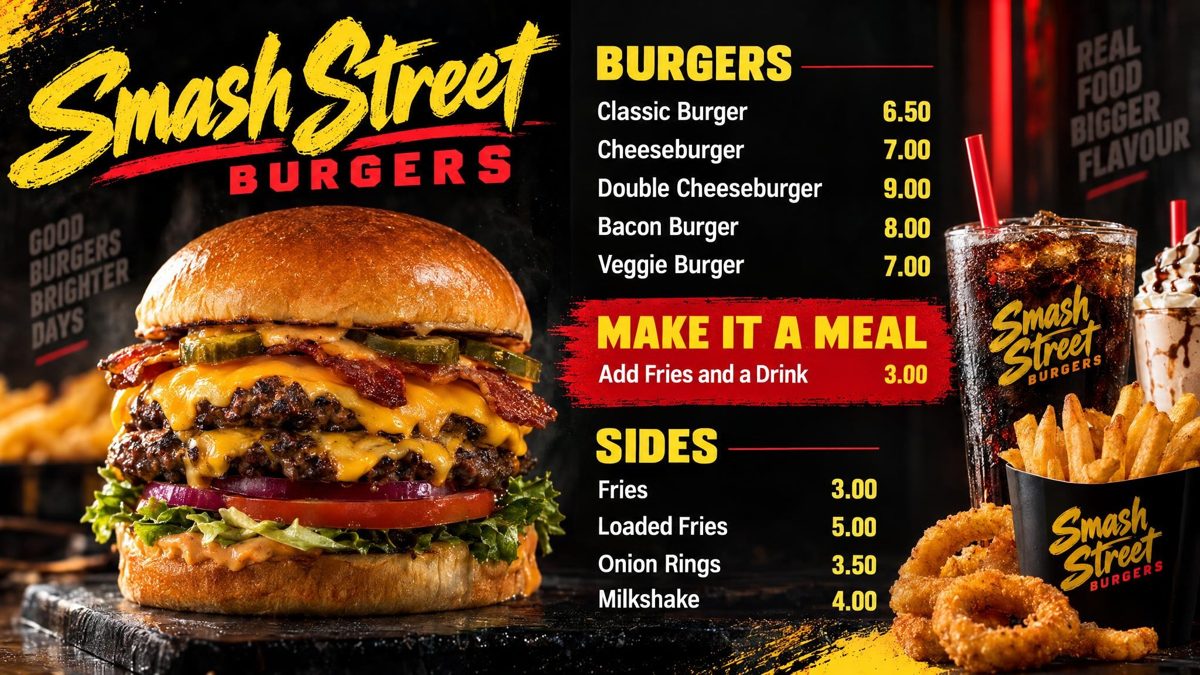
Counterboard puts a menu board on an Amazon Fire TV with a free app, or on any smart screen through its web browser. Describe the board, add your prices, and it is drawn in about two minutes. Pair the screen with six letters. One screen is free.
One screen free, for as long as you like, with a small counterboard.com band on the board, no card. Without the band $19 a month for one screen, and $9 for each screen after it.
How it works
Three steps, from your phone
- Describe your boardSay how it should look, in your own words, and add your prices. Type them, or take a photo of the menu you have now. The board is drawn in about two minutes. Not quite right? Say what to change and it is drawn again.
- Put it on your screenOn the screen, open counterboard.com/player in its web browser. Type the six letters it shows into Counterboard on your phone. On an Amazon Fire TV, search for counterboard: our free app is in Amazon's Fire TV store. If your Fire TV does not show it, open the same address in its Silk browser.
- Change prices from your phoneType the new price on your phone. The board is drawn again with it, and every screen in the shop follows in about two minutes.
Which stick
Check it says Fire OS on the box
A Fire TV Stick 4K or 4K Max works. Check the box says Fire OS. Some of the newest Amazon sticks run Vega OS instead, and those will not show a menu board. A Google TV stick works too: our app is on Google Play.
Any other screen
Android TV or a browser
Our app is on Google Play too: on an Android TV or a Google TV, search Google Play for counterboard. On a Samsung, an LG or a laptop, open the address in the screen's own web browser and type the six letters it shows into Counterboard on your phone.
What it costs
One screen free, and paid screens by the month
Prices are in US dollars ($). One screen free, for as long as you like, with a small counterboard.com band on the board. No card is needed. Without the band: $19 a month for one screen, and $9 for each screen after it.
Your first board is free. Each paid screen includes 2 price updates a month. More cost $1.50 each, sold in packs from $7.50.
Questions
What people ask
Is the app free?
Yes. The Counterboard app in Amazon's Fire TV store is free. One screen is free too, with a small band on the board.
Which Fire TV sticks work?
Sticks that run Fire OS, such as the Fire TV Stick 4K and 4K Max. Sticks that run Vega OS will not show a menu board.
What if the internet drops?
The screen needs the internet to get your board and any new price. Once the board is on the screen, it keeps showing it if the connection drops.
How long does it take to make a board?
About two minutes. You describe the board, add your prices, and the finished board comes back. If it is not quite right, say what to change and it is drawn again.
Which currency do I pay in?
US dollars. Counterboard charges in pounds, US dollars or euros, and shops in the US are shown US dollar prices.
More
Pages you may want next
Counterboard in the USDigital menu board for a small businessA cheap digital menu boardFire TV Stick set-up guide (UK page)
In another country? This page for the UK.