For every shop with prices on the wall

Turn any TV into your shop’s price board for free

AI is your designer. Say what you want, in your own words, and your board is designed in about two minutes.

No designer guessing what is in your head. No design software to learn. Change a price from your phone (2 a month with each paid TV, then £1 each) and the TV, your printed price list or menu and your leaflets all have it.

One screen free, for as long as you like, with a small counterboard.com band on the board, no card. Without the band: £14 a month for one screen, and £7 for each screen after it, with no VAT to add. No contract, cancel any time.

We run one of these in our own shop, so it has to work on a busy Friday night.

See it for All 27 →

More for barbers →

One price list, everywhere

Change a price once. It changes everywhere.

Your board on the TV, your price list or menu on the counter and in the leaflets: all from the same list. Change a price from your phone behind the counter, and every screen and every printed copy has it.

The same prices as a printed A4 counter menu or price list
On paper A4, A5 or a door leaflet, ready for any printer.
The same prices as a board on the TV
On the TV Drawn for your shop, every price on it. Any TV.
From your phone Type the new price. That is the whole job.
Your logo and coloursOr a photo of a board you like, and yours is drawn in that style.
Not right? Say so“Make the fish bigger.” It is drawn again while you wait.
Keeps going offlineThe line drops at lunchtime and the board stays up.
Yours to keepNo signage company holding the keys. You change it, any time.

Only need a printed menu? Make one free, no sign-up →

Try it now. Your board in about two minutes.

Type what you sell, the way you would say it. Say how it should look. Watch it draw. Then put it on your TV if you like it.

No password to make up, no card. One free board a day from each address.

Your first board is free. Each paid TV includes 2 price updates a month. More cost £1 each, sold in packs from £5.

Every trade, every look

Every one of these was drawn in about two minutes

Nobody designed these. Each one was drawn by Counterboard from a few words about the look and a short price list, and is shown exactly as it came back. The shops are examples. Yours carries your name and your prices, and when a price changes you change it from your phone.

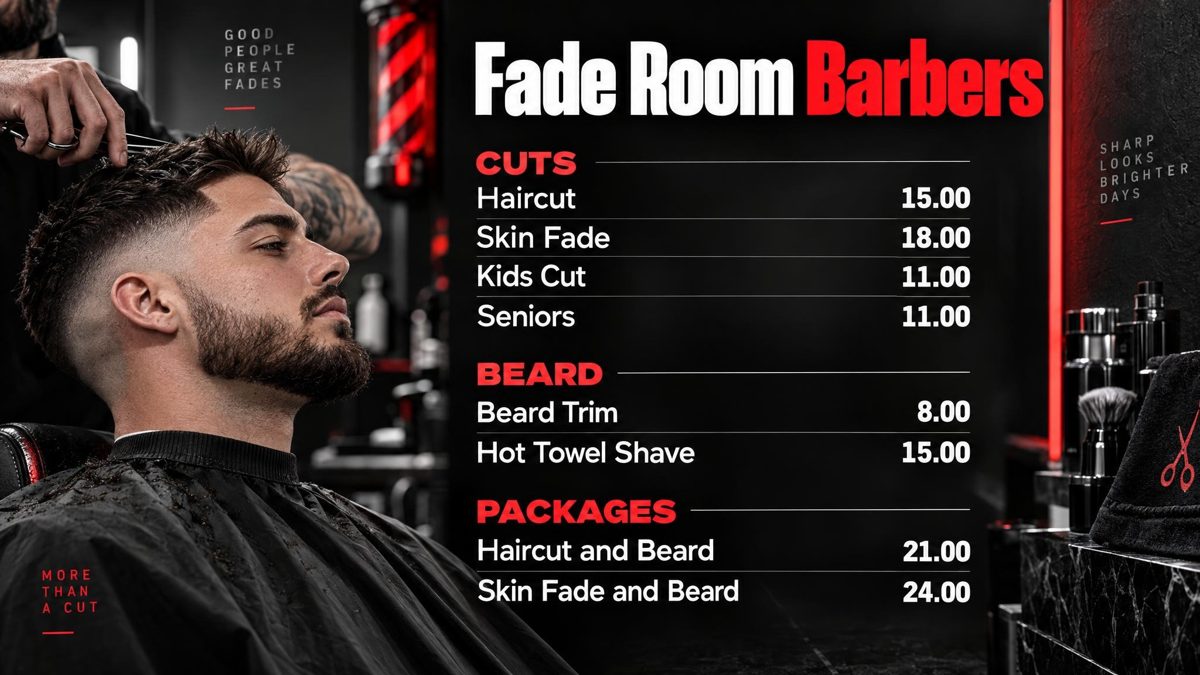
Fade Room Barbers: a board for a barber, with cuts, beard and packages
Barber
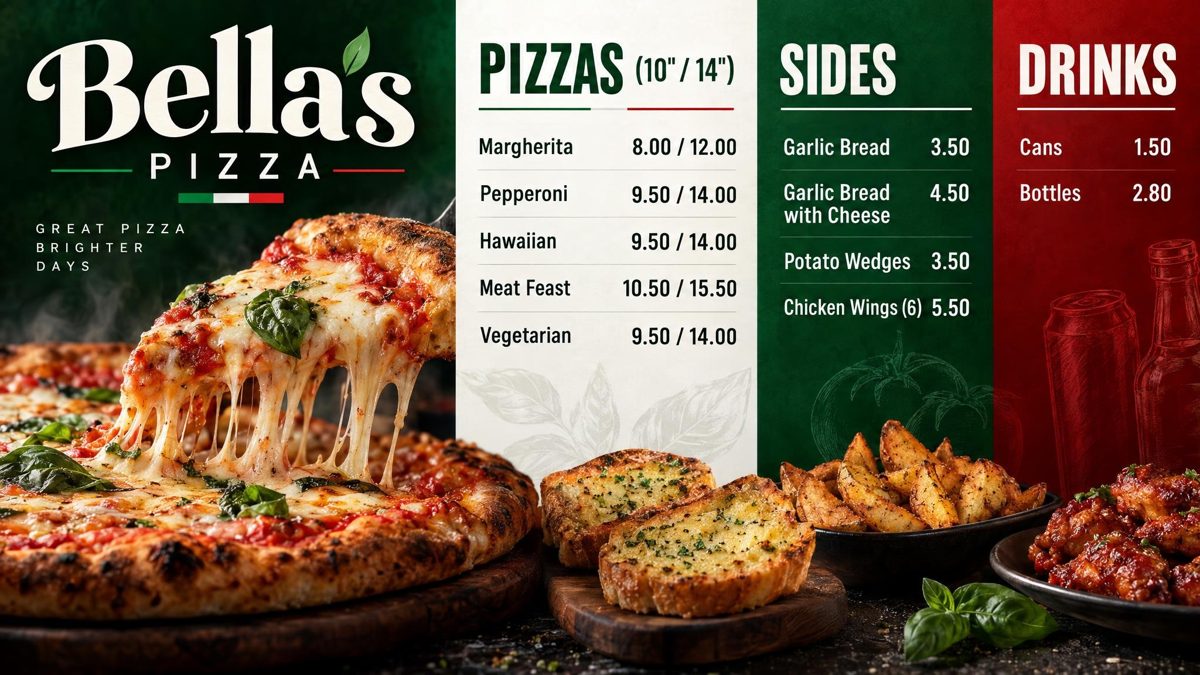
Bella's Pizza: a board for a pizza shop, with pizzas, sides and drinks
Pizza shop
Luxe Hair & Beauty: a board for a hair and beauty salon, with hair, treatments and beauty
Hair and beauty salon
Anatolia Grill: a board for a kebab and grill, with kebabs, wraps and sides
Kebab and grill
Parkside Garage: a board for a garage, with servicing, tests and checks and tyres
Garage
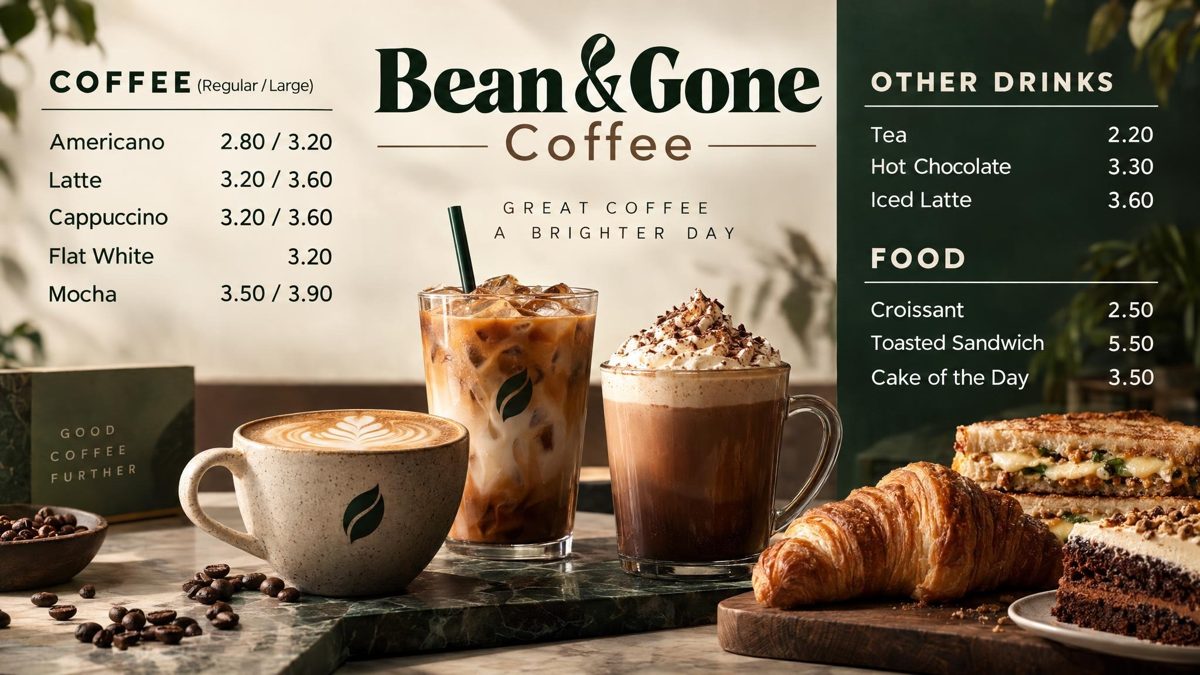
Bean & Gone Coffee: a board for a coffee shop, with coffee, other drinks and food
Coffee shop
Polished Nail Bar: a board for a nail bar, with hands, feet and extras
Nail bar
Harbour Fish & Chips: a board for a fish and chips, with fish, chips and sides
Fish and chips
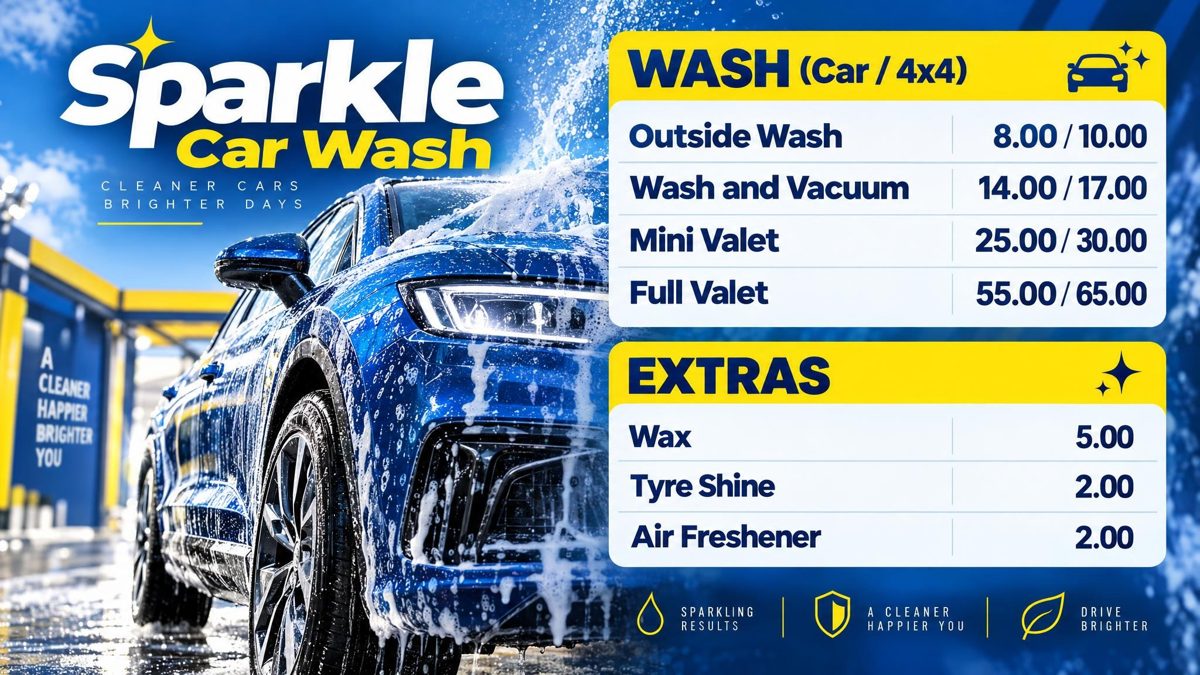
Sparkle Car Wash: a board for a car wash, with wash and extras
Car wash
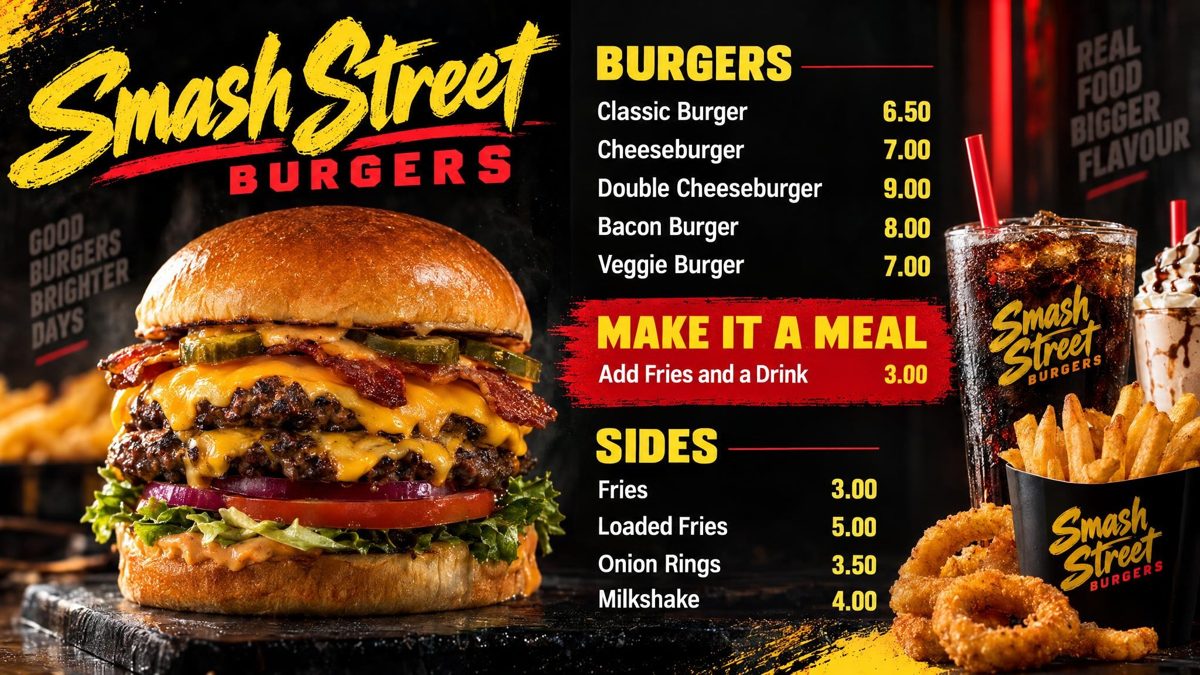
Smash Street Burgers: a board for a burger bar, with burgers, make it a meal and sides
Burger bar
Iron Works Gym: a board for a gym, with membership, pay as you go and personal training
Gym
Rise & Shine Bakery: a board for a bakery, with bread, pastries and cakes
Bakery
Sweet Dreams Desserts: a board for a dessert parlour, with waffles, sundaes, shakes and ice cream
Dessert parlour
Black Rose Tattoo: a board for a tattoo studio, with tattoos, piercings and aftercare
Tattoo studio
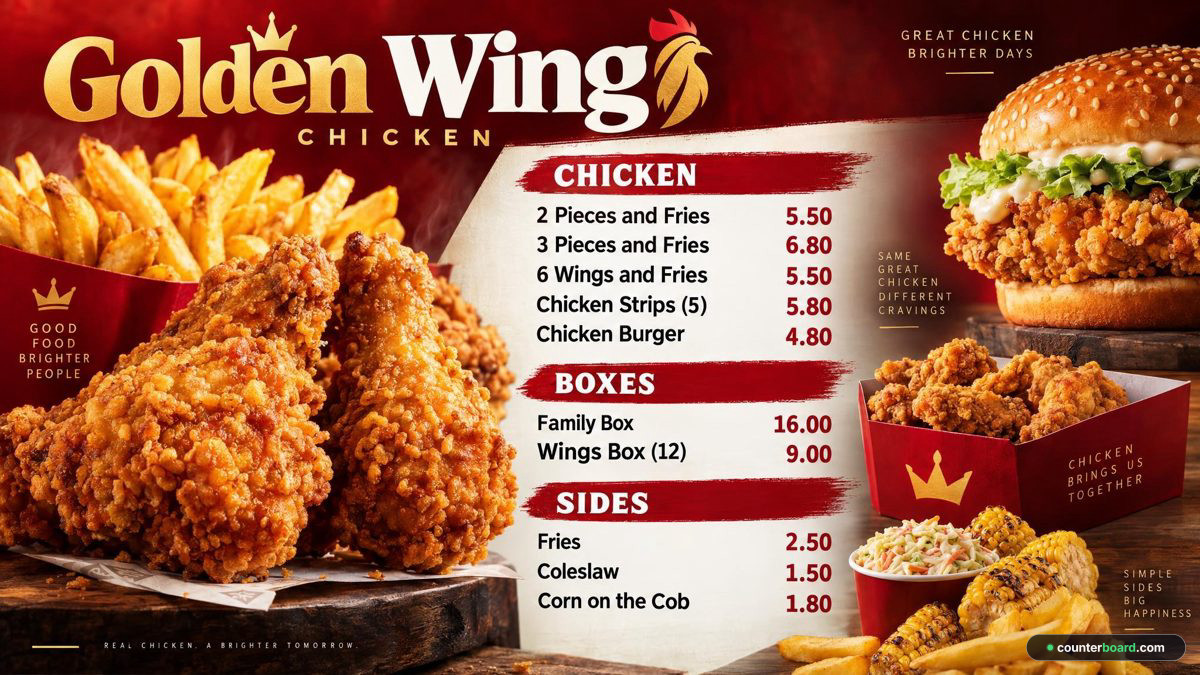
Golden Wing Chicken: a board for a chicken shop, with chicken, boxes and sides
Chicken shop
Happy Paws Grooming: a board for a dog groomer, with full groom, bath and tidy and extras
Dog groomer
Casa Taco: a board for a Mexican, with tacos, burritos and sides
Mexican
Fresh Fold Laundry: a board for a laundrette, with self service, service wash and ironing
Laundrette
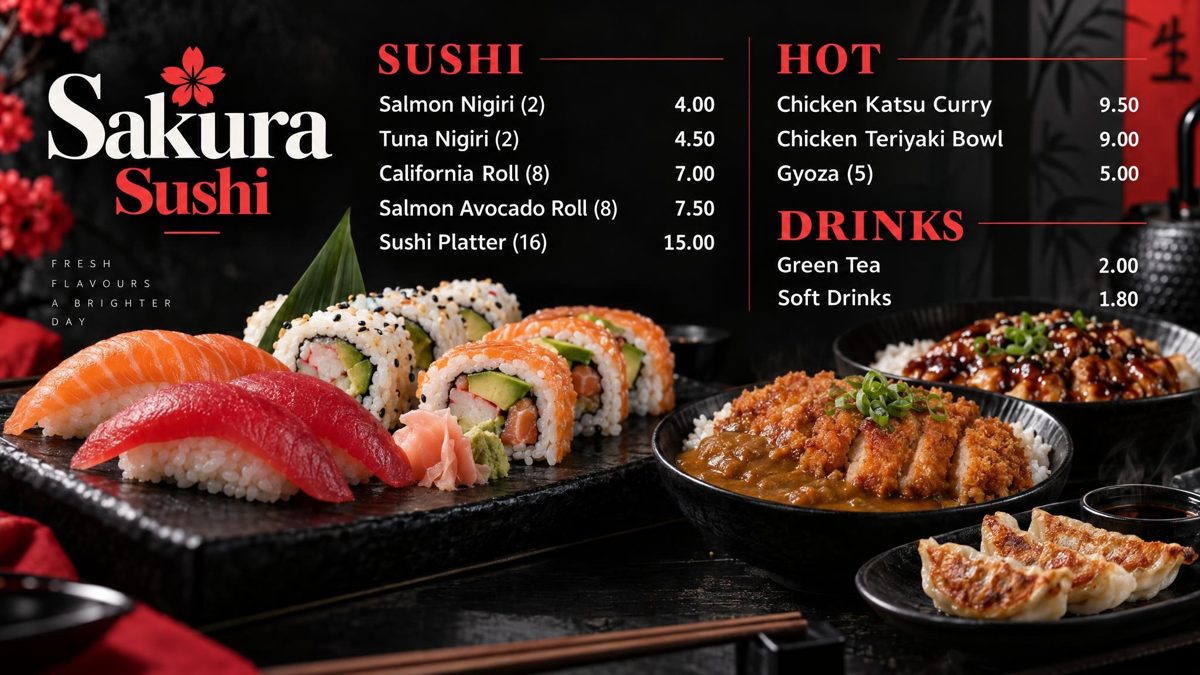
Sakura Sushi: a board for a sushi, with sushi, hot and drinks
Sushi
Boba Bliss: a board for a bubble tea, with milk tea, fruit tea and toppings
Bubble tea
Lucky Dragon: a board for a Chinese, with mains, starters and set meal
Chinese
Saffron Spice: a board for a Indian, with curries, starters and rice and bread
Indian
Thai Orchid Kitchen: a board for a Thai, with mains, starters and rice
Thai
The Corner Deli: a board for a sandwich shop and deli, with sandwiches, hot and meal deal
Sandwich shop and deli
Fresh Squeeze: a board for a juice bar, with smoothies, fresh juice and extras
Juice bar
The Olive Tree: a board for a restaurant, with mains, sides and desserts
Restaurant
The Anchor Bar: a board for a bar, with draught, wine and soft drinks
Bar

Have yours drawn, free → Not on here? It draws a board for any business with a price list.

In a real shop

On the wall, above the counter, every day

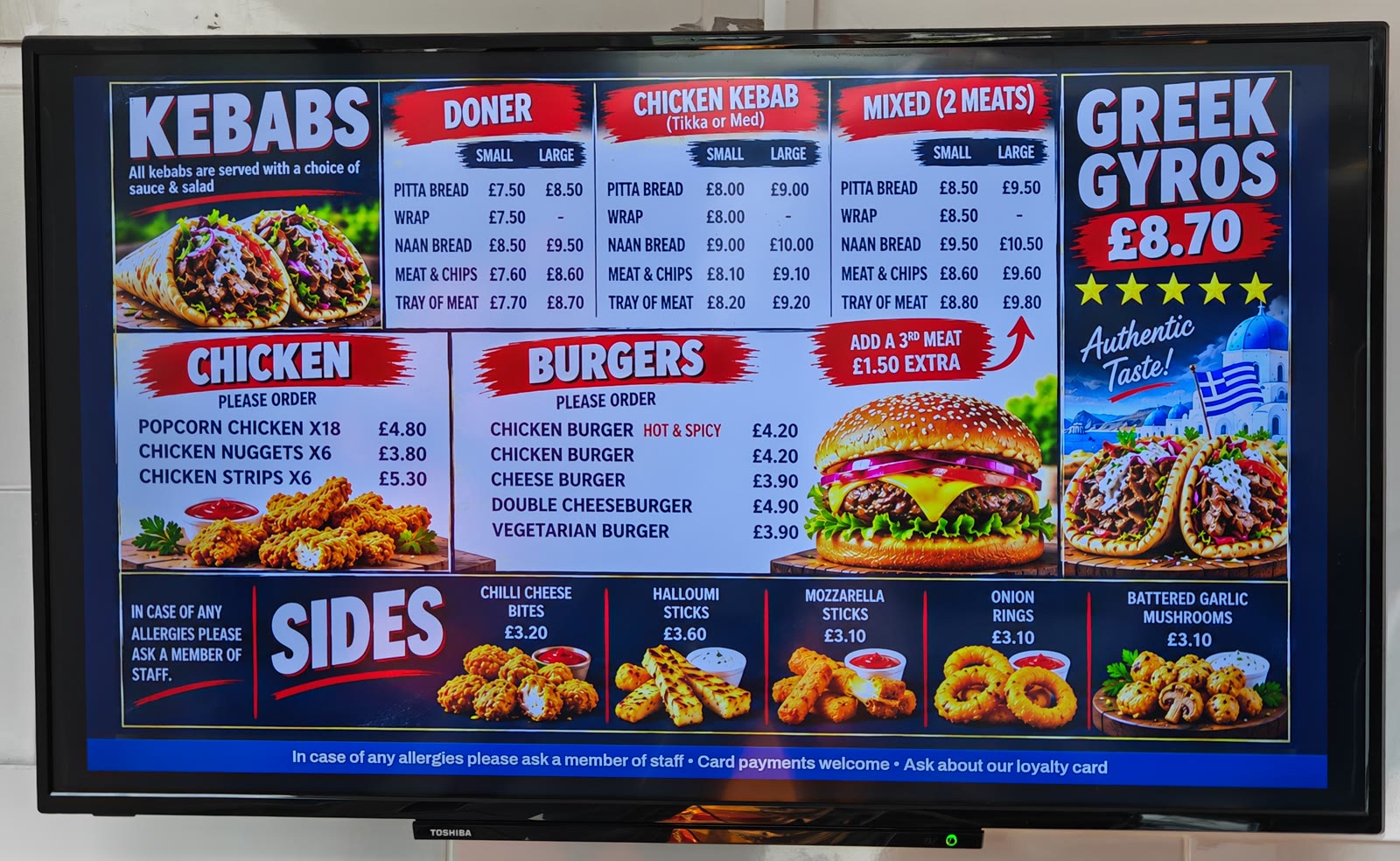
These are not examples. They are two boards made with Counterboard, photographed on the ordinary TVs above the counter of a real kebab and chip shop, with its real prices. When a price changes, it is changed from a phone and both screens follow on their own.

A kebab, chicken, burger and sides menu board on a TV in a real takeaway
The main board, on a Toshiba TV
An all day specials board with a mini fish meal and a donner cob on a TV in a real takeaway
The specials, on a Bush TV next to it

How it works

Three things, once. Then a minute a change.

Everything after the first evening is typing a number and pressing one button.

1

Say what you want

Nine quick questions, one at a time, each a tap. Your colours, or a photo of a board you like. Your logo or your name. Which way the TV hangs, a bar along the bottom for a message and a QR code. Then your items and prices: type them, or photograph the list you already have and it is read for you to check.

2

We draw it, you check it

About two minutes later a finished board is on the screen: your name or your logo, every item and every price printed on. Not right yet? Say what to change, in words, and it is drawn again. Nothing reaches a TV until you say so.

3

Put it on the TV

A smart TV, or any TV with a stick in it. Six letters come up on the screen. Type them into your phone once and that television is set up for good.

Pricing

Free. Or £14 a month, and the band comes off.

One subscription, so much a screen: £14 a month for one screen, and £7 for each screen after it. Put up another screen and the price goes up that day. Remove one from your account and the price comes down at a renewal, never part way through a month.

No contract, cancel any time.

Your first board is free. Each paid TV includes 2 price updates a month. More cost £1 each, sold in packs from £5. Each TV you put up gets a board drawn for it, free, and a free board is drawn once. After that everything we draw is credits: a price change is one credit, a new look or an item added, taken off or renamed is two, a whole new board is three, with two goes at getting it right. A paid plan includes two credits a month for each TV, so two price updates, and they start again on the 1st. On the free screen you pay as you go, a credit at a time. Need more in a busy month? Buy them inside the dashboard: ten for £9, twenty-five for £20 or fifty for £35, with no change to your plan. Five shops or more? Ask us about one invoice a month for all of them.

Setting up

This is the whole job

Ten minutes, once. A smart TV needs nothing plugged in; any other TV takes a stick. Nobody has to touch the television again.

On an Amazon Fire TV or Fire Stick, search the television for counterboard and press Get: our own app is free, there is nothing to type on the TV, and it comes back on by itself every morning.

Available at Amazon Appstore Google PlayComing soon App StoreComing soon

Why shops move to us

Most signage companies keep the keys

You pay them to build it, and after that every change goes through them. A price rise is an email. A sold-out line is an email. A Christmas special is an email and a wait, and sometimes an invoice. So it does not get done, and the board on the wall slowly stops matching the shop.

We draw your board too. The difference is that you do not wait for us: say what you want and it is drawn while you stand there, every price on it. And then the real difference: we hand it over.

On your phone Behind the counter, mid-service. Put the cod up fifty pence, take the scampi off. The board is drawn again with the change and every screen has it in about two minutes.
In your own words Make the name bigger. Turn it Christmassy. Put the meal deals at the top. Say it, see the new board beside the old one, and keep the one you prefer.
Keep the look you love Add a photo of a board you like, yours or anybody's, and yours is drawn in that style, with your own name and prices on it.

Questions

The ones everybody asks

What do I actually need to buy?

Probably nothing. A smart TV (Android TV, Google TV, Fire TV) runs it on its own. An older TV needs a streaming stick in its HDMI socket, about £30 from any shop, or we post you one with your board already on it. On a Fire TV, our free app is in the Appstore on the television itself — search it for counterboard.

Can I print my price list as well?

Yes. Every board has a Printed menu button: the same items and prices as an A4 or A5 counter menu or price list, or a leaflet for putting through doors, with your board's look at the top. Save it as a PDF for your print shop or print it yourself. When a price changes on the board, the printed version has it too. On the free screen it carries a small "Made with counterboard.com"; on a paid plan, only your own name.

What happens when the internet goes down?

Nothing. Each screen keeps the whole board on itself and carries on. When the line comes back it picks up whatever changed while it was off.

I have no artwork and I am not a designer. Can I still use it?

That is the point. Say how the board should look, or add a photo of one you like, and it is drawn for you with your items and prices on it. Your logo goes on if you have one; your shop's name is lettered on if you do not.

What if I do not like what it draws?

Say what to change, in words: the name bigger, the background darker, the fish at the top. On a board bought with credits it is drawn again, two goes in all; a free board is drawn once. Nothing goes on a TV until you keep one.

How many boards do I get, and what does a change cost?

One board for every TV you put up, drawn for you, free. After that everything we draw is credits: a price change is one, a new look or an item added, taken off or renamed is two, a whole new board is three. Your plan includes two credits a month for each paid TV, and they start again on the 1st. More can be bought inside the dashboard, ten for £9, twenty-five for £20 or fifty for £35, and bought credits never run out.

I already paid for a design. Can I use it?

Add a photo of it as the look and the board is drawn to match, with your prices on it. If you want it used exactly as it is, ask us and we will set it up for you.

Can my staff change prices?

Add as many people as you like, and decide who can publish to the screens and who can only prepare changes.

What if I add a screen halfway through the month?

The price goes up that day by one extra screen, worked out automatically, and you pay the difference for the rest of the month. Remove one from your account and the price comes down at a renewal, never part way through a month.

Do I sign anything?

No contract, no notice period. Stop whenever you like from inside the dashboard.

Earn with Counterboard

Know a shop with a TV on the wall? Get paid for telling them.

Share your own link and earn half of what each shop pays for its first year, then a fifth for as long as it stays. The shop gets three weeks free from sign-up, no card. Your link works the minute you have it.

Put your first board up tonight

One screen free, no card, and your first board is drawn in about two minutes.