
Guides
Your prices on a screen, explained plainly
Short answers to the questions shop owners ask most, with real steps. For any business with prices on a wall: takeaways, cafes, bakeries, bars, barbers, salons, nail bars, car washes and more, in any country.
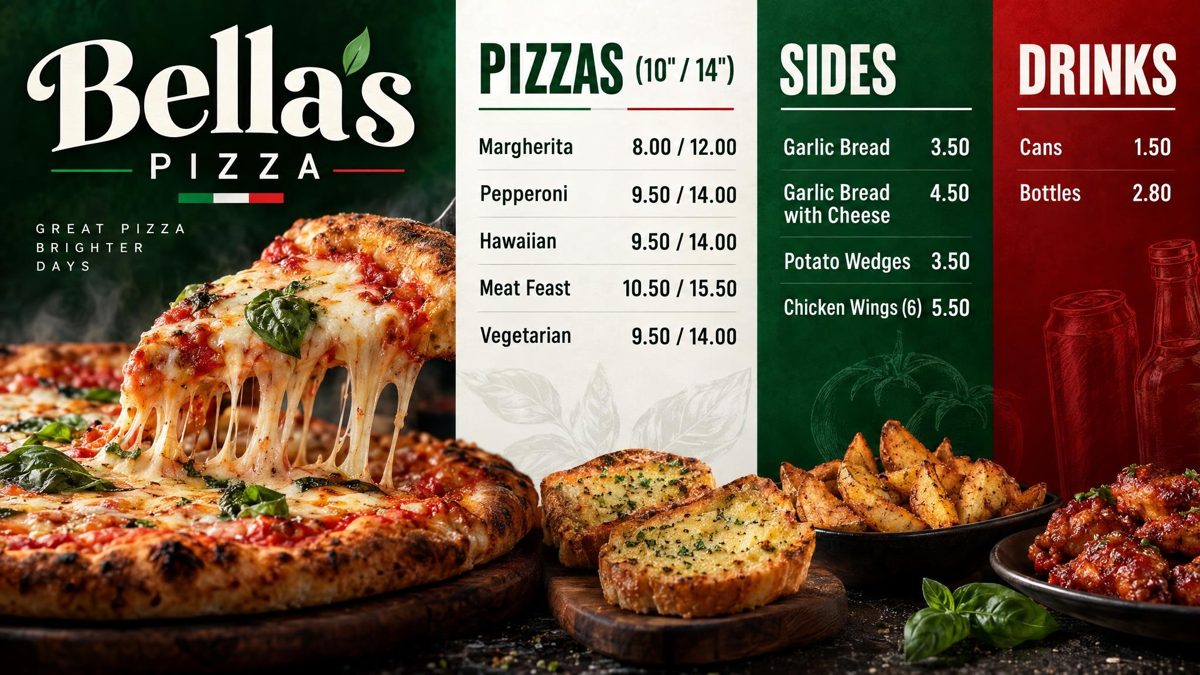
How to put your menu on a TV or screen
Any screen will do: a smart screen, a Fire TV Stick, an Android box or a laptop on an HDMI cable. The steps for each, and the board to put on it.
Read the guide →Fire TV Stick menu board: how to set one up
Turn any screen with an HDMI socket into a menu board. Which stick to buy, and the free Counterboard app in the Fire TV store: two minutes, and nothing to type on the television.
Read the guide →Change your TV or screen menu from your phone
A new price, a new dish, something sold out: change it on your phone behind the counter, check the new board, and send it to the screen.
Read the guide →Salon and barber price list on a TV or screen
Your treatments and prices on a screen by the door or the mirror: designed from your own words, changed from your phone when prices move.
Read the guide →A digital menu board without a designer: what each way costs
Printed boards, hiring a designer, signage software you design in yourself, or saying what you want and letting AI design it. What each one really costs you.
Read the guide →How to make a digital menu board for free
The free ways to put a menu on a screen that actually work, what each one costs you in time, and how to get a finished board drawn for you free in about two minutes.
Read the guide →A free QR code menu for your takeaway or cafe
Put your menu on your customers' phones with a QR code on the counter, the door or your printed menu: free, nothing for them to download, and it changes when your prices do.
Read the guide →Takeaway menu board ideas that sell more
Ideas for a takeaway or cafe menu board that customers can read from the queue: what to put first, how big the prices should be, photos, meal deals, and examples drawn by AI.
Read the guide →Canva or Counterboard for a TV or screen menu
Canva is where most shops start a menu board. Here is what it takes to get a Canva design onto a screen and keep the prices right, and how that compares with a board drawn for you.
Read the guide →Counterboard or Yodeck for a menu board?
An honest comparison for a shop that wants a menu on a screen: what Yodeck is, what Counterboard is, where each one wins, and what each costs a one-screen shop.
Read the guide →Yodeck alternatives for a TV or screen menu
Looking for a Yodeck alternative because all you want is a menu on the screen? The three kinds of alternative, what each asks of you, and which fits a one-screen shop.
Read the guide →ScreenCloud or Counterboard for a menu board?
An honest comparison for a shop with a screen behind the counter: what ScreenCloud is, what Counterboard is, where each one wins, and what each asks of a one-screen shop.
Read the guide →Digital menu board templates, and the way without one
What to look for in a digital menu board template, why most shops end up with a board that looks like everyone else's, and how to get a board designed from your own words instead.
Read the guide →Opening hours sign on a TV or screen
An opening hours sign that changes when your hours do: drawn from your own words, shown on a screen in the window or by the door, and changed from your phone for the bank holiday.
Read the guide →Meal deal offers board on a TV or screen
A meal deal and offers board drawn from your own words, with photos of your kind of food, on the screen next to the menu. Swap the deal from your phone on the day.
Read the guide →A pub what's on board on a TV or screen
Quiz night, steak night, the football, Sunday roast: a what's on board drawn from your own words for the screen in the bar, changed from your phone when the week changes.
Read the guide →Counterboard or Menuboard Manager for a menu board?
An honest look at Counterboard and Menuboard Manager for a shop menu on a screen. What each does, what each costs, and who each one fits.
Read the guide →Counterboard or a light-box menu board?
A lightbox menu is a printed poster in a lit frame. Counterboard is a menu on a screen that you change from your phone. What each costs you, and when to switch.
Read the guide →Best digital menu board for chip shops UK 2026
What a UK fish and chip shop needs from a digital menu board in 2026: a checklist you can hold any product to, how Counterboard does against it, and what one or two screens cost.
Read the guide →Fire Stick menu board for takeaways
For kebab, chicken, pizza, Chinese, Indian and burger takeaways: a menu on any screen with a Fire TV Stick and the free Counterboard app, with prices changed from your phone.
Read the guide →