
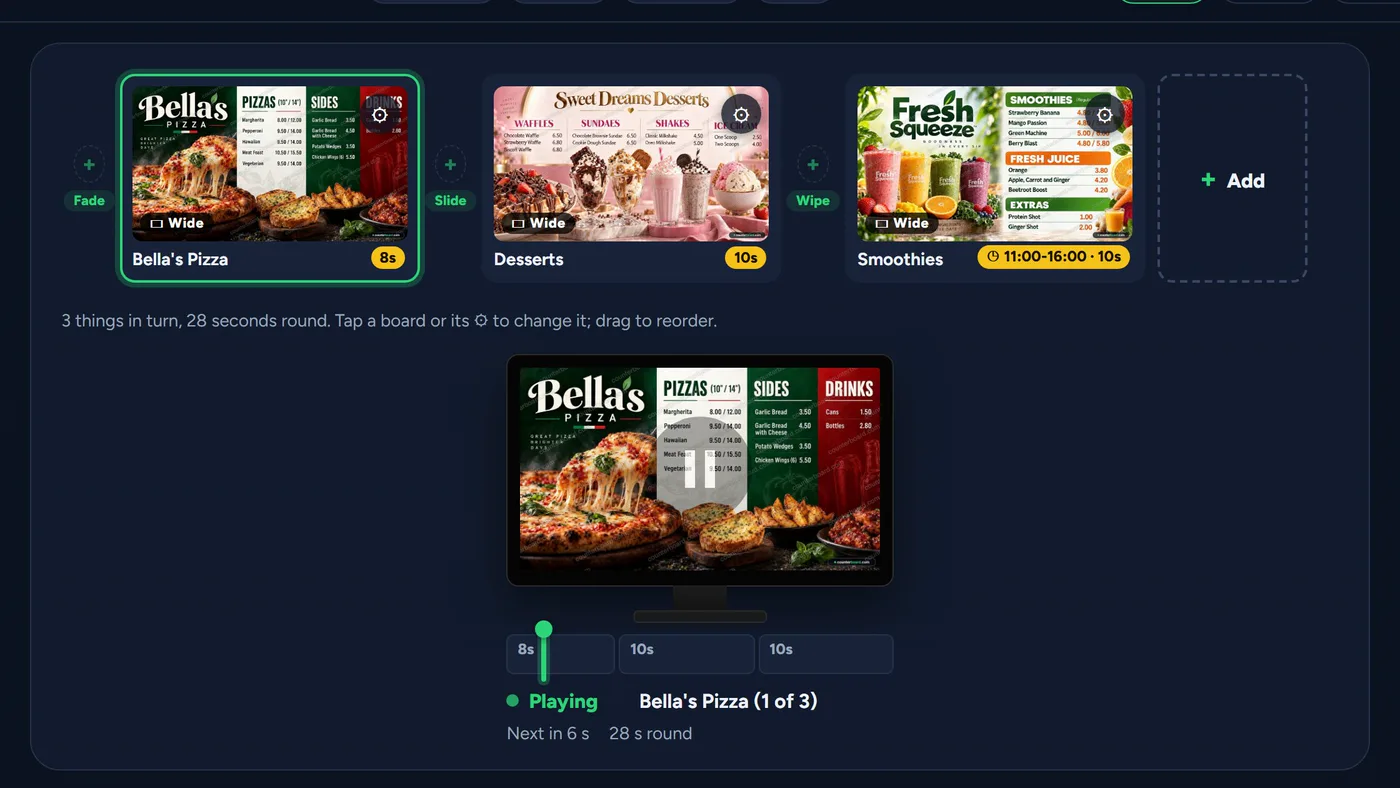
Every screen, planned in one studio
Your boards and videos in a line, each with its own seconds and the way it comes in, some only at the times you choose. Press play and see exactly what the screen will show.
For every shop with prices on the wall
On the screen you already have, run from your phone.
Design your board or change a price, and every screen follows within a minute. Customers scan your screen for a loyalty card, your offers by email, and to leave a tip. No designer, and nothing for your customers to download. One screen free.
Rather set up your account first? Sign up free →

Change a price from your phone (2 a month with each paid screen, then £1 each) and the screen, your printed price list or menu and your leaflets all have it.
One screen free, for as long as you like, with a small counterboard.com band on the board, no card. Without the band: £14 a month for one screen, and £7 for each screen after it, with no VAT to add. No contract, cancel any time.
We run one of these in our own shop, so it has to work on a busy Friday night.
The real studio, filmed as it is. Nothing mocked up.
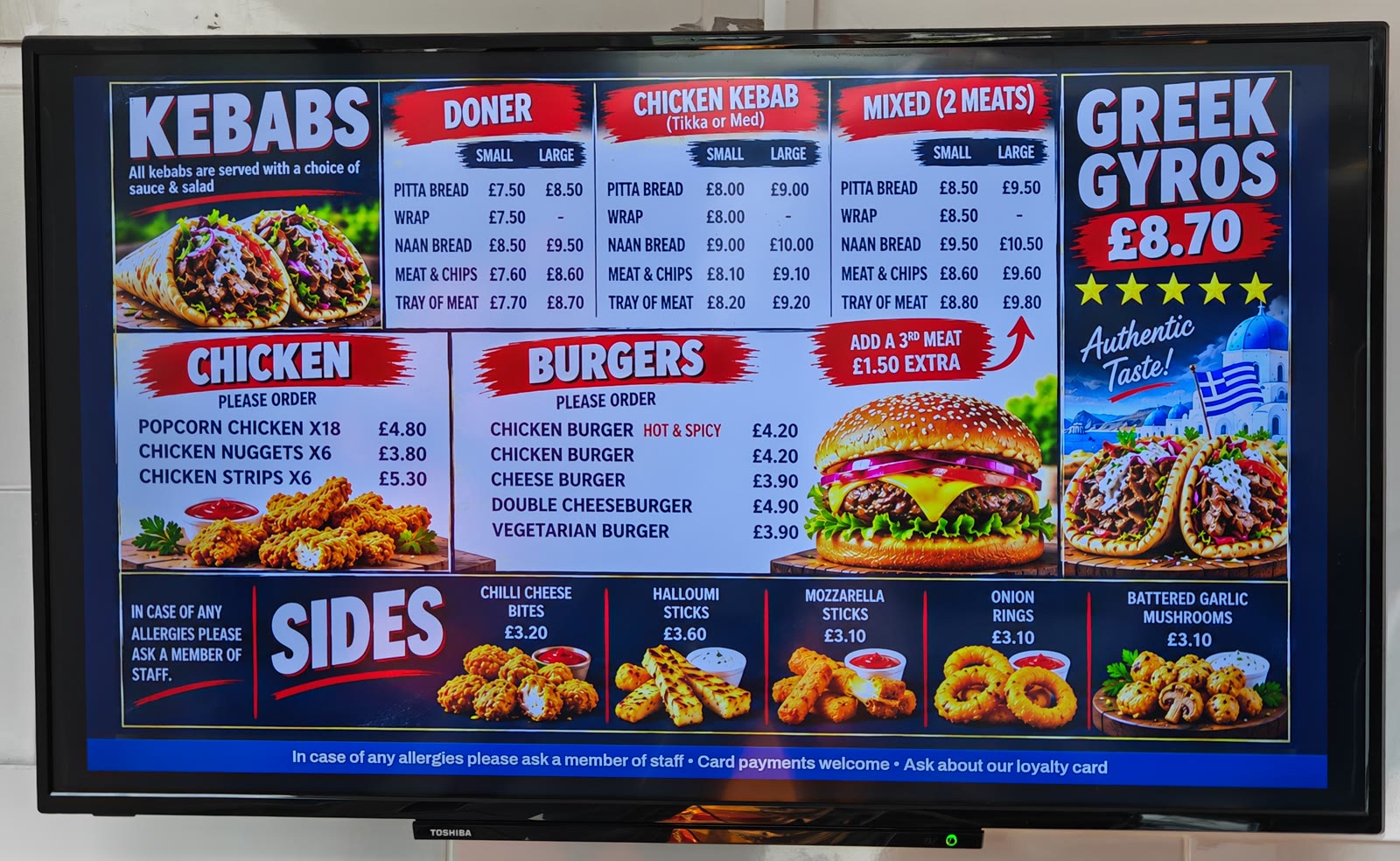 Up in a real shop. A kebab and chip shop, every day, two screens.
Any screen. A smart screen as it is, any other with a stick.
One screen free. No card, no contract.
Up in a real shop. A kebab and chip shop, every day, two screens.
Any screen. A smart screen as it is, any other with a stick.
One screen free. No card, no contract.
Why not just use an AI app?
Inside the studio
These are the real screens, not drawings of them.
Your boards and videos in a line, each with its own seconds and the way it comes in, some only at the times you choose. Press play and see exactly what the screen will show.
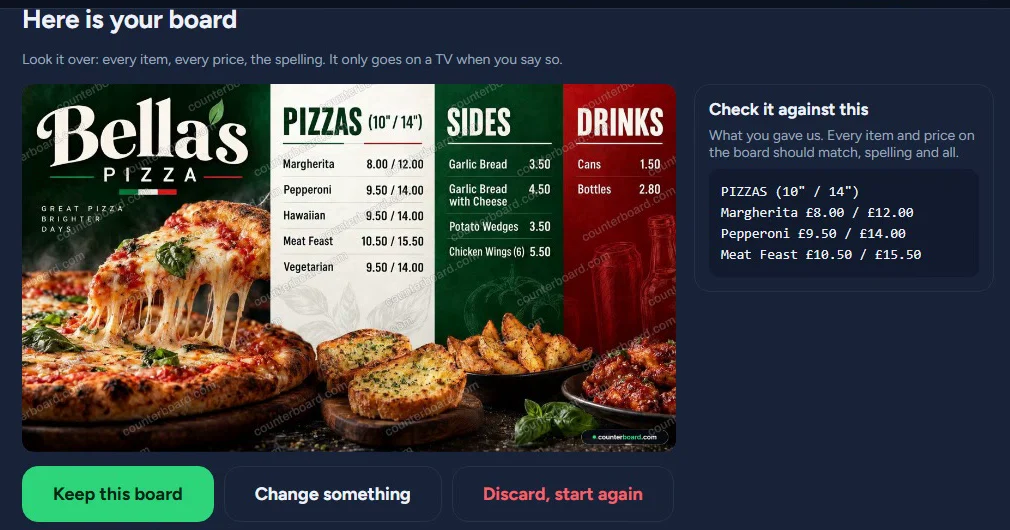
Every item and price, in your colours, with your name or logo. You read every line before it is drawn, and nothing goes up until you say.
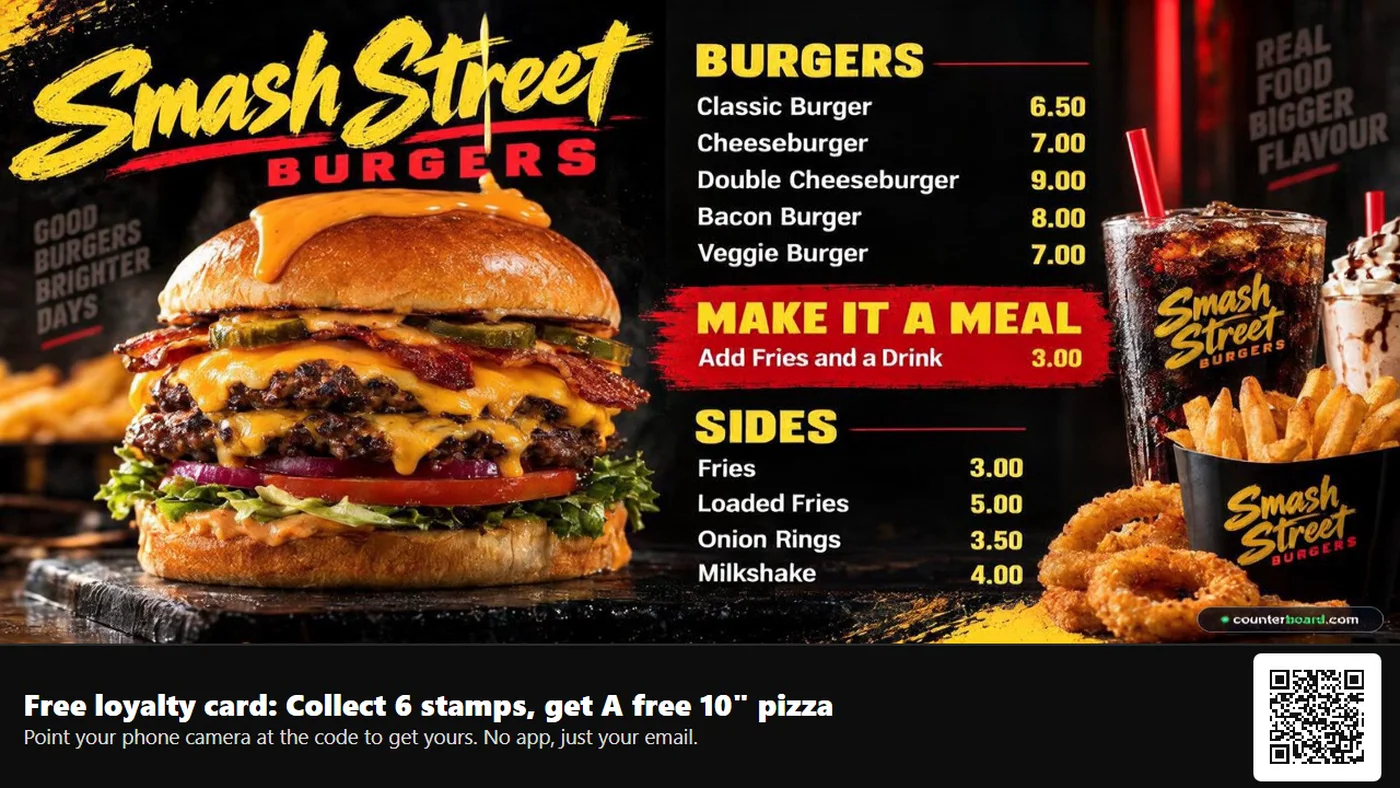
Steam off the burger, a glint on the drink. The food moves; your words and prices stay exactly as they are.
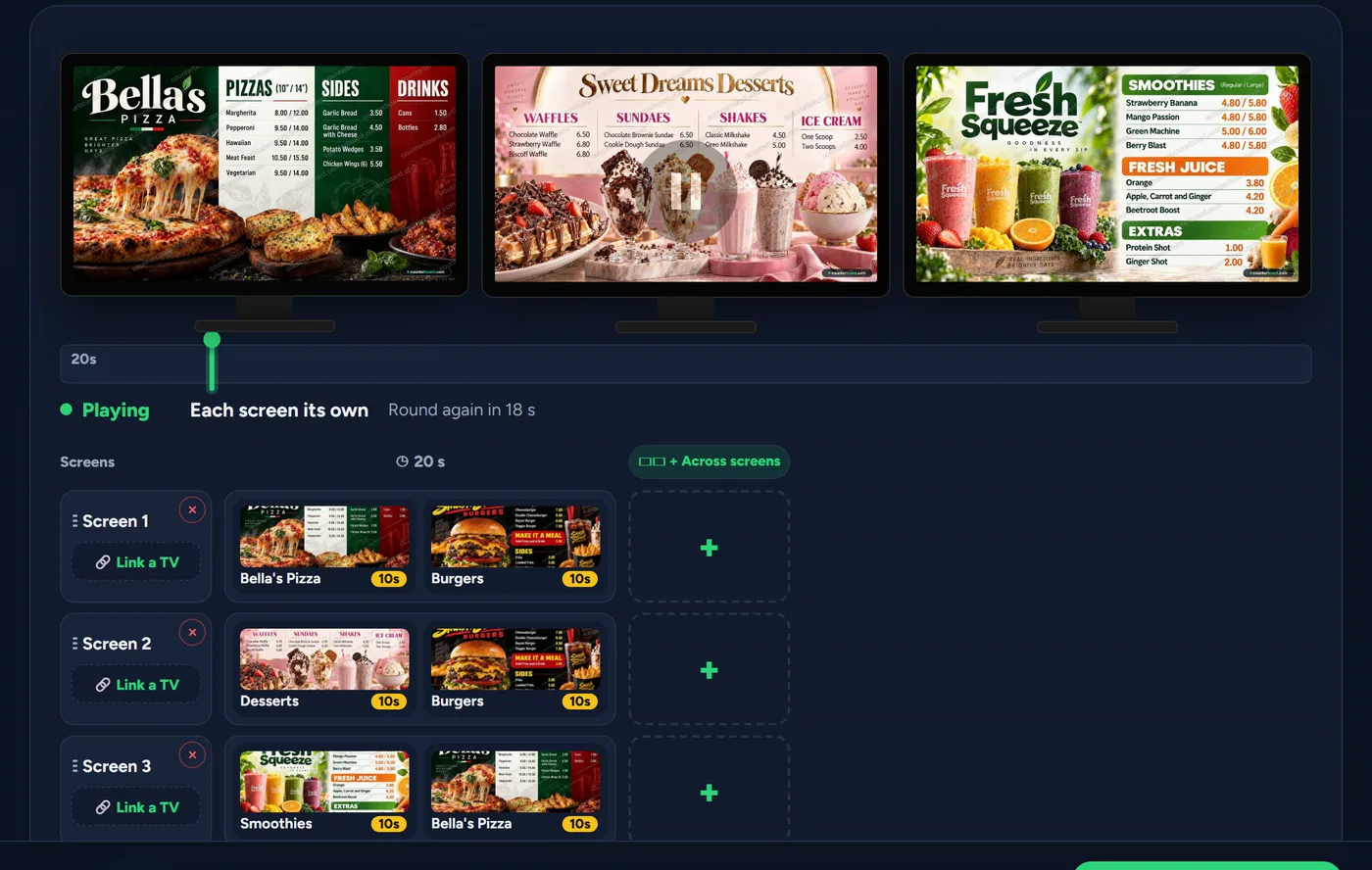
A different board on each screen, then one picture or video across all of them, every screen in step.
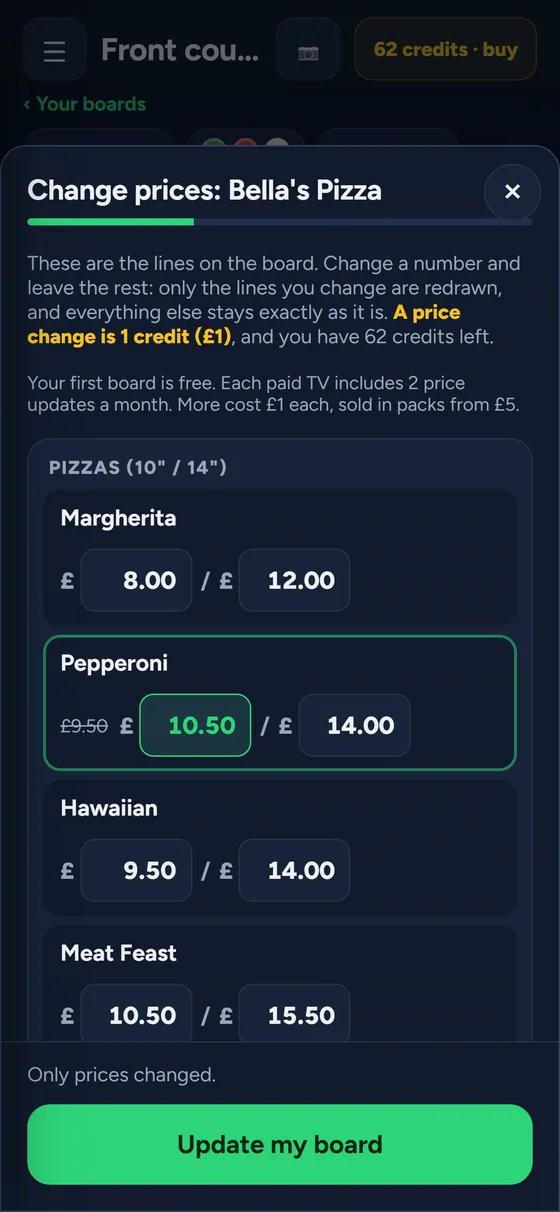
Type the new number. Every screen has it within a minute, and so does your printed menu.
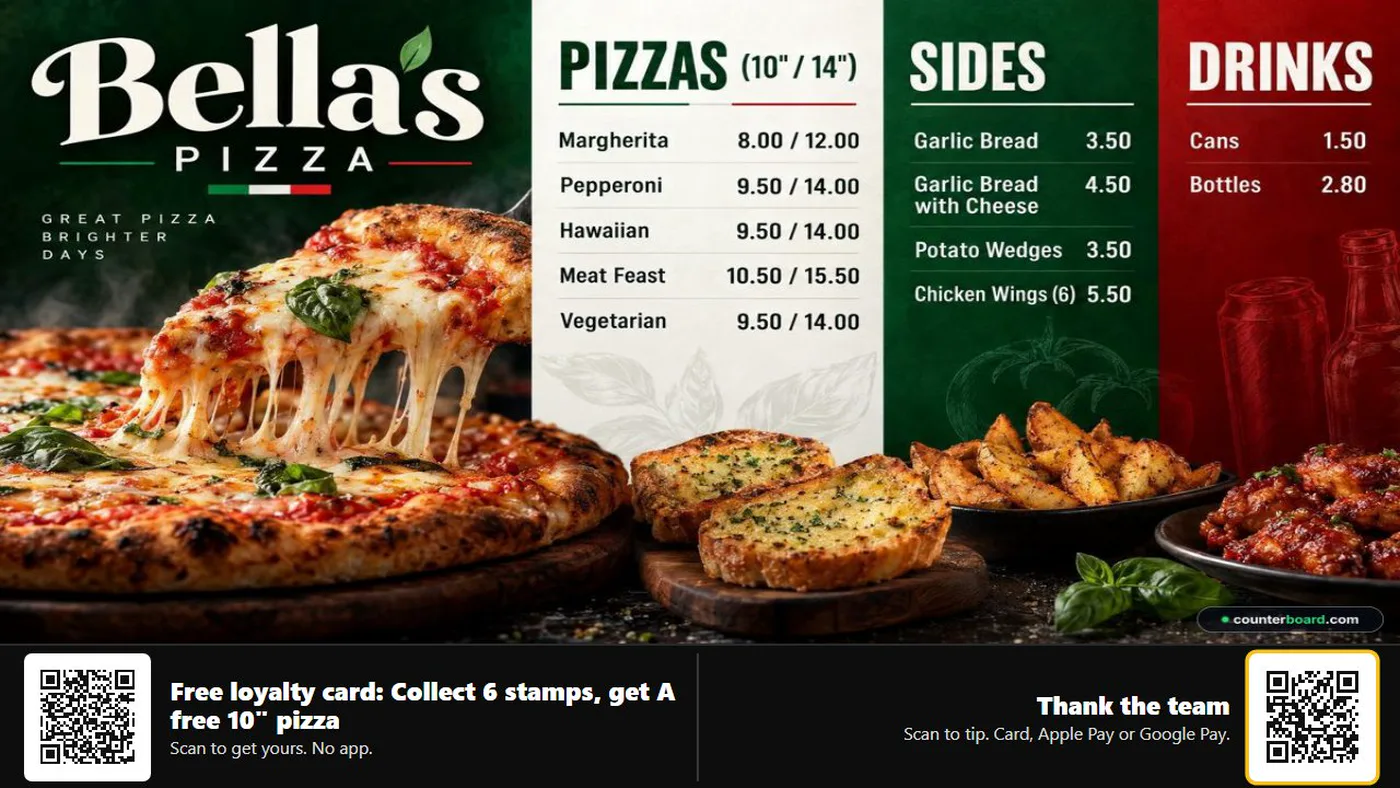
Customers point their phone at the code on the screen and the card is theirs. Your staff stamp it by scanning. Nothing to download.
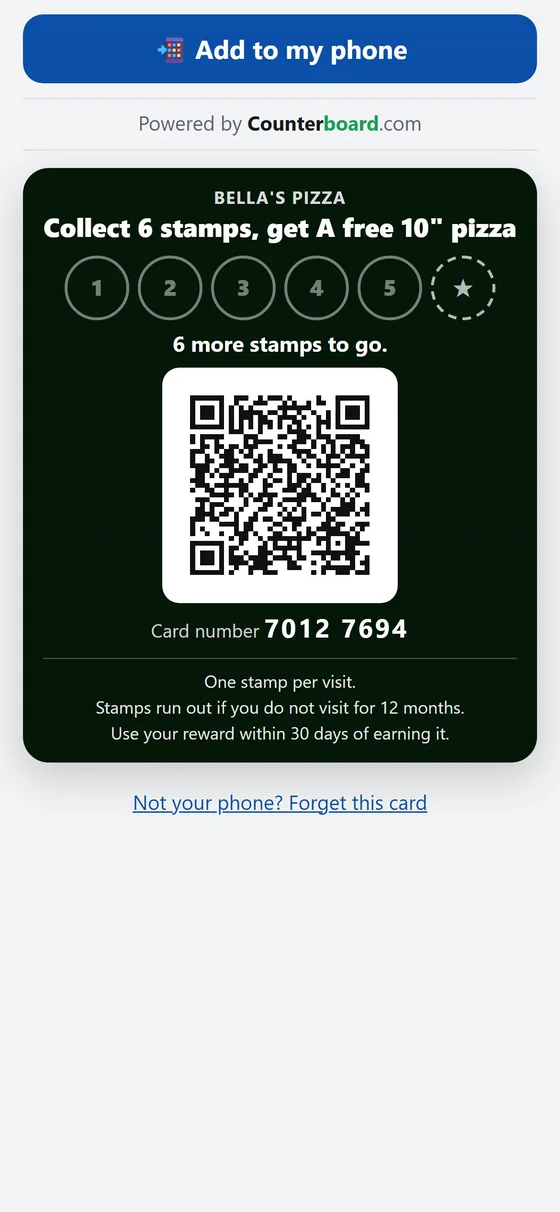
Their card counts the stamps, says how many to go, and reminds them when a reward is waiting.
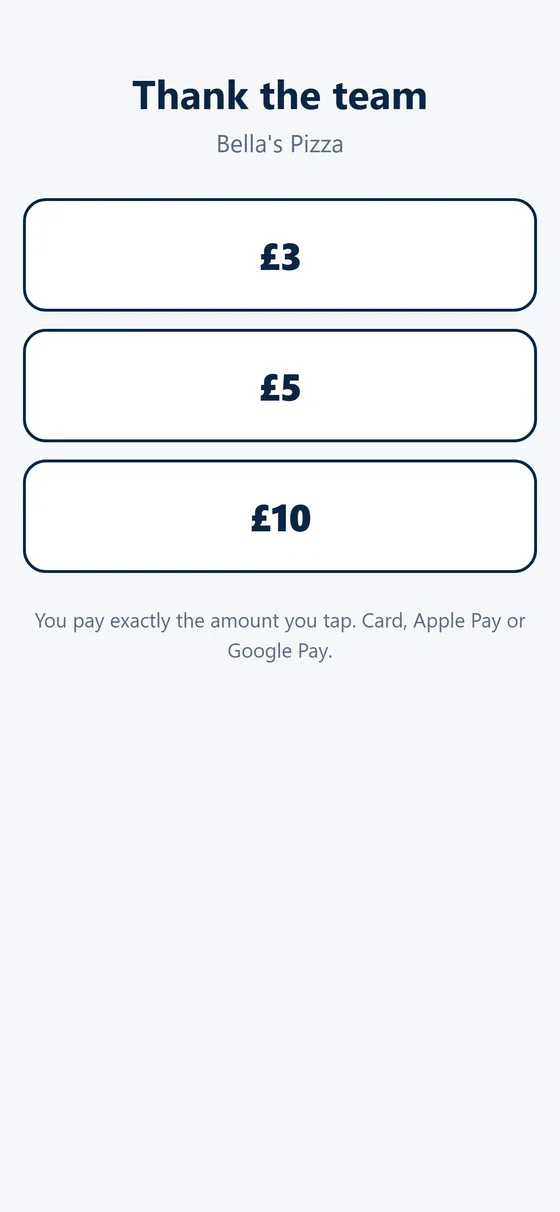
The same screen takes tips by card, Apple Pay or Google Pay, paid straight into your own account.
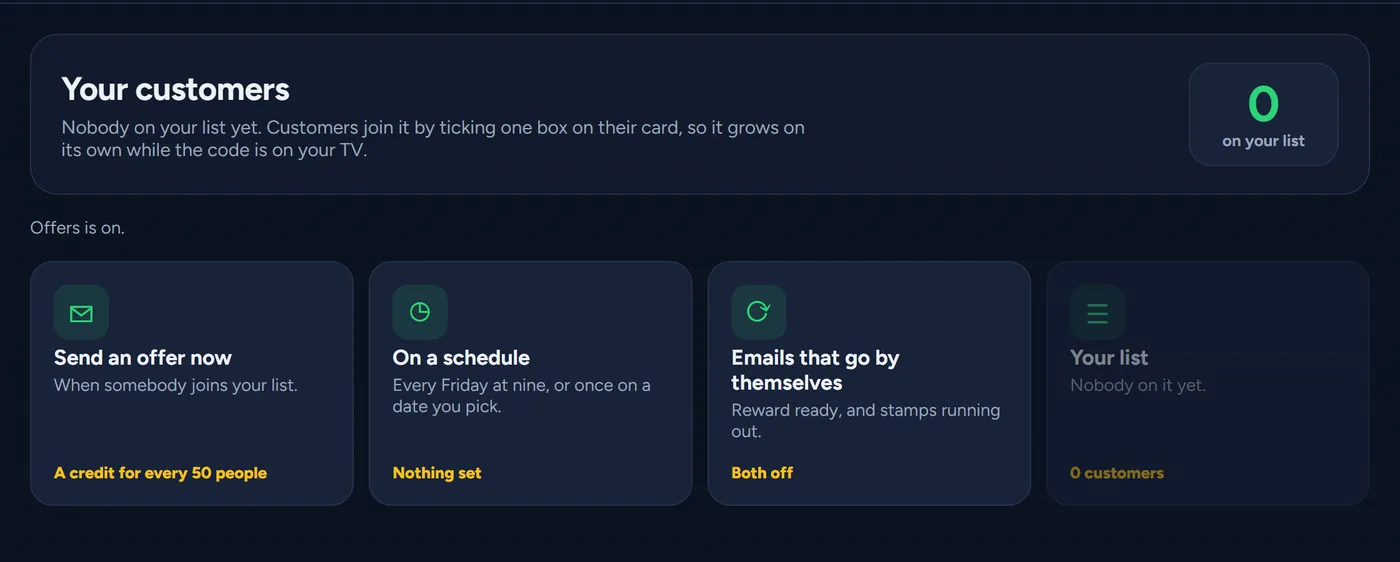
Everyone who said yes on their card gets your offers: send one now, on a schedule, or by themselves when it is time.
A login for each person, with only what they need. One board on every branch’s screens, changed from one place.
One price list, everywhere
Your board on the screen, your price list or menu on the counter and in the leaflets: all from the same list. Change a price from your phone behind the counter, and every screen and every printed copy has it.
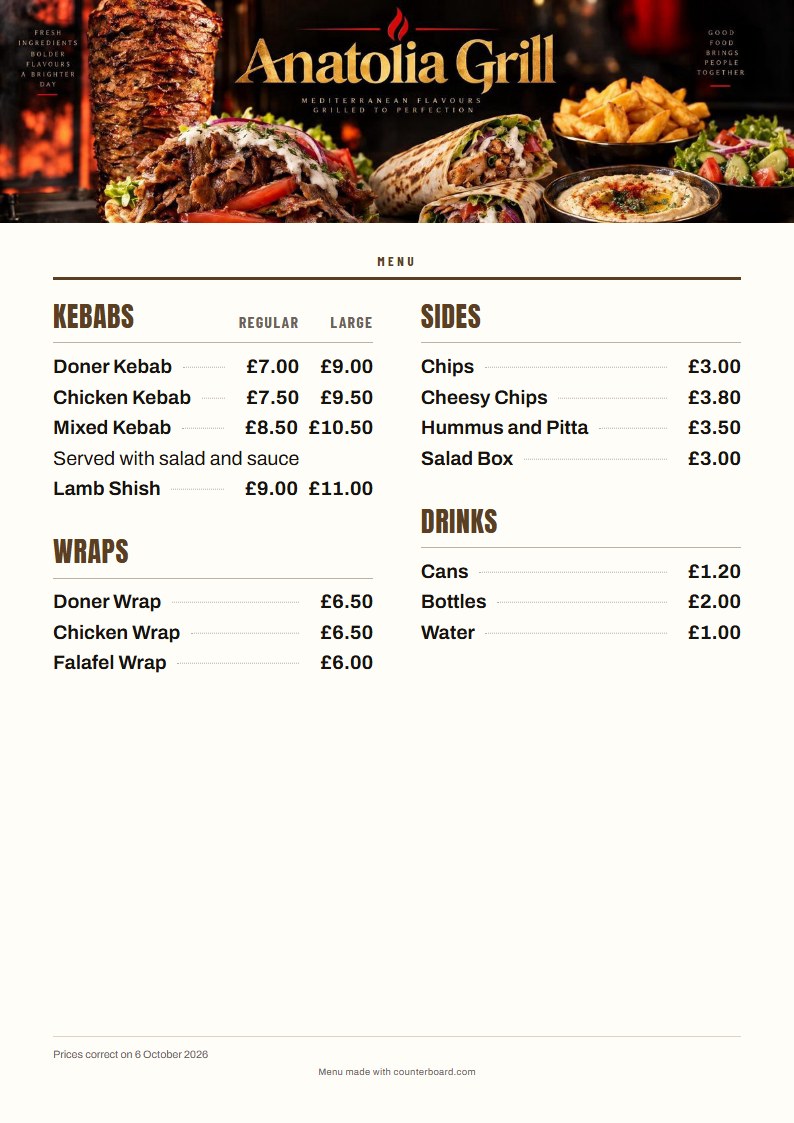
Only need a printed menu? Make one free, no sign-up →
Type what you sell, the way you would say it. Say how it should look. Watch it draw. Then put it on your screen if you like it.
This also opens your free account: your email is how you sign back in. No password to make up, no card. One free board a day from each address.
Every trade, every look
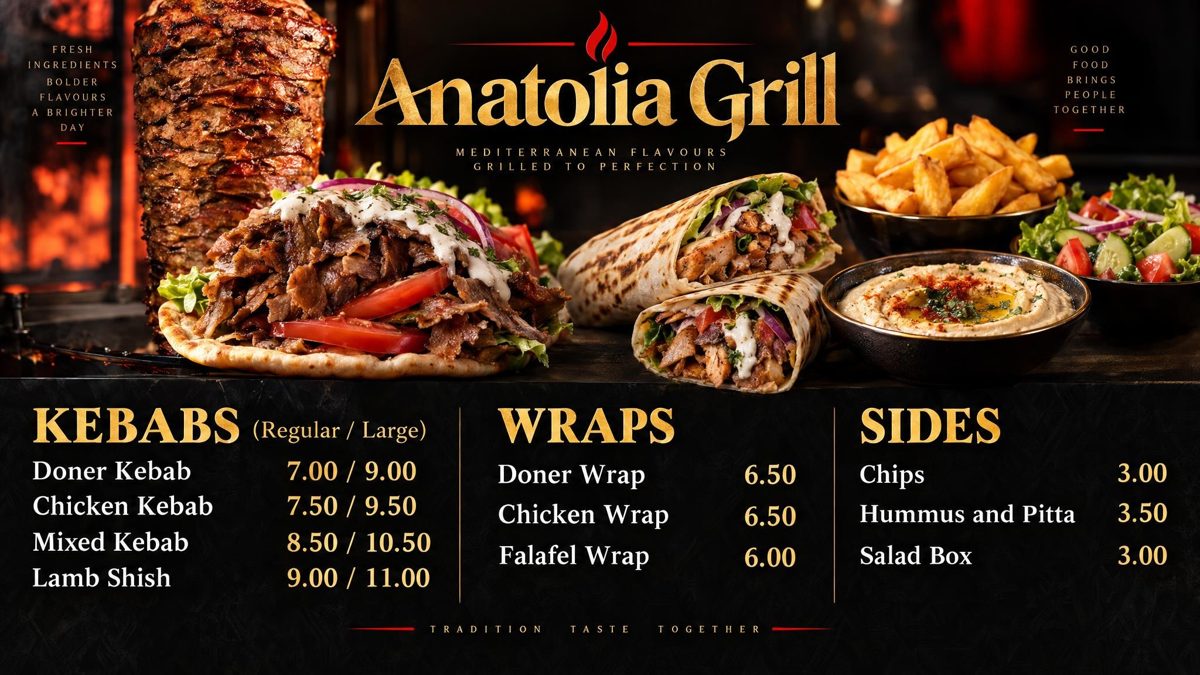
Nobody designed these. Each one was drawn by Counterboard from a few words about the look and a short price list, and is shown exactly as it came back. The shops are examples. Yours carries your name and your prices, and when a price changes you change it from your phone.
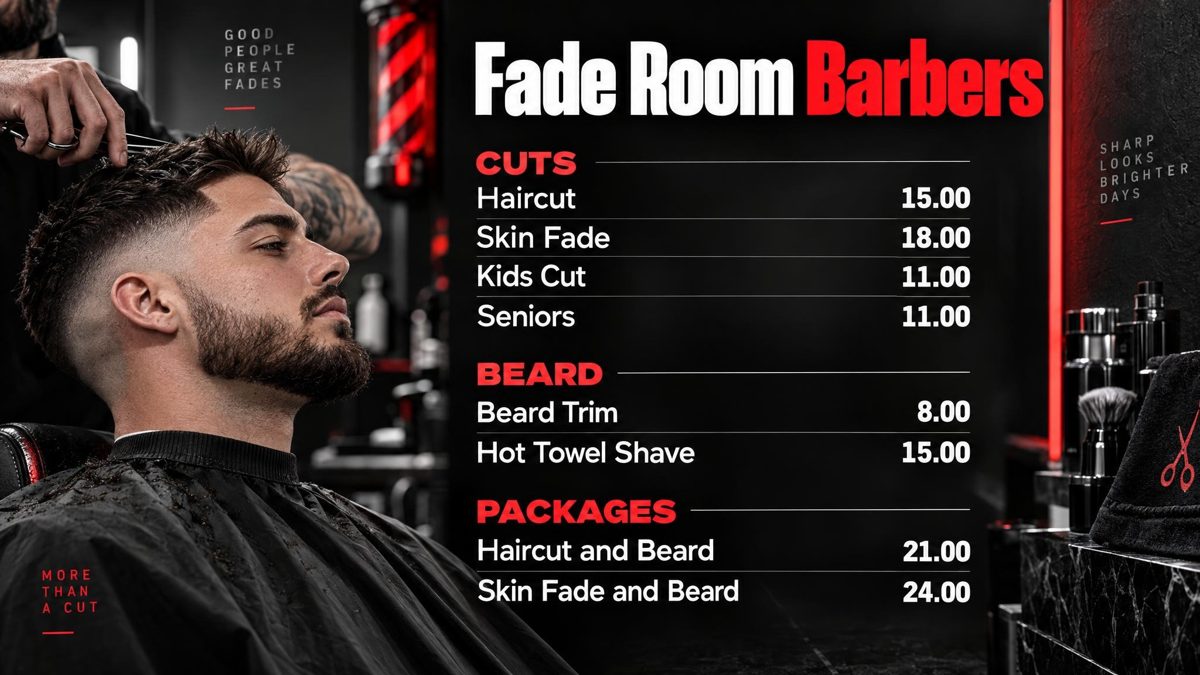
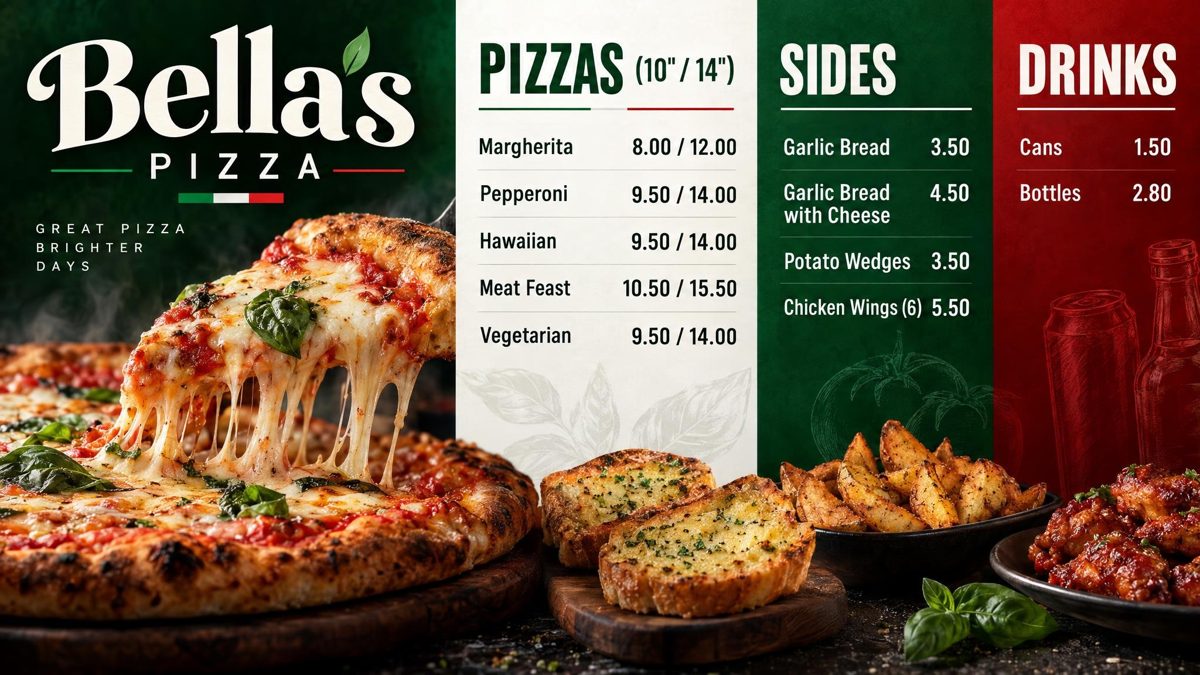

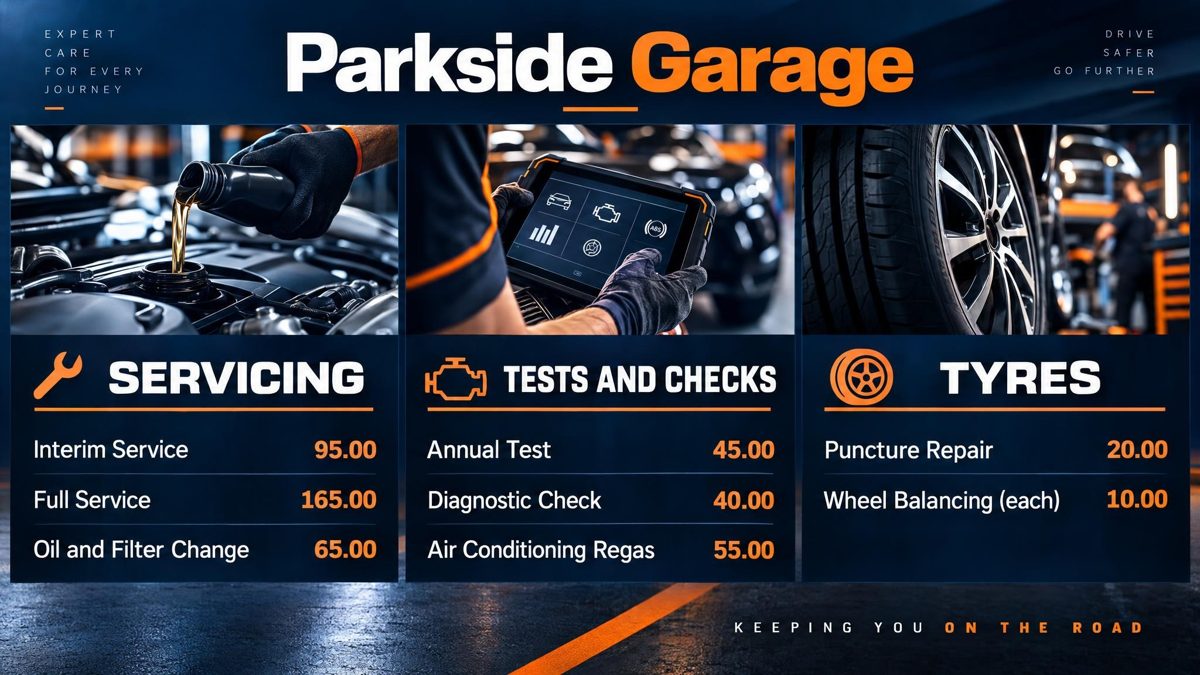
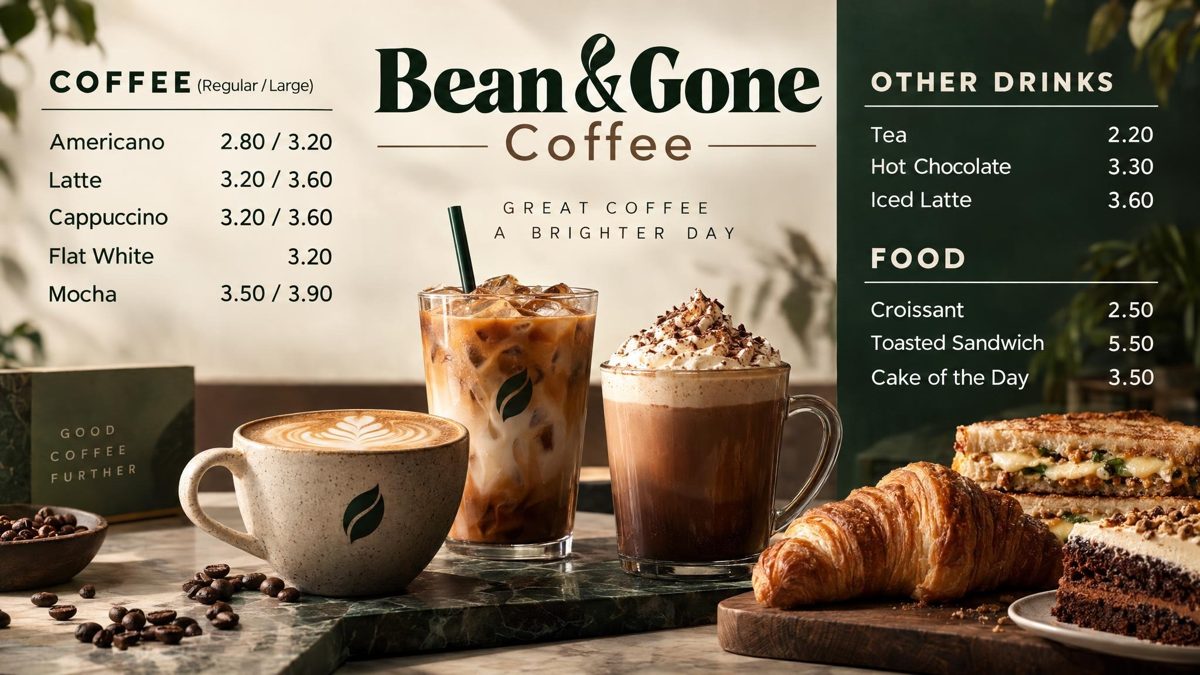
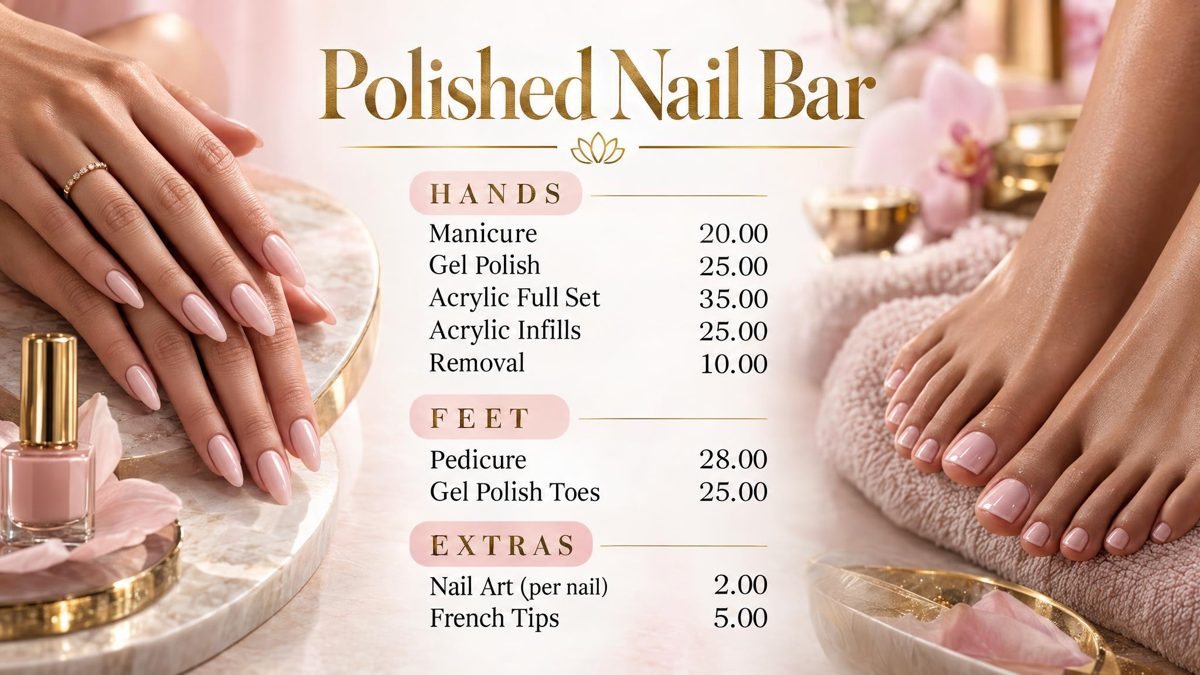
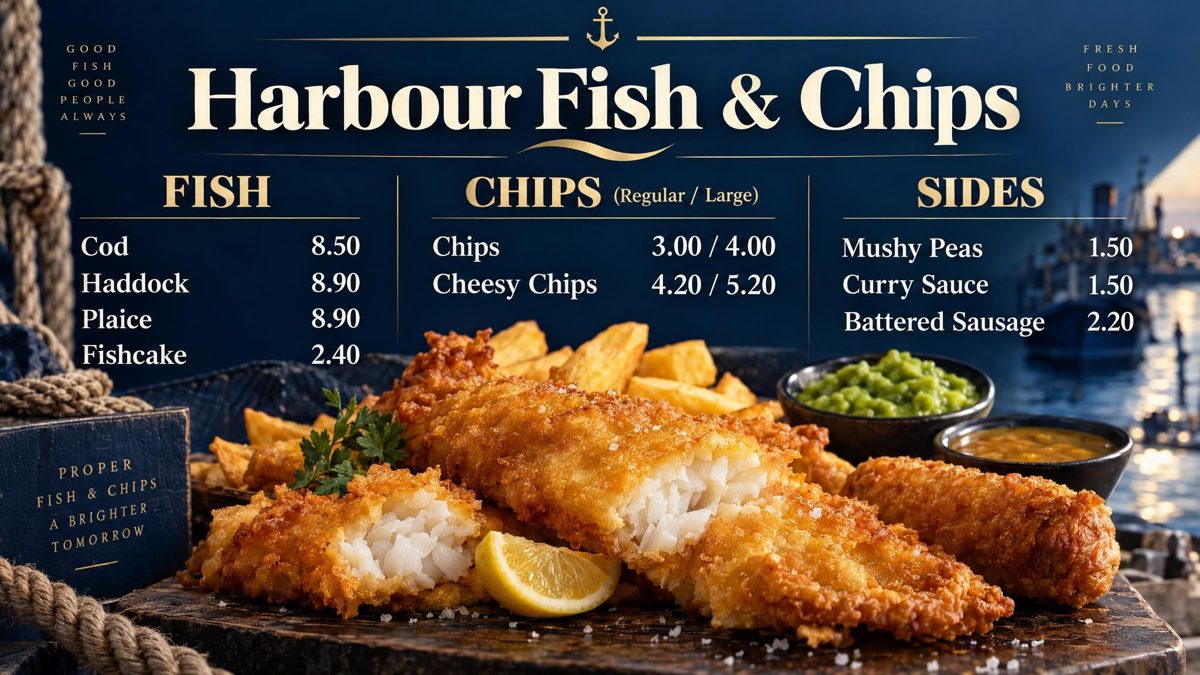
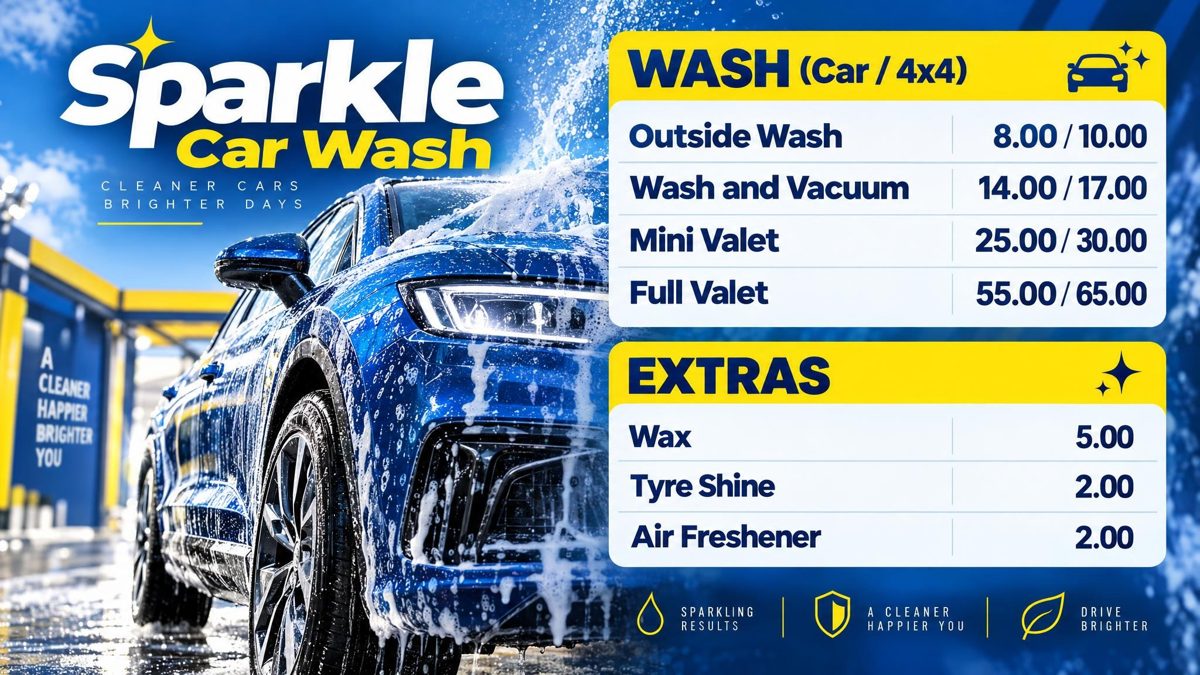
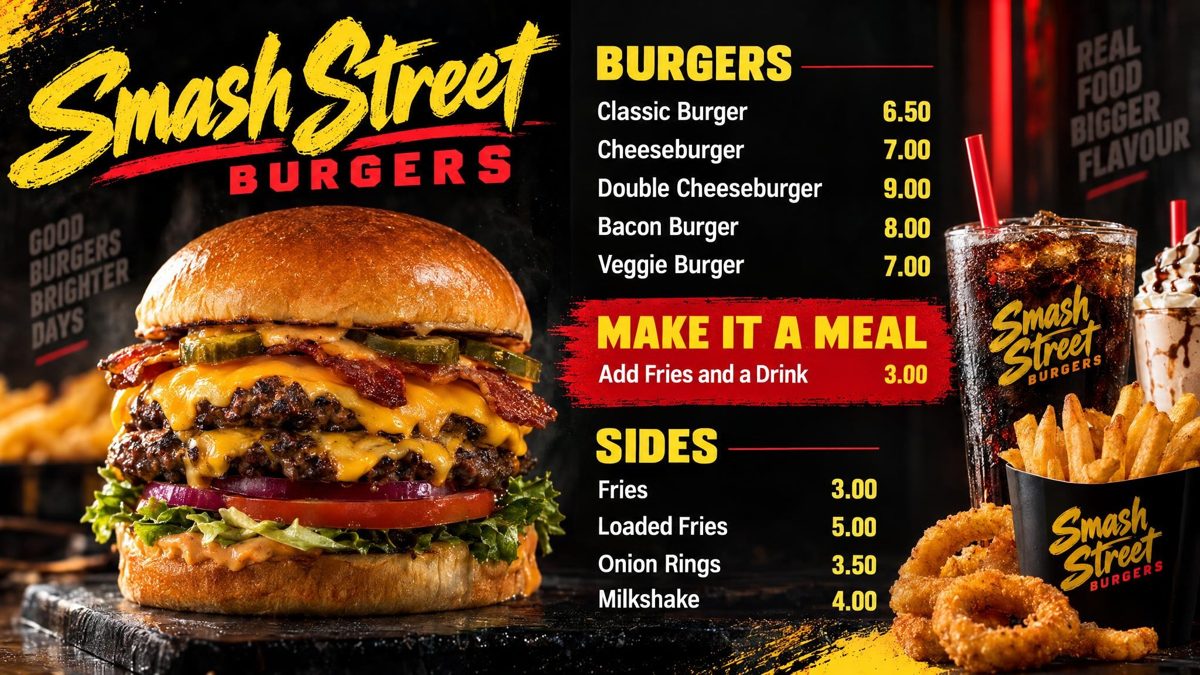
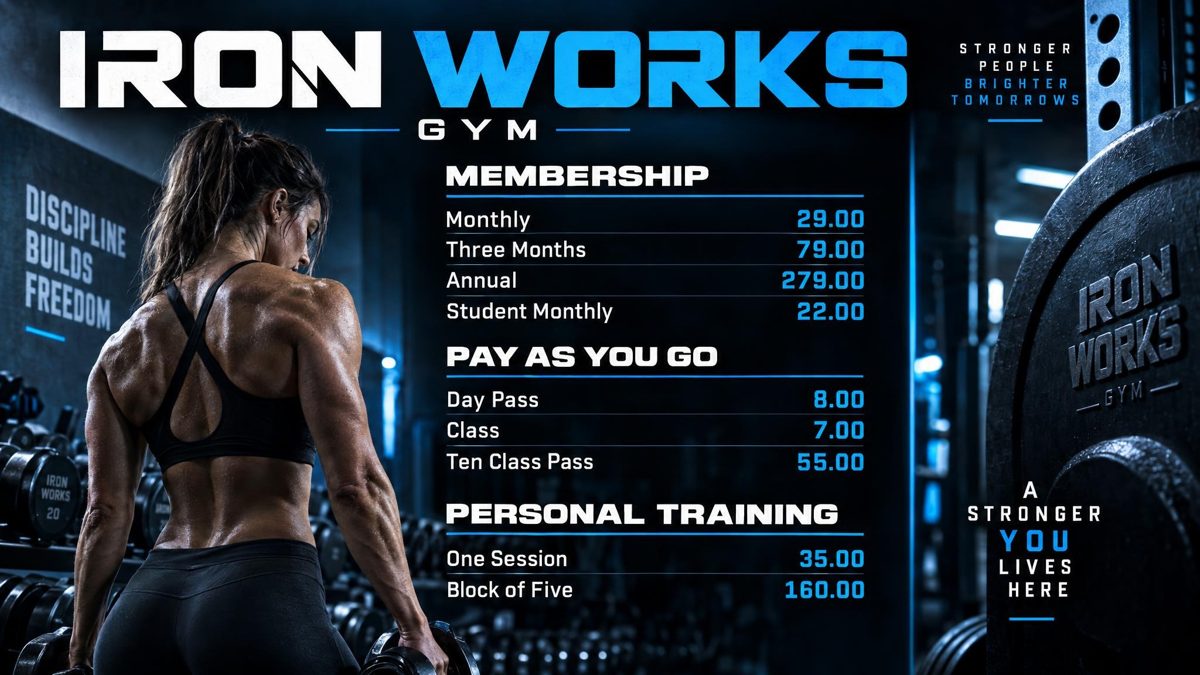
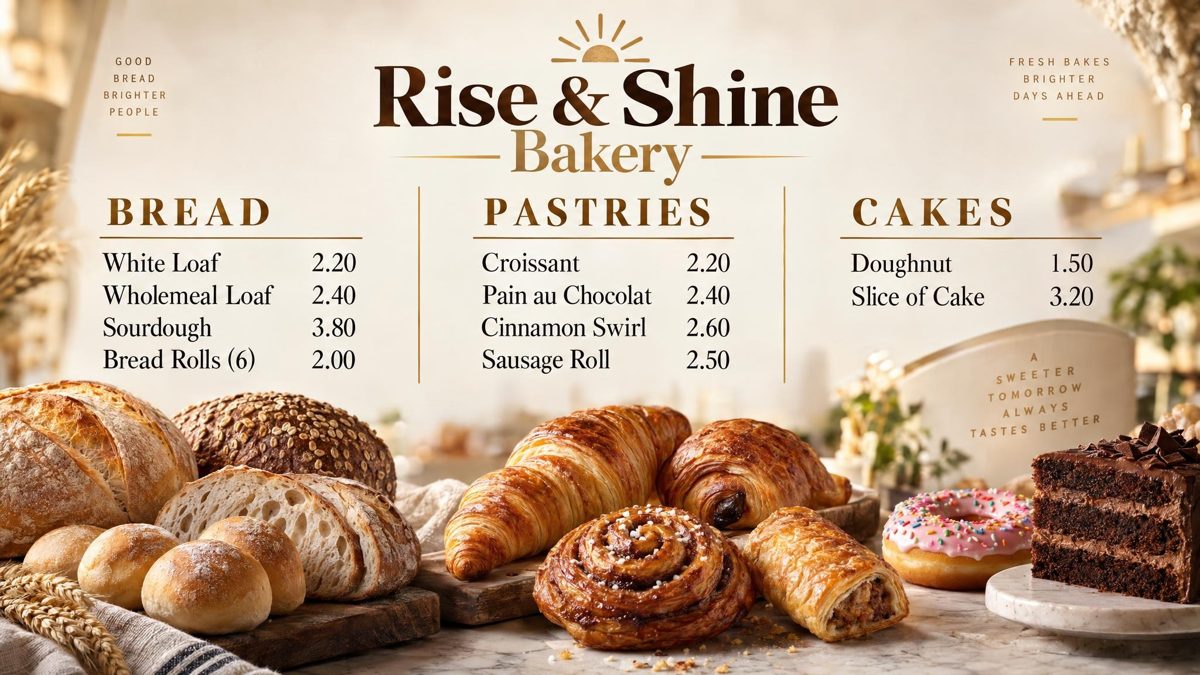
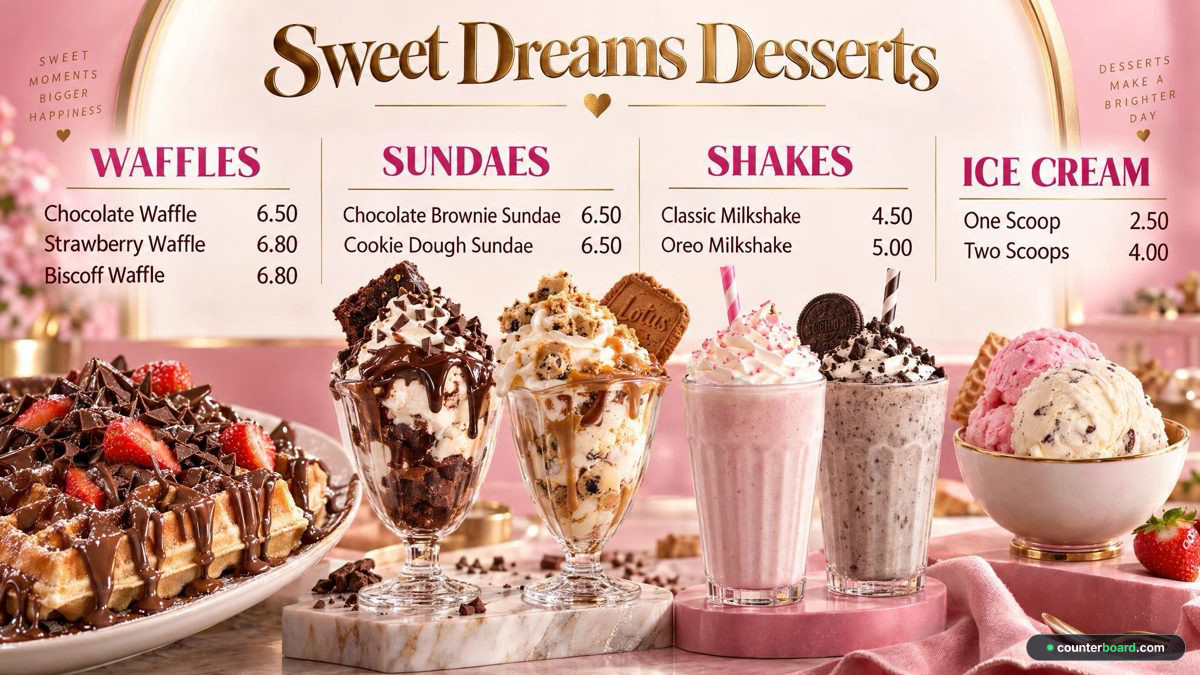
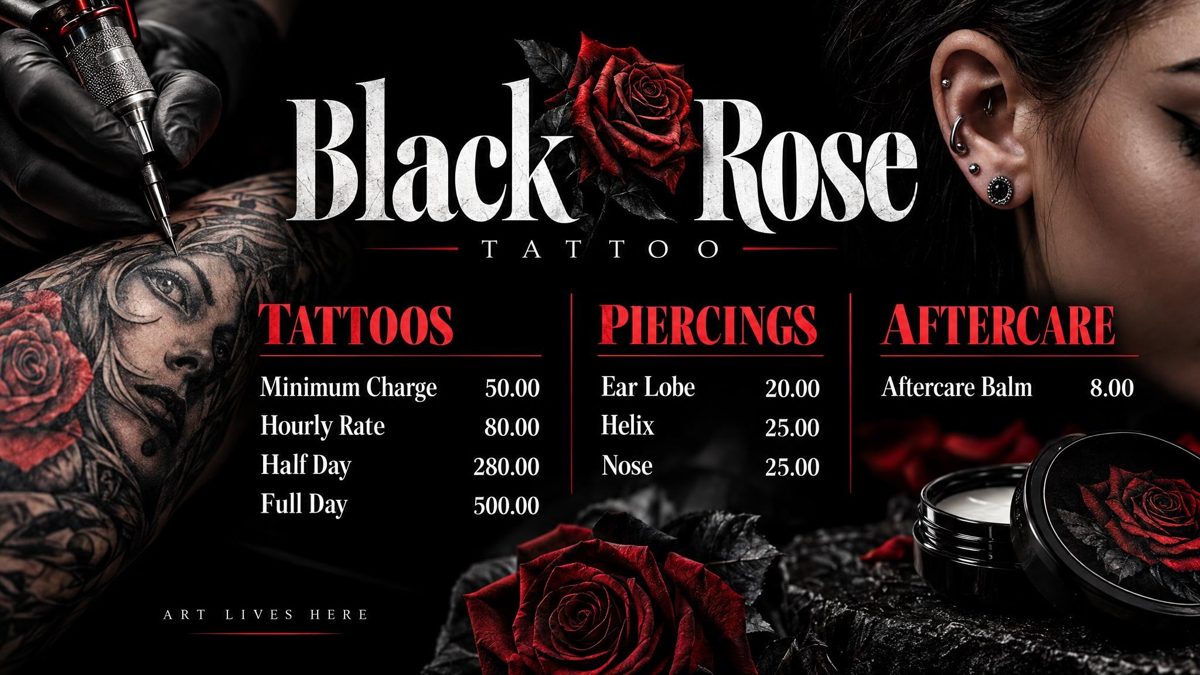
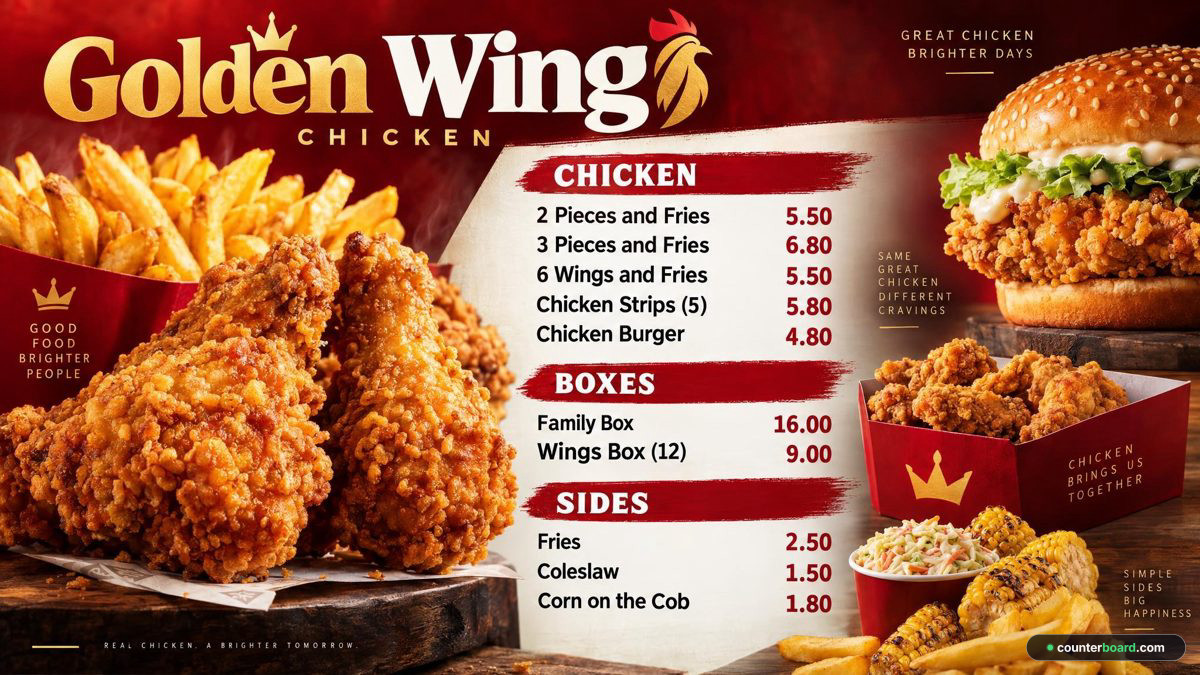
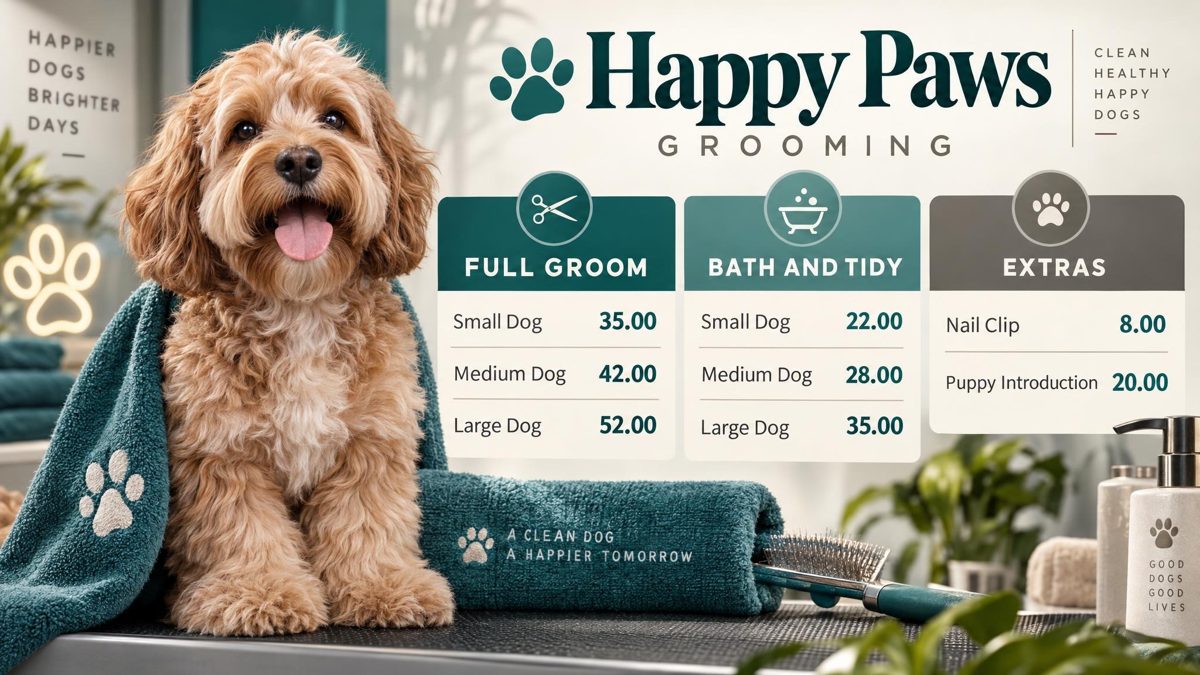
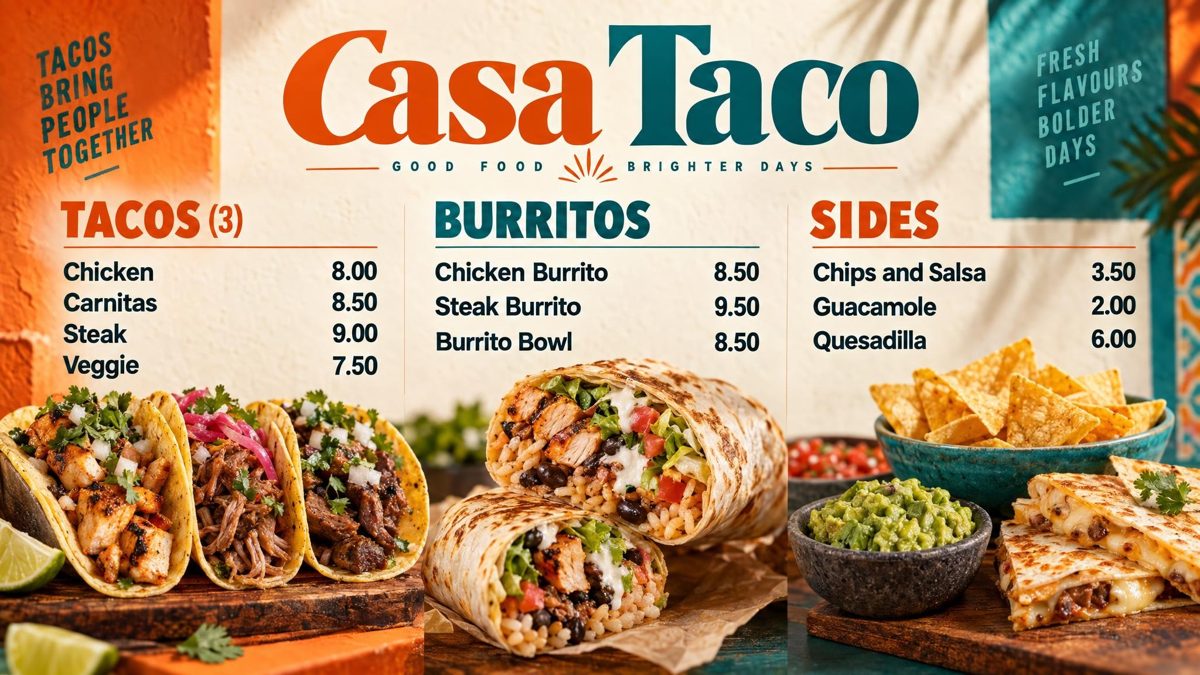
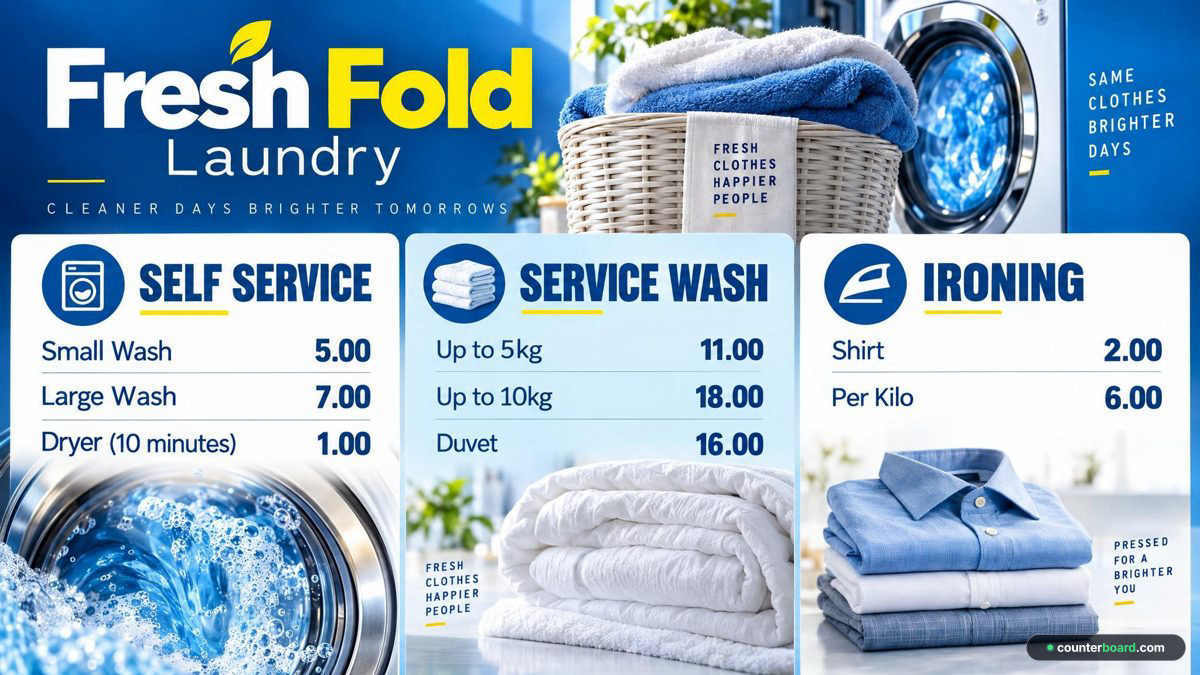
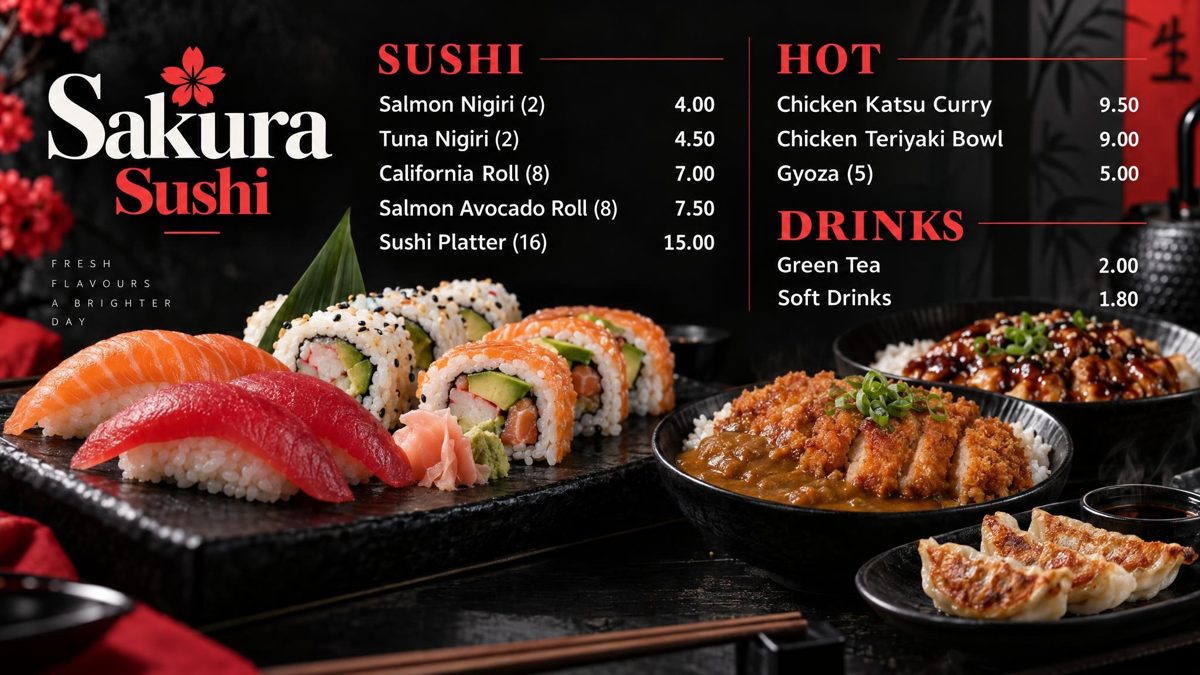

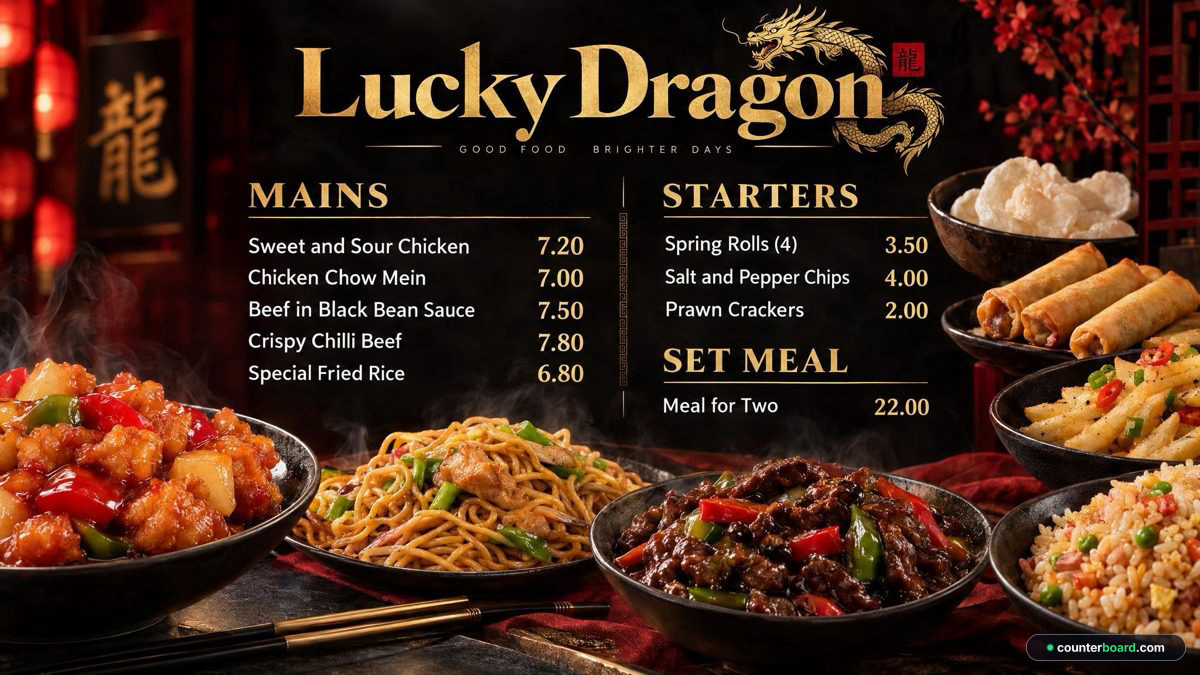
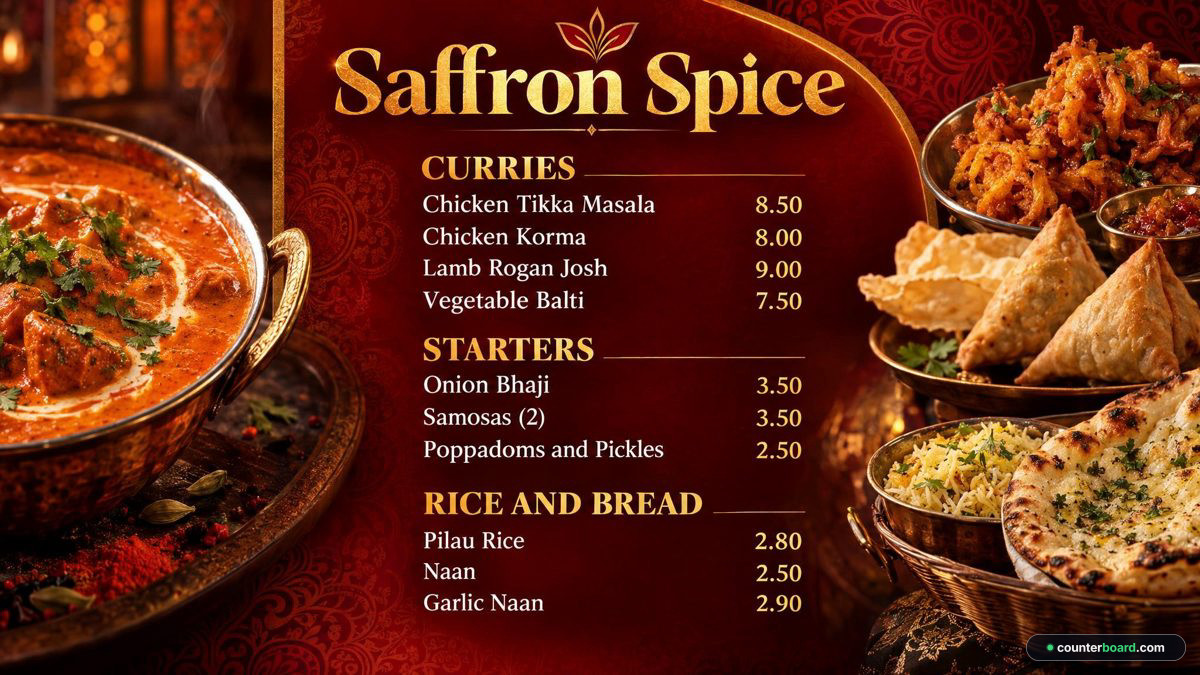
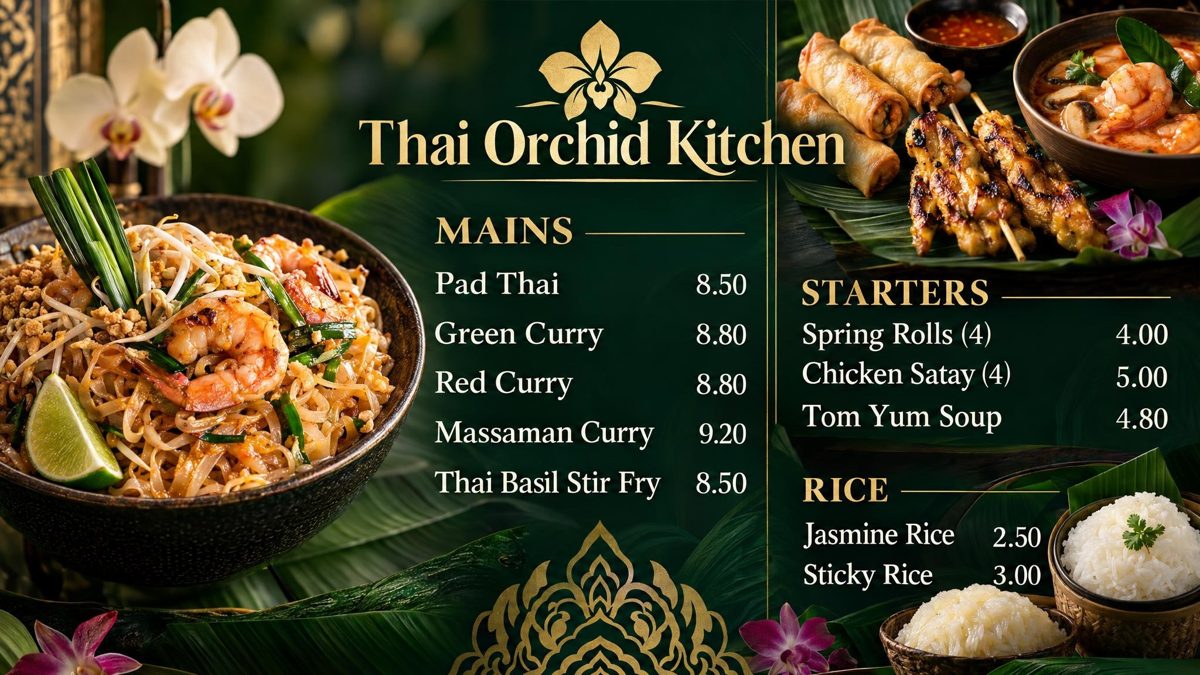
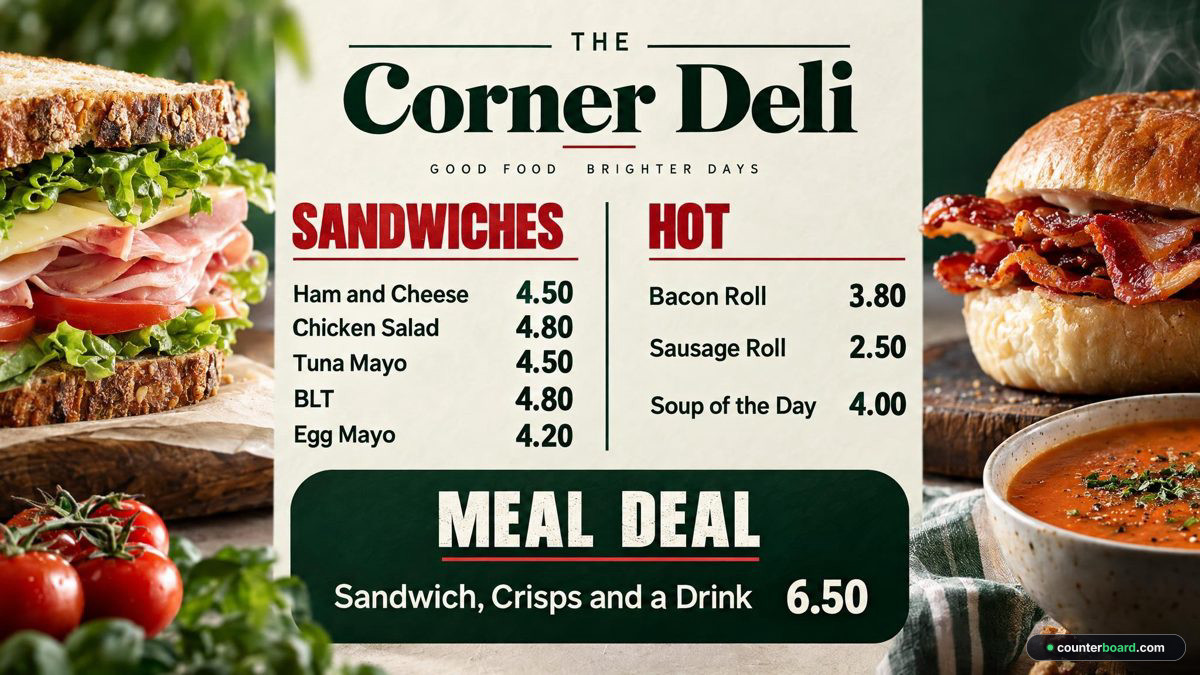
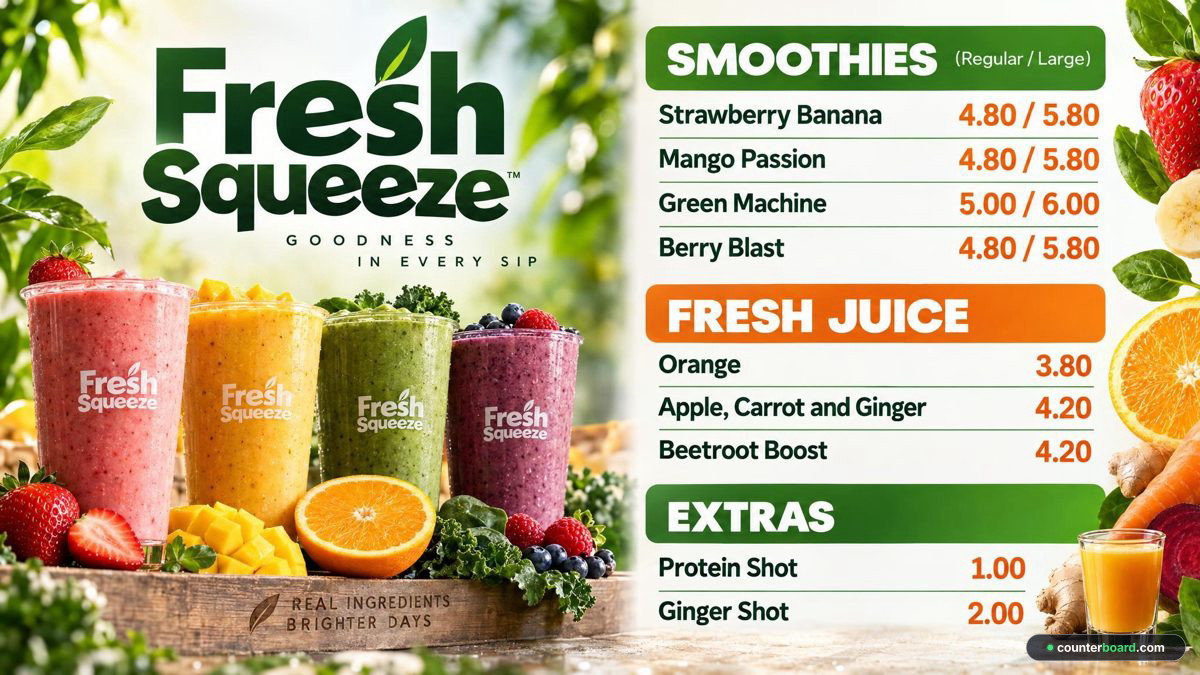
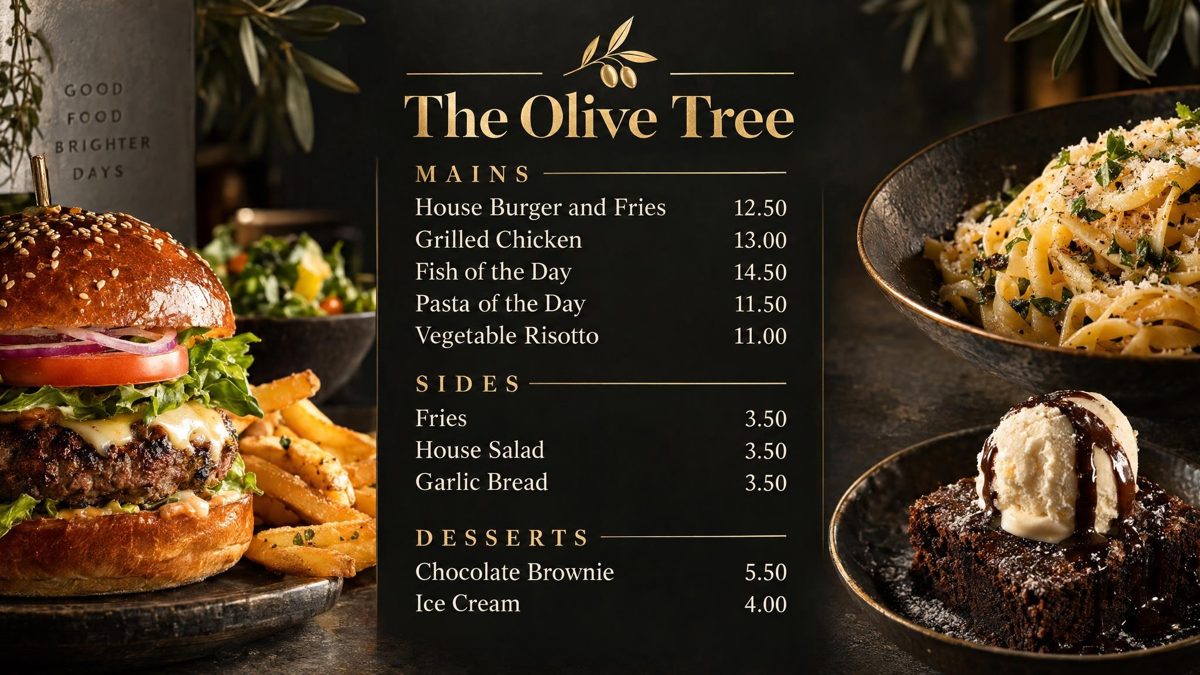
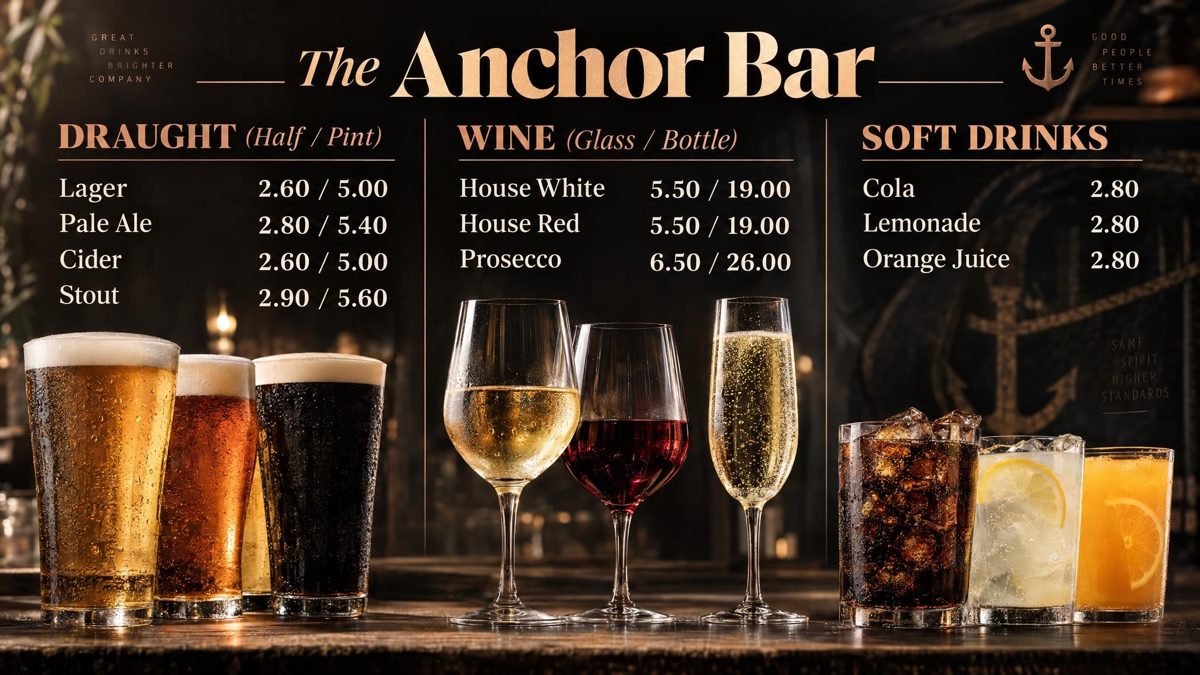
Have yours drawn, free → Not on here? It draws a board for any business with a price list.
As featured in
Street Food Hub:
the ability to make changes quickly could be particularly useful
In a real shop
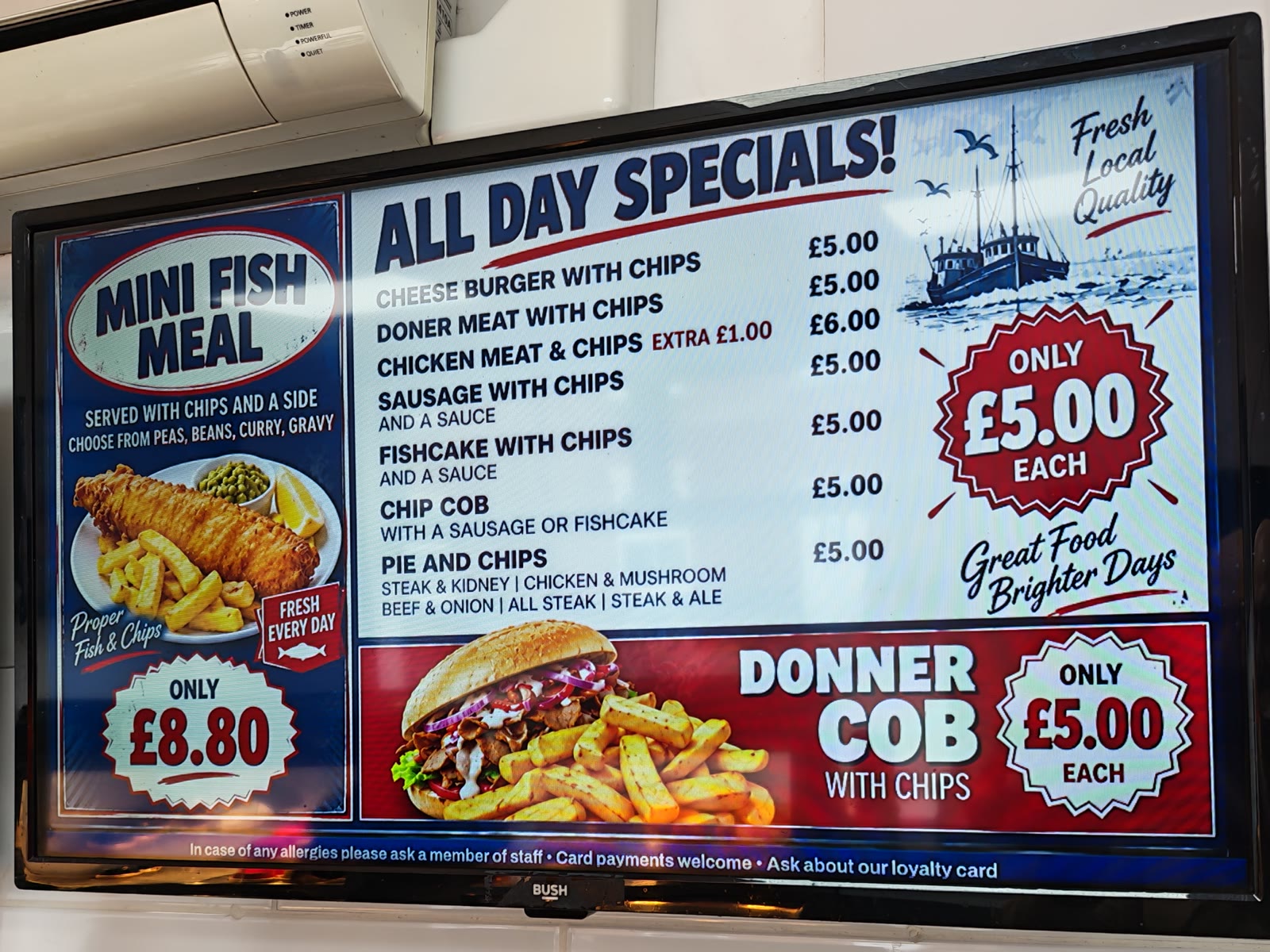
These are not examples. They are two boards made with Counterboard, photographed on the ordinary screens above the counter of a real kebab and chip shop, with its real prices. When a price changes, it is changed from a phone and both screens follow on their own.
How it works
Everything after the first evening is typing a number and pressing one button.
Nine quick questions, one at a time, each a tap. Your colours, or a photo of a board you like. Your logo or your name. Which way the screen hangs, a bar along the bottom for a message and a QR code. Then your items and prices: type them, or photograph the list you already have and it is read for you to check.
About two minutes later a finished board is on the screen: your name or your logo, every item and every price printed on. Not right yet? Say what to change, in words, and it is drawn again. Nothing reaches a screen until you say so.
A smart screen, or any screen with a stick in it. Six letters come up on the screen. Type them into your phone once and that television is set up for good.
Pricing
One subscription, so much a screen: £14 a month for one screen, and £7 for each screen after it. Put up another screen and the price goes up that day. Remove one from your account and the price comes down at a renewal, never part way through a month.
No contract, cancel any time.
Your first board is free. Each paid screen includes 2 price updates a month. More cost £1 each, sold in packs from £5. Each screen you put up gets a board drawn for it, free, and a free board is drawn once. After that everything we draw is credits: a price change is one credit, a new look or an item added, taken off or renamed is two, a whole new board is three, with two goes at getting it right. A paid plan includes two credits a month for each screen, so two price updates, and they start again on the 1st. On the free screen you pay as you go, a credit at a time. Need more in a busy month? Buy them inside the dashboard: ten for £9, twenty-five for £20 or fifty for £35, with no change to your plan. Five shops or more? Ask us about running them all from one login, each shop billed separately for all of them.
Setting up
Ten minutes, once. A smart screen needs nothing plugged in; any other screen takes a stick. Nobody has to touch the television again.
On an Amazon Fire TV or Fire Stick, search the television for counterboard and press Get: our own app is free, there is nothing to type on the screen, and it comes back on by itself every morning.
App StoreComing soon
Why shops move to us
You pay them to build it, and after that every change goes through them. A price rise is an email. A sold-out line is an email. A Christmas special is an email and a wait, and sometimes an invoice. So it does not get done, and the board on the wall slowly stops matching the shop.
We draw your board too. The difference is that you do not wait for us: say what you want and it is drawn while you stand there, every price on it. And then the real difference: we hand it over.
Questions
Probably nothing. A smart screen (Android TV, Google TV, Fire TV) runs it on its own. An older screen needs a streaming stick in its HDMI socket, about £30 from any shop, or we post you one with your board already on it. On a Fire TV, our free app is in the Appstore on the television itself — search it for counterboard.
Yes. Every board has a Printed menu button: the same items and prices as an A4 or A5 counter menu or price list, or a leaflet for putting through doors, with your board's look at the top. Save it as a PDF for your print shop or print it yourself. When a price changes on the board, the printed version has it too. On the free screen it carries a small "Made with counterboard.com"; on a paid plan, only your own name.
Nothing. Each screen keeps the whole board on itself and carries on. When the line comes back it picks up whatever changed while it was off.
That is the point. Say how the board should look, or add a photo of one you like, and it is drawn for you with your items and prices on it. Your logo goes on if you have one; your shop's name is lettered on if you do not.
Say what to change, in words: the name bigger, the background darker, the fish at the top. On a board bought with credits it is drawn again, two goes in all; a free board is drawn once. Nothing goes on a screen until you keep one.
One board for every screen you put up, drawn for you, free. After that everything we draw is credits: a price change is one, a new look or an item added, taken off or renamed is two, a whole new board is three. Your plan includes two credits a month for each paid screen, and they start again on the 1st. More can be bought inside the dashboard, ten for £9, twenty-five for £20 or fifty for £35, and bought credits never run out.
Add a photo of it as the look and the board is drawn to match, with your prices on it. If you want it used exactly as it is, ask us and we will set it up for you.
Add as many people as you like, and decide who can publish to the screens and who can only prepare changes.
The price goes up that day by one extra screen, worked out automatically, and you pay the difference for the rest of the month. Remove one from your account and the price comes down at a renewal, never part way through a month.
No contract, no notice period. Stop whenever you like from inside the dashboard.
Earn with Counterboard
Share your own link and earn half of what each shop pays for its first year, then a fifth for as long as it stays. The shop gets 10 credits, and three weeks of the full plan free. Your link works the minute you have it.
One screen free, no card, and your first board is drawn in about two minutes.