
Counterboard or a light-box menu board?
A light-box menu, or lightbox, is the lit frame above a lot of chip shop and kebab counters: a printed poster behind a clear front, with a light behind it. It looks bright and clean on the day it goes up. The problem is a price change: the poster has to be printed again. Here is how it compares with a menu on a screen, plainly.
One screen free, no card. Works on any screen with a web browser, or any screen with an HDMI socket and a streaming stick.
What each one is
A printed poster, or a board on a screen
A light-box menu
Printed artwork in a backlit frame or a clip frame, made by a sign maker or a printer. Each panel is a printed sheet. To change a price you change the sheet: a new print, a sticker over the old price, or a pen. It needs no internet and no screen.
Counterboard
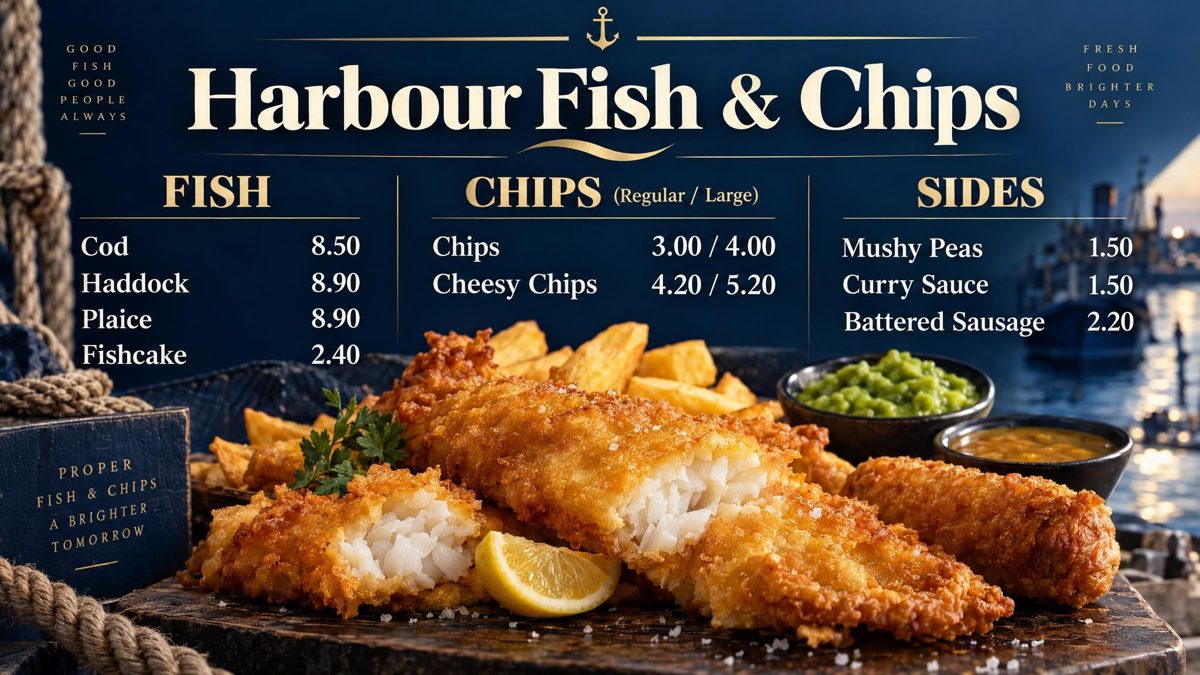
A menu on any screen. You say what you sell, your prices and the look you want, in your own words, and AI draws the finished board in about two minutes. When a price changes you type the new one on your phone and the screen has it. The same list prints as an A4 or A5 counter menu, so the paper menu matches the wall.
You are the designer. You say what you want in your own words: the colours, your name across the top, what goes where. AI designs the finished board in about two minutes. Not quite right? Say what to change and it is drawn again. There is no design software to learn, and nobody else trying to guess what is in your head.
Same and different
What stays the same, and what changes
Cost over a year
What you pay for with each
A light-box menu
The frame once. Then each reprint, a design fee if your printer charges one, and your time going to and from the printer. Sign makers and printers set their own prices, so ask yours for a quote for a reprint and set it beside the figures here.
Counterboard
One screen free, for as long as you like, with a small counterboard.com band on the board, and no card. Without the band £14 a month for one screen, and £7 for each screen after it. No VAT charged. No contract. A price change is one credit (£1), however many prices move at once.
The screen
Any screen you already own. A smart screen needs nothing else. An older screen with an HDMI socket takes a Fire TV Stick and our free app.
Which one
When to keep the lightbox, and when to switch
- Keep the lightbox if there is no power where a screen would goA screen needs a socket near it. A lightbox that is already wired in may be the easier choice.
- Keep it if your landlord does not allow a screenSome leases have rules about what goes on the walls. Check yours first.
- Keep it if your prices change once a yearIf you are happy to reprint once a year, a lightbox does the job.
- Switch if your prices move oftenFish, oil and meat prices change through the year. Each change on a screen is a few numbers on your phone, not a reprint.
- Switch if you want the paper menu to match the wallOne list makes the screen board and the printed A4 or A5 menu, so the two always show the same prices.
One way to switch
Try a screen beside the lightbox first
- Draw the board freeUse the free draw on the front page. Type what you sell with the prices and say how it should look.
- Put it on one screen for a weekHang the screen next to the lightbox, or stand it on the counter. One screen is free, with a small counterboard.com band on the board.
- Change what you do not likeSay what to change in words and it is drawn again. Nothing goes on the screen until you choose it.
- Take the lightbox down when you are happyWhen you and your staff trust the screen, the lightbox can come down.
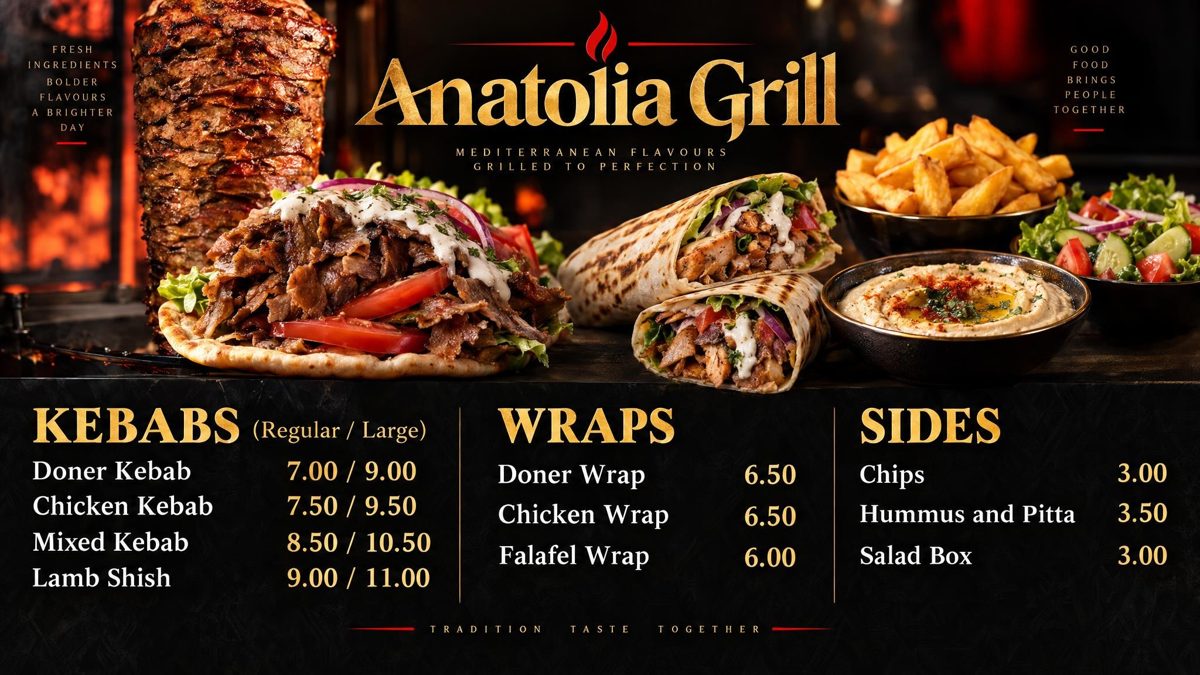
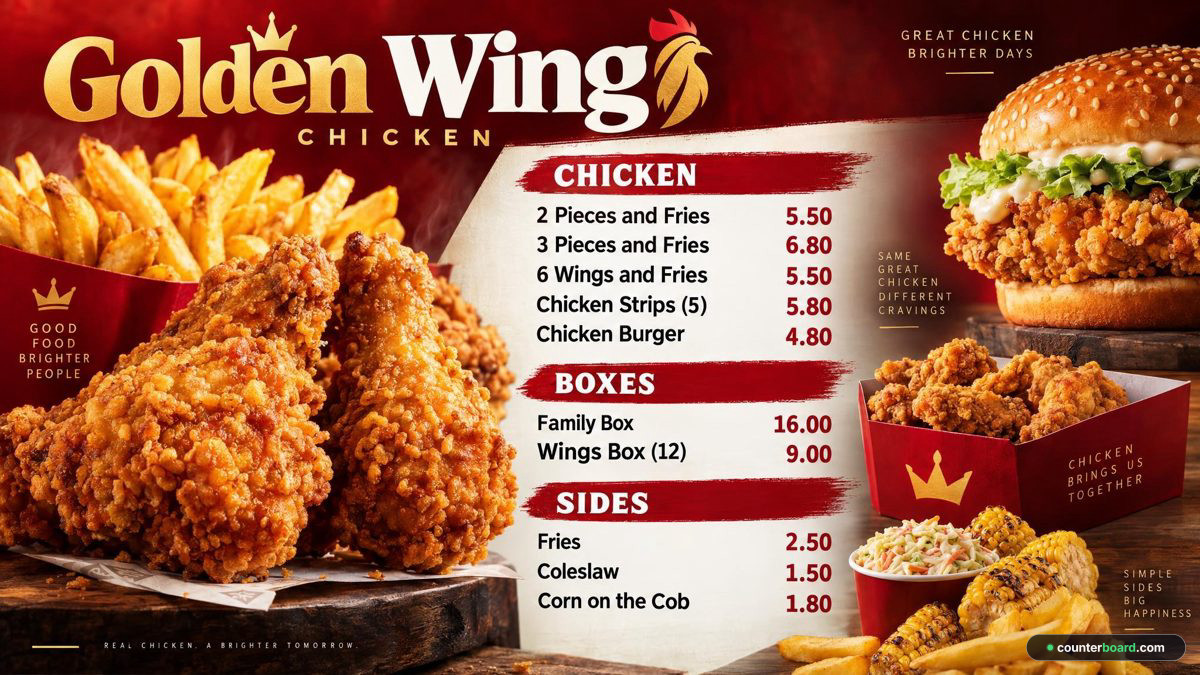
Example boards, drawn by Counterboard AI from a few words and a price list. The shops on them are made up. See also the boards for fish and chip shops, kebab shops and chicken shops, and how to put your menu on a screen.
What it costs
Priced by how many screens you put up
One screen free, for as long as you like, with a small counterboard.com band on the board, and no card. Without the band, so much a screen: £14 a month for one screen, and £7 for each screen after it. No VAT charged. The price list on the front page shows it in dollars and euros too.
Every screen gets the same dashboard and the same boards; what changes with the price is how many screens you put up and how many credits come with them. Each screen gets a board drawn for it, free. After that everything we draw is credits, and a credit is a pound: a price change is one, a new look or an item added, taken off or renamed is two, a whole new board is three. Each paid screen includes two credits a month, and they start again on the 1st; more can be bought inside Counterboard, ten for £9 or more in a bigger pack, with no change to your plan. No contract: cancel any time.
Questions
What people ask
Can a screen replace a lightbox menu board?
Yes. Any screen with an HDMI socket can show the board, and a smart screen can show it on its own. Hang the screen where the lightbox was, wide or tall: hang it tall and the board is drawn tall.
How much does a lightbox reprint cost compared with Counterboard?
Printers and sign makers set their own prices, so ask yours for a quote. On Counterboard a price change is one credit, which is £1, however many prices move on the board at once. A paid plan includes credits every month.
What if the internet drops during service?
The screen holds the whole board, so it keeps showing your prices. New prices arrive when the connection comes back.
Do I need a smart screen?
No. Any screen with an HDMI socket works with a Fire TV Stick and the free Counterboard app from the Fire TV store.
Can I keep one lightbox and add one screen?
Yes. Start with one screen for the main menu or the meal deals and keep the lightbox for the rest. One screen is free, with a small counterboard.com band on the board.
Will customers still be able to read the prices?
Yes, if the board is laid out for it. Ask for big prices when you describe the board, and look at it from where the queue starts before you use it.
More guides
Other questions shop owners ask
How to put your menu on a TV or screenFire TV Stick menu board: how to set one upChange your TV or screen menu from your phoneSalon and barber price list on a TV or screenA digital menu board without a designer: what each way costsHow to make a digital menu board for freeA free QR code menu for your takeaway or cafeTakeaway menu board ideas that sell moreCanva or Counterboard for a TV or screen menuCounterboard or Yodeck for a menu board?Yodeck alternatives for a TV or screen menuScreenCloud or Counterboard for a menu board?Digital menu board templates, and the way without oneOpening hours sign on a TV or screenMeal deal offers board on a TV or screenA pub what's on board on a TV or screenCounterboard or Menuboard Manager for a menu board?Best digital menu board for chip shops UK 2026Fire Stick menu board for takeaways
Counterboard is for any business with prices on a wall, in any country. See how it works.