
Digital menu board templates and the way without one
A template is where most menu boards start: a layout somebody else made, with your words and prices dropped in. It is quick to begin and slow to finish, and the board on the wall ends up looking like the template, not like your shop. Here is what to look for in one, and the way that needs no template at all.
One screen free, no card. Works on any screen with a web browser, or any screen with an HDMI socket and a streaming stick.
If you use a template
Six things a good one has
- Prices big enough to read from the doorThe price is one of the largest things on the board. If you have to step closer, the template is wrong.
- Four sections at mostFish, chips, sides. Cuts, beard, packages. More than four and nobody reads to the end.
- One strong photo, not twentyOne picture of your best seller sells it. A grid of small pictures sells nothing.
- Your name across the topThe board is part of the shop. A template that leaves no room for your name leaves you looking like a chain.
- Room for a meal deal panelA block in its own colour with one price does more selling than the same deal buried in a list.
- A way onto the screenA template is a picture. Getting it onto the screen is a USB stick, the screen’s browser, or a separate signage service, and every change is that trip again.
Without a template
Say what you want, and it is drawn
You are the designer. You say what you want in your own words: the colours, your name across the top, what goes where. AI designs the finished board in about two minutes. Not quite right? Say what to change and it is drawn again. There is no design software to learn, and nobody else trying to guess what is in your head.
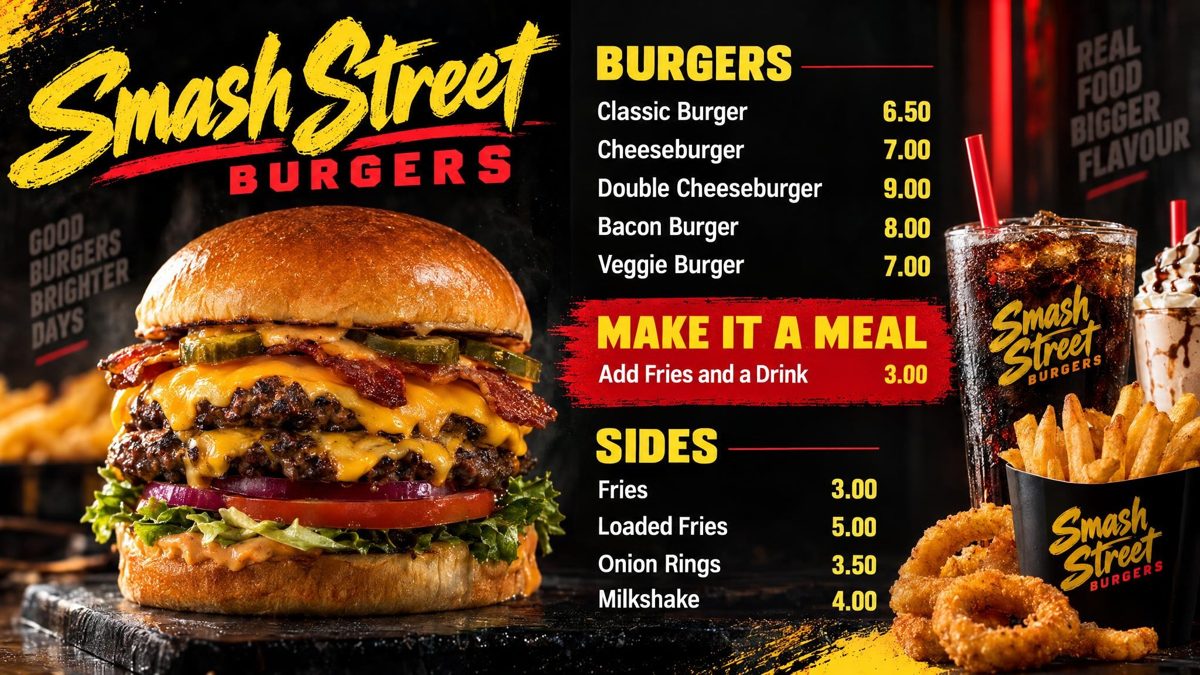
Instead of choosing a layout and filling it in, you describe the board: “black and gold, flames, a big doner, our name across the top, kebabs then wraps then sides.” Counterboard AI designs it from that, with photography of your kind of food, in about two minutes. Not right? Say what to change. The boards below were made that way.
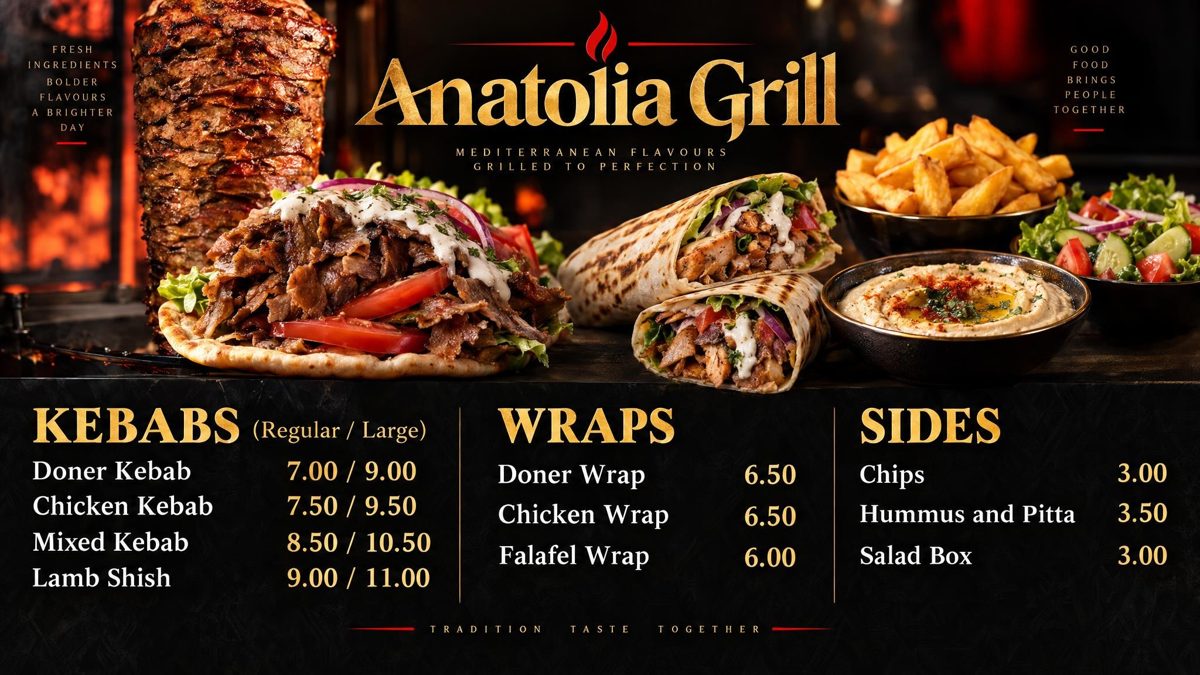
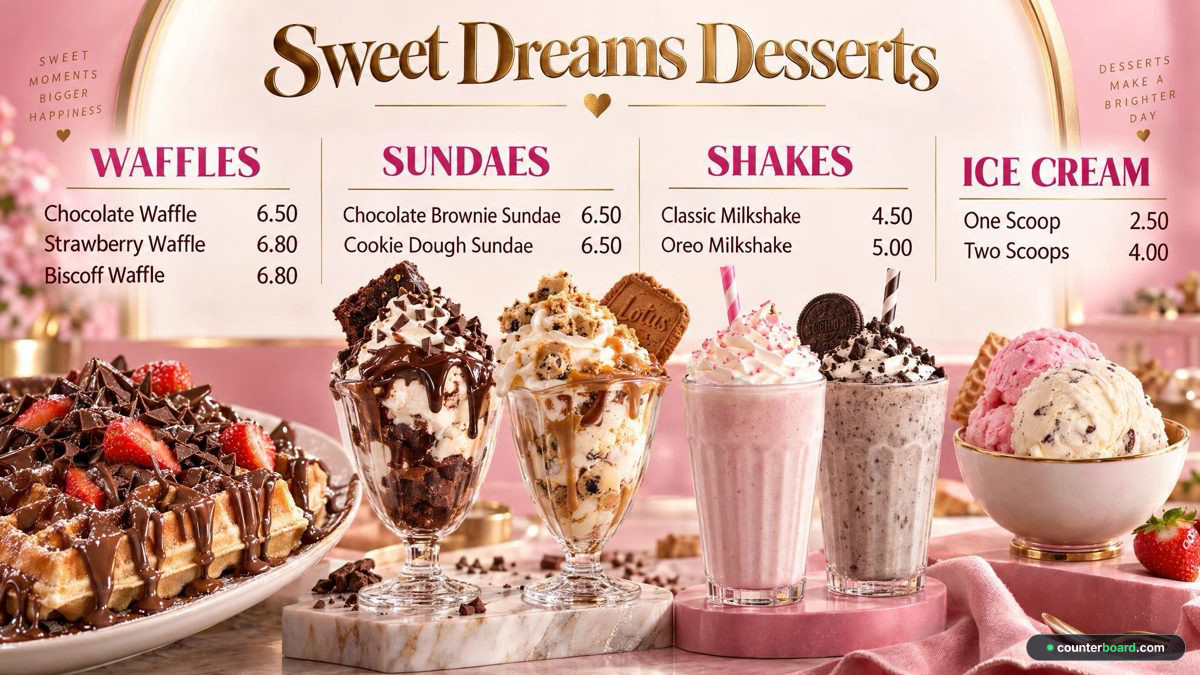
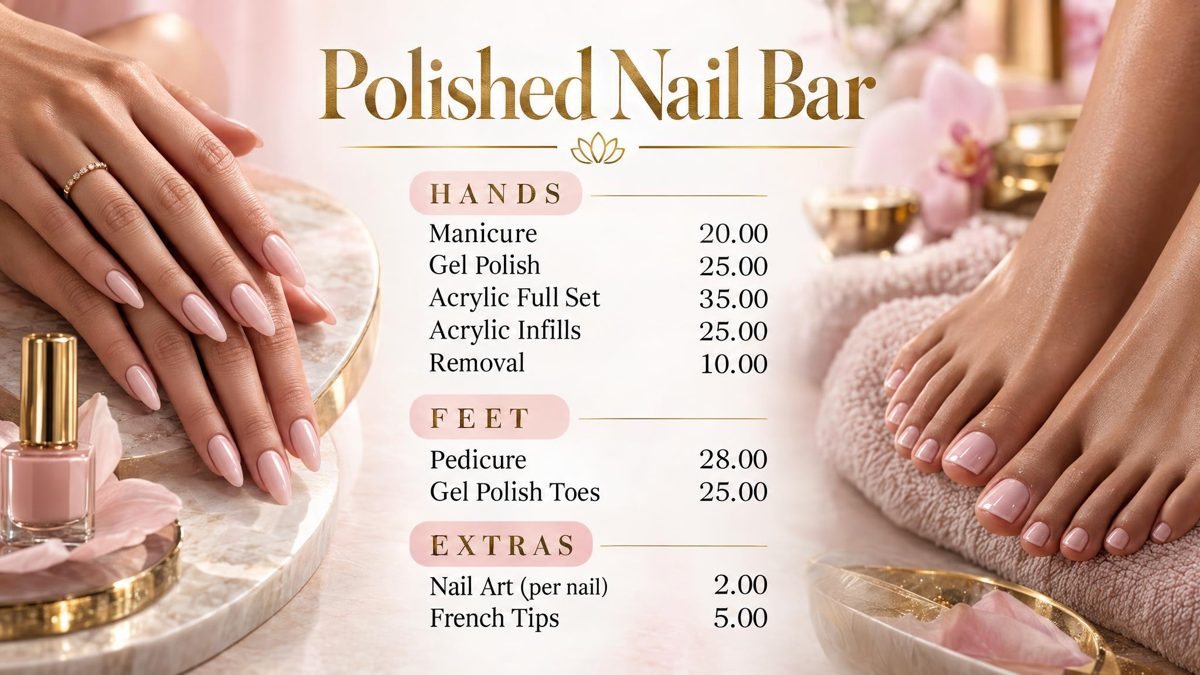
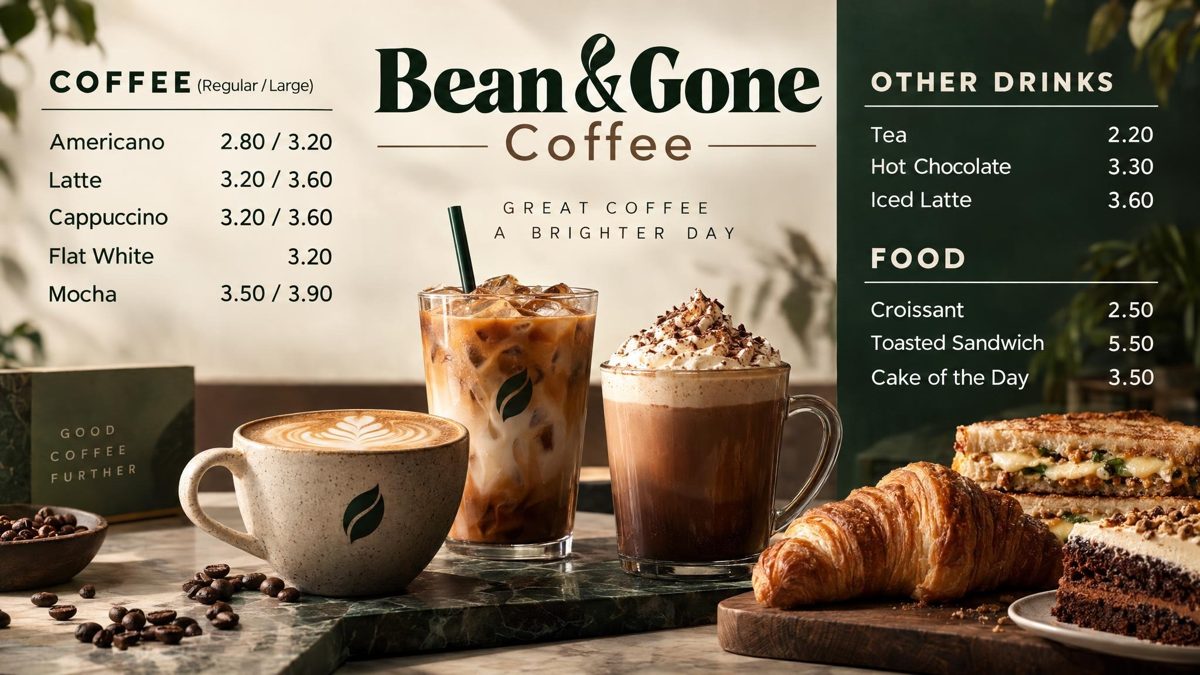
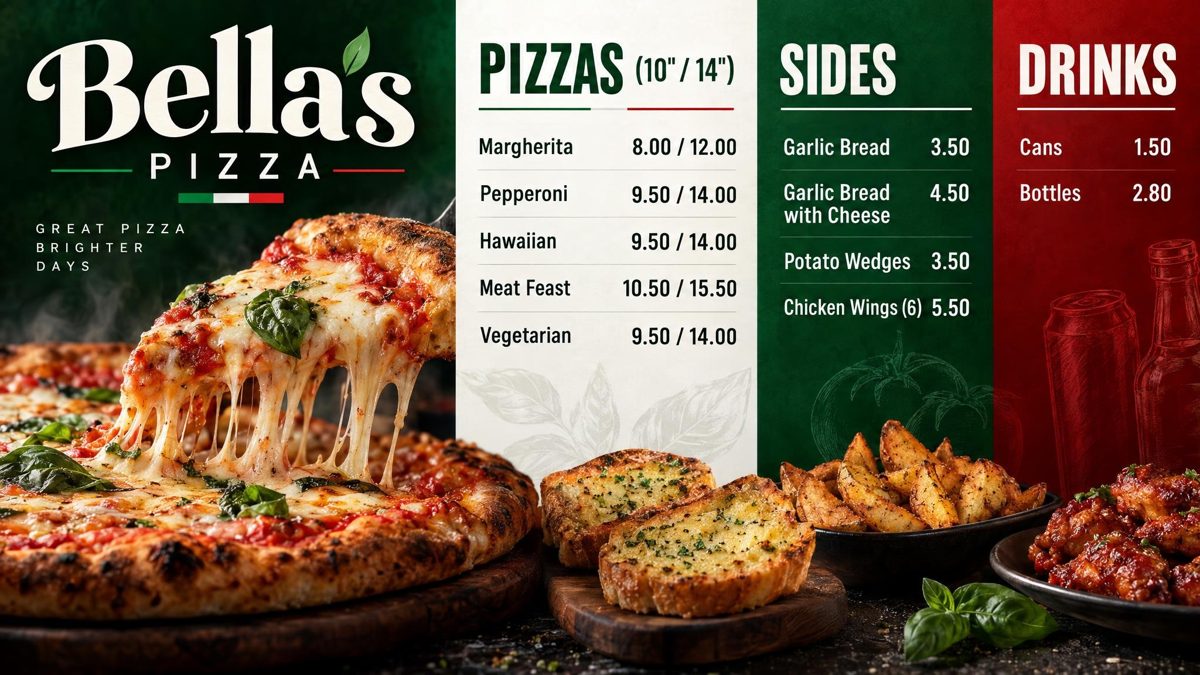
Each drawn by Counterboard AI from a few words and a price list. The shops on them are made up. Try it with your own menu on the front page: it is free and takes about two minutes.
What it costs
Priced by how many screens you put up
One screen free, for as long as you like, with a small counterboard.com band on the board, and no card. Without the band, so much a screen: £14 a month for one screen, and £7 for each screen after it. No VAT charged. The price list on the front page shows it in dollars and euros too.
Every screen gets the same dashboard and the same boards; what changes with the price is how many screens you put up and how many credits come with them. Each screen gets a board drawn for it, free. After that everything we draw is credits, and a credit is a pound: a price change is one, a new look or an item added, taken off or renamed is two, a whole new board is three. Each paid screen includes two credits a month, and they start again on the 1st; more can be bought inside Counterboard, ten for £9 or more in a bigger pack, with no change to your plan. No contract: cancel any time.
Questions
What people ask
Where can I get a free digital menu board template?
Canva, PowerPoint and most signage services have free menu templates. The board is then yours to lay out, and yours to get onto the screen and change.
What size should a digital menu board template be?
The screen’s own shape: 1920 by 1080 pixels for a normal screen, 1080 by 1920 for one on its side. Counterboard draws at 2048 by 1152, or tall for a portrait screen.
Can I get a menu board designed without a template?
Yes. Type your menu on the Counterboard front page and say how it should look; the board is designed from your words in about two minutes, free.
Can I use my own template or old board?
Yes. Photograph it and say what to keep, and a new board is drawn in that style with your prices.
More guides
Other questions shop owners ask
How to put your menu on a TV or screenFire TV Stick menu board: how to set one upChange your TV or screen menu from your phoneSalon and barber price list on a TV or screenA digital menu board without a designer: what each way costsHow to make a digital menu board for freeA free QR code menu for your takeaway or cafeTakeaway menu board ideas that sell moreCanva or Counterboard for a TV or screen menuCounterboard or Yodeck for a menu board?Yodeck alternatives for a TV or screen menuScreenCloud or Counterboard for a menu board?Opening hours sign on a TV or screenMeal deal offers board on a TV or screenA pub what's on board on a TV or screenCounterboard or Menuboard Manager for a menu board?Counterboard or a light-box menu board?Best digital menu board for chip shops UK 2026Fire Stick menu board for takeaways
Counterboard is for any business with prices on a wall, in any country. See how it works.