
ScreenCloud or Counterboard for your menu board?
ScreenCloud is one of the big names in digital signage: offices, hospitals, gyms, shops, with screens showing dashboards, news, video and menus. Counterboard is a different kind of thing, made for the shop with a menu on the wall. Here is the difference, plainly, so you can pick the right one.
One screen free, no card. Works on any screen with a web browser, or any screen with an HDMI socket and a streaming stick.

What each one is
Signage software, or a board drawn for you
ScreenCloud
General digital signage software, priced by the screen each month. You build the screen from templates in its editor and from its library of apps (dashboards, news, weather, social feeds, video), put the pieces in playlists and channels, and schedule them through the day. It runs on its own player devices and on common screen sticks and boxes. It is made for an organisation with many screens and many kinds of content.
Counterboard
A menu board drawn for you. You say what you sell, your prices and the look you want, in your own words, and AI designs the finished board in about two minutes: not a template with your text dropped in, a board. When a price changes you say the new one and the board on the wall has it. Nothing to lay out and nothing to learn. It runs on any screen: a smart screen’s own browser, our free app on a Fire TV Stick, or any screen with a stick in it.
Where each one wins
Pick by what your shop actually needs
- A menu board that looks designed, and you are not a designerCounterboard. The AI designs it; you only say what you want, and say what to change.
- A price changes most weeksCounterboard. Type the new price on your phone and the board is redrawn with it in about two minutes. In signage software a price change is an edit in the editor, then a publish.
- Dashboards, news, video, social feeds and adverts across the screensScreenCloud. That is what it is built for, with apps for each. Counterboard shows a board, or turns through several, and nothing else.
- One screen and no budgetCounterboard. One screen is free for as long as you like, with a small counterboard.com band on it and no card. ScreenCloud is priced by the screen each month after its trial.
- An office or a chain with many screens and an IT personScreenCloud has the roles, the channels and the device management for it. Counterboard has one login over several shops, and one board sent to many of them.
See it
What Counterboard draws
You are the designer. You say what you want in your own words: the colours, your name across the top, what goes where. AI designs the finished board in about two minutes. Not quite right? Say what to change and it is drawn again. There is no design software to learn, and nobody else trying to guess what is in your head.
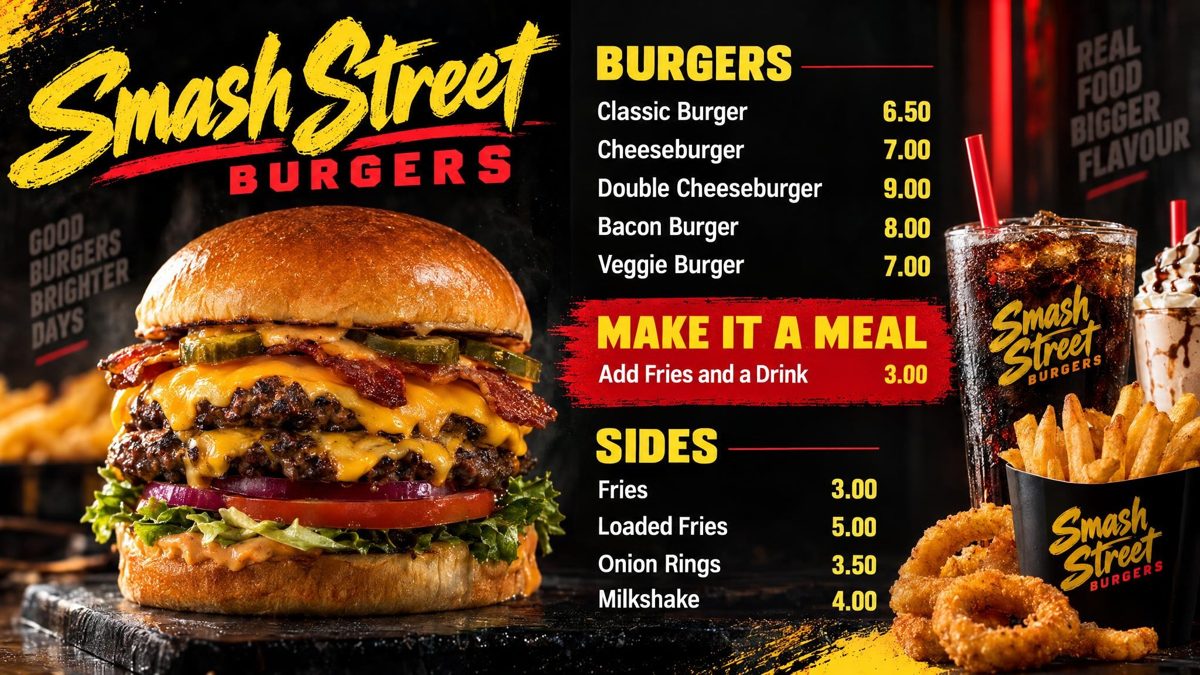
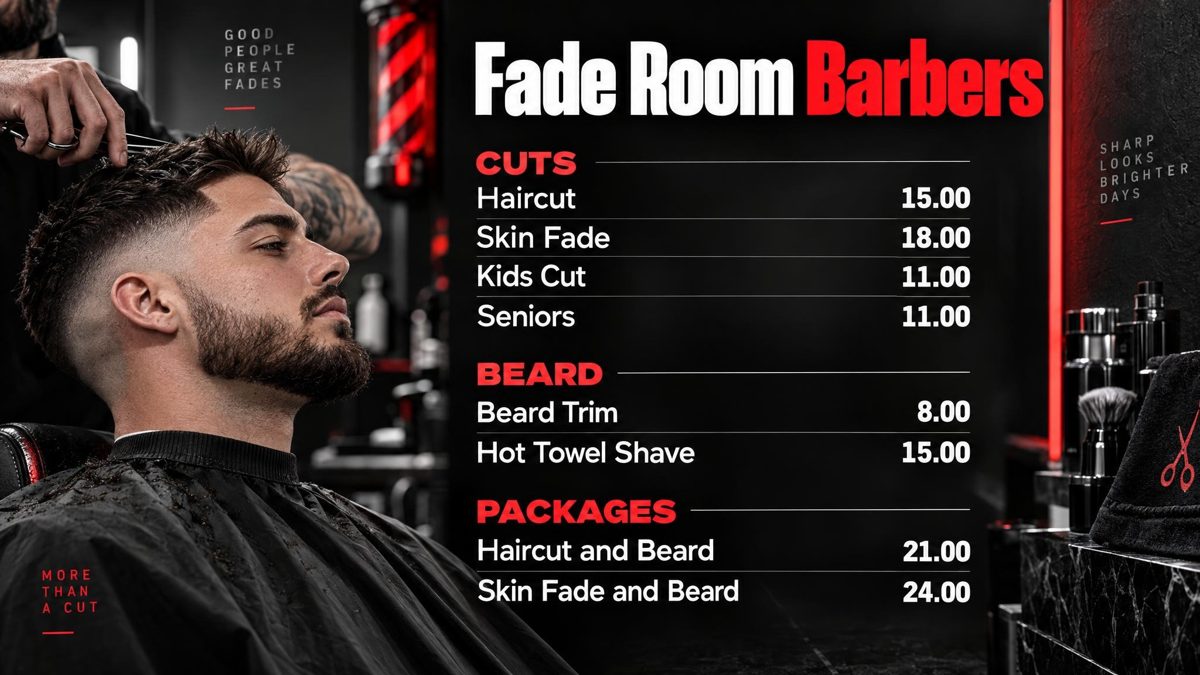
Drawn by Counterboard AI from a few words and a price list, and shown exactly as they came back. Try it with your own menu on the front page: it is free and takes about two minutes.
What it costs
Priced by how many screens you put up
One screen free, for as long as you like, with a small counterboard.com band on the board, and no card. Without the band, so much a screen: £14 a month for one screen, and £7 for each screen after it. No VAT charged. The price list on the front page shows it in dollars and euros too.
Every screen gets the same dashboard and the same boards; what changes with the price is how many screens you put up and how many credits come with them. Each screen gets a board drawn for it, free. After that everything we draw is credits, and a credit is a pound: a price change is one, a new look or an item added, taken off or renamed is two, a whole new board is three. Each paid screen includes two credits a month, and they start again on the 1st; more can be bought inside Counterboard, ten for £9 or more in a bigger pack, with no change to your plan. No contract: cancel any time.
Questions
What people ask
Is Counterboard a ScreenCloud alternative?
For a menu board or a price list on a screen, yes. For general signage with dashboards, video and apps across an organisation, ScreenCloud is the better fit and we would say so.
Can I use my ScreenCloud player with Counterboard?
If it is a Fire TV Stick or a smart screen, yes: Counterboard runs in the screen’s browser or in our free Fire TV app. A signage company’s own player box usually runs only that company’s software.
Which is cheaper for one screen?
Counterboard: the first screen is free for as long as you like, with a small band on the board. ScreenCloud is priced by the screen each month. From several screens the money is closer; the difference is the hours of design, and Counterboard asks for none of yours.
Can I move from ScreenCloud to Counterboard?
Yes. Photograph your current board or type the prices, say the look you want, and the new board is drawn in about two minutes. Put it on the same screen.
More guides
Other questions shop owners ask
How to put your menu on a TV or screenFire TV Stick menu board: how to set one upChange your TV or screen menu from your phoneSalon and barber price list on a TV or screenA digital menu board without a designer: what each way costsHow to make a digital menu board for freeA free QR code menu for your takeaway or cafeTakeaway menu board ideas that sell moreCanva or Counterboard for a TV or screen menuCounterboard or Yodeck for a menu board?Yodeck alternatives for a TV or screen menuDigital menu board templates, and the way without oneOpening hours sign on a TV or screenMeal deal offers board on a TV or screenA pub what's on board on a TV or screenCounterboard or Menuboard Manager for a menu board?Counterboard or a light-box menu board?Best digital menu board for chip shops UK 2026Fire Stick menu board for takeaways
Counterboard is for any business with prices on a wall, in any country. See how it works.