
A free QR code menu for your shop
A QR code menu lets a customer point their phone camera at a code on the counter, the window or a leaflet and read your menu and prices on their own screen. It is the quickest way to put your menu in the queue's hands, and with Counterboard it is free.
One screen free, no card. Works on any TV with a web browser, or any TV with an HDMI socket and a streaming stick.
How it works
Three steps, a few minutes, once
- Put your menu in CounterboardType it, or photograph the price list you have. It is the same menu that goes on your TV and your printed menu.
- Turn on Your menu on customers' phonesOne switch in the dashboard. Your menu gets its own page, at counterboard.com/m/ and your shop's name.
- Print the QR codeIt is on your printed menu already, or print it on its own for the counter, the door or the table. Customers point their camera at it; there is no app to download.
Why this way
One menu, everywhere it is read
Prices that are never out of date
Change a price once and the TV, the printed menu and the phone menu all have it within a minute. A QR code that opens a PDF has to be made again every time.
Easy to read on a phone
Sections, items and prices, laid out for a small screen, with your board's picture at the top. Not a photo of a menu that has to be pinched and zoomed.
Free, and yours
The phone menu costs nothing, on the free screen as on a paid one. It is off until you turn it on, and off again with one switch.
See it
And on the TV above the counter
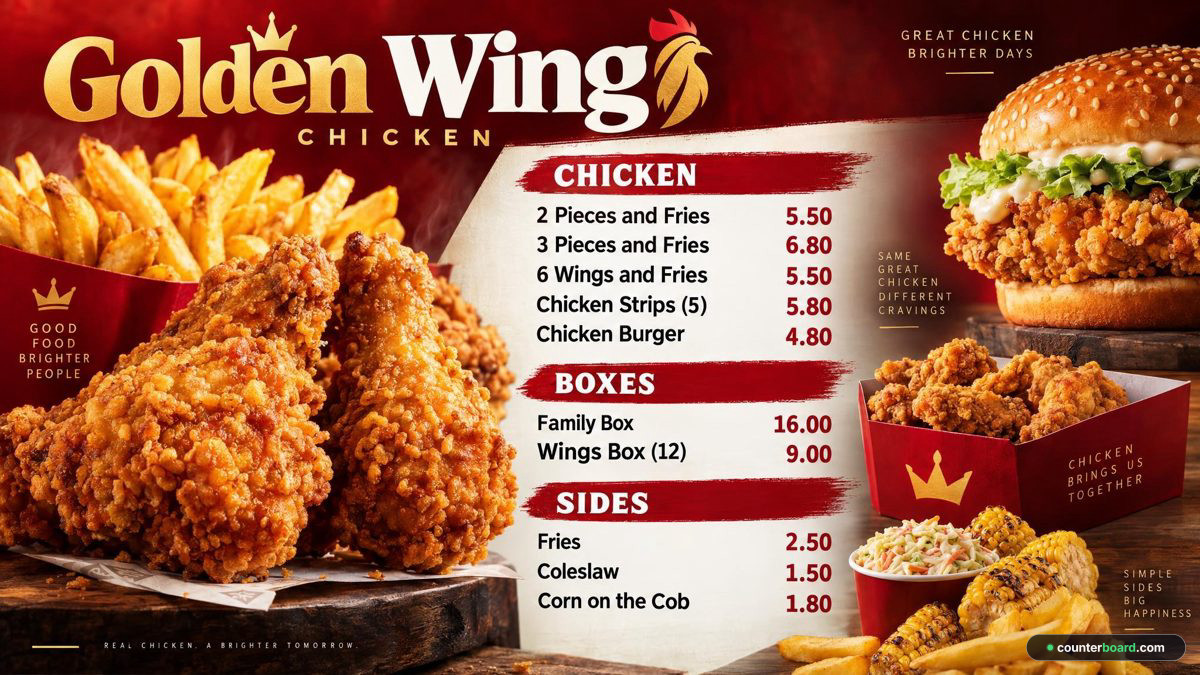
You are the designer. You say what you want in your own words: the colours, your name across the top, what goes where. AI designs the finished board in about a minute. Not quite right? Say what to change and it is drawn again. There is no design software to learn, and nobody else trying to guess what is in your head.
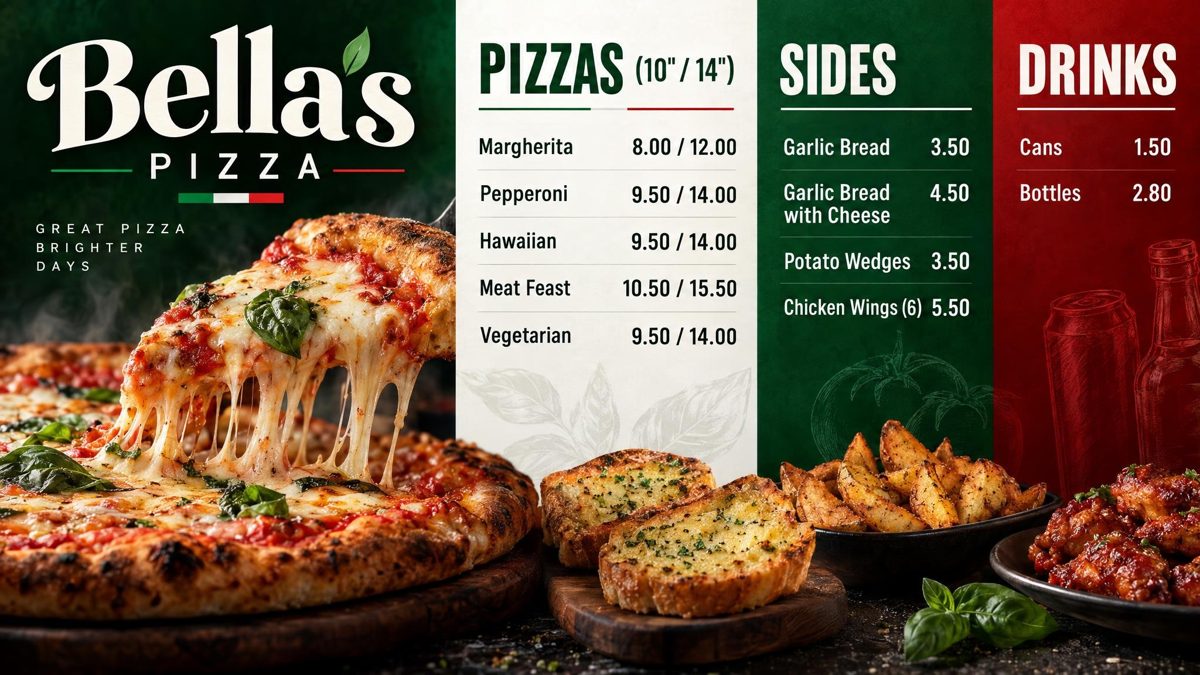
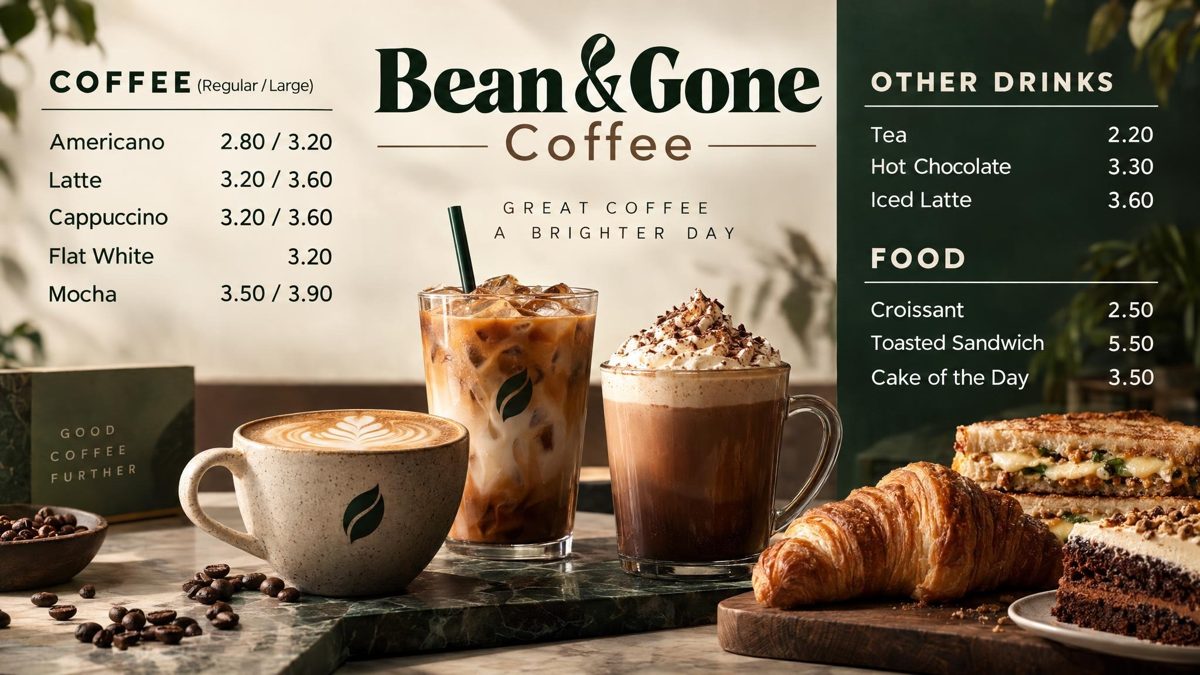
Example boards, drawn by Counterboard AI from a few words and a price list. The shops on them are made up. Try it with your own menu on the front page: it is free and takes about 80 seconds.
What it costs
Priced by how many screens you put up
One screen free, for as long as you like, with a small counterboard.com band on the board, and no card. Without the band, so much a screen: £14 a month for one screen, and £7 for each screen after it. No VAT charged. The price list on the front page shows it in dollars and euros too.
Every screen gets the same dashboard and the same boards; what changes with the price is how many TVs you put up and how many credits come with them. Each TV gets a board drawn for it, free. After that everything we draw is credits, and a credit is a pound: a price change is one, a new look or an item added, taken off or renamed is two, a whole new board is three. A paid plan includes credits every month, and they start again on the 1st; more can be bought inside Counterboard, ten for £9 or more in a bigger pack, with no change to your plan. No contract: cancel any time.
Questions
What people ask
Is the QR code menu really free?
Yes. Every shop on Counterboard can turn it on, including the free screen, with no card.
Do my customers need an app?
No. They point their phone camera at the code and the menu opens in their browser.
What happens when I change a price?
The phone menu has it within a minute, along with your TV and your printed menu, because they are all the same menu.
Can I have a QR code menu without a TV board?
Yes. Put your menu in, turn the phone menu on and print the code. The TV can come later, or never.
Can people order from it?
No, it is a menu to read, not an ordering system. Keep your ordering as it is.
More guides
Other questions shop owners ask
How to put your menu on a TVFire TV Stick menu board: how to set one upHow to change the prices on your TV menu from your phoneA price list on a TV for your salon, barber or nail barA digital menu board without a designer: what each way costsHow to make a digital menu board for freeTakeaway menu board ideas that sell moreCanva or Counterboard for a TV menu board?Counterboard or Yodeck for a menu board?
Counterboard is for any business with prices on a wall, in any country. See how it works.