
Counterboard or Menuboard Manager for a menu board?
Menuboard Manager is digital menu board software for restaurants. Its own site says it is made for operators with several sites, and its top plan reads prices from the till. Counterboard draws the board from your own words, and you change the prices from your phone. Here is the difference, plainly, so you can pick the right one.
One screen free, no card. Works on any screen with a web browser, or any screen with an HDMI socket and a streaming stick.
What this page compares
Two ways to put a menu on a screen
Both put your menu on a screen behind the counter. They differ in who makes the board, and in what a price change takes. With Menuboard Manager you make the board in its tools or in Canva and publish it, or on its top plan the prices come from your till. With Counterboard you say what you want, the board is drawn for you, and you type a new price on your phone.
What each one is
Menu board software, or a board drawn for you
Menuboard Manager
Digital menu board software for restaurants, from a company in the United States, priced in US dollars by the screen. You make the board yourself in its menu builder, or import a design from Canva, then schedule different menus for different times of day and manage the screens from one dashboard. Its Menu Magik AI tools turn a menu picture into text. Its top plan, Business, reads prices from till (POS) systems: its site names Toast, Olo, Northstar, Qu, NCR Aloha and Micros. It runs on a Fire TV Stick, the Amazon Signage Stick, a Google TV Streamer, BrightSign players and some Samsung commercial screens. Its site offers a free trial with no card.
Counterboard
A menu board drawn for you. You say what you sell, your prices and the look you want, in your own words, and AI designs the finished board in about two minutes. When a price changes you type the new one on your phone and the board on the wall has it. The same list prints as an A4 or A5 counter menu. It runs on any screen: a smart screen’s browser, our free app on a Fire TV Stick, or any screen with a stick in it. It does not read prices from a till: you type them, or take a photo of your price list.
See it
What Counterboard draws
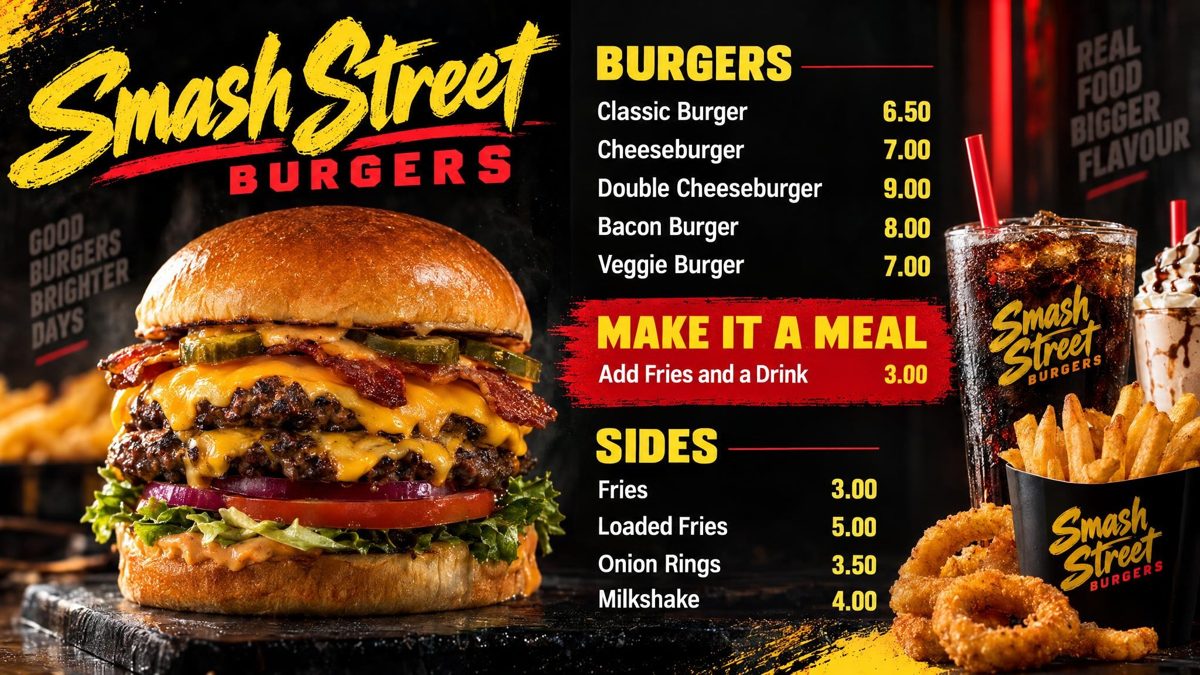
You are the designer. You say what you want in your own words: the colours, your name across the top, what goes where. AI designs the finished board in about two minutes. Not quite right? Say what to change and it is drawn again. There is no design software to learn, and nobody else trying to guess what is in your head.
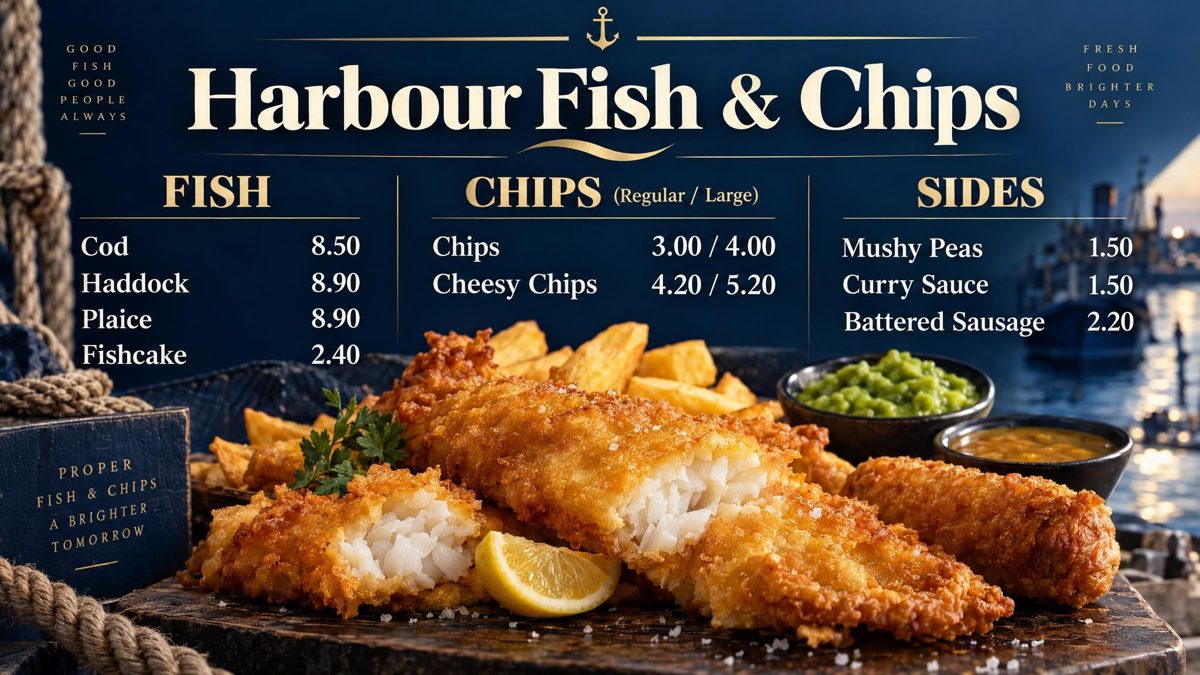
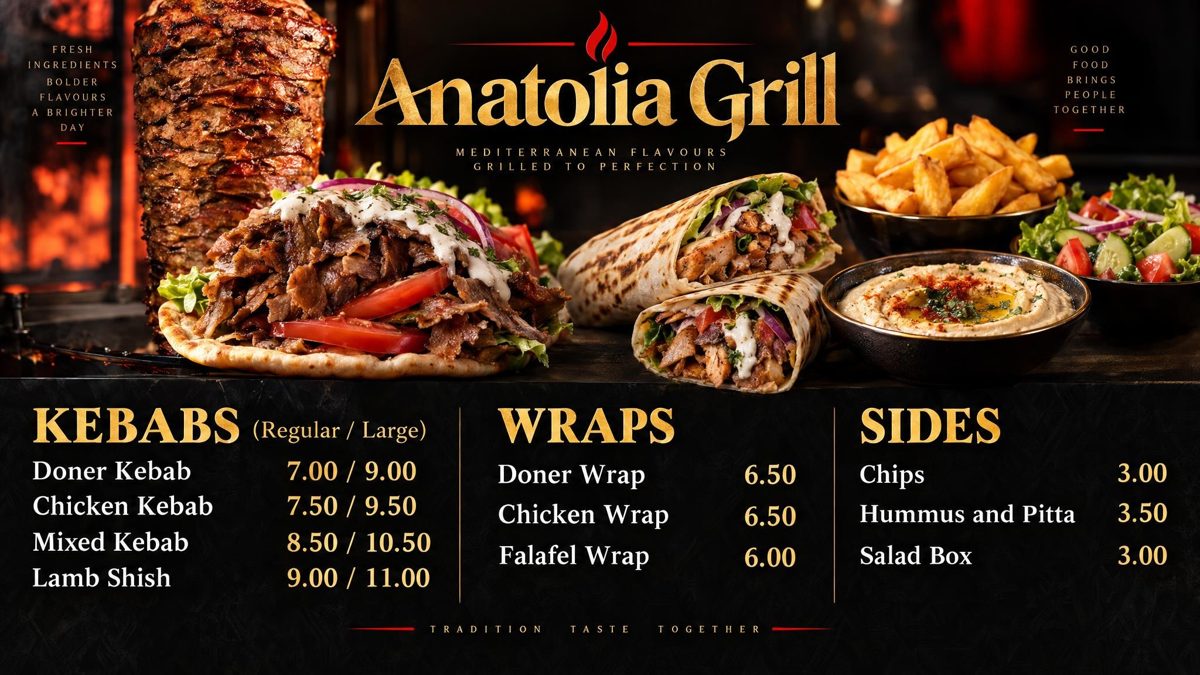
Drawn by Counterboard AI from a few words and a price list, and shown exactly as they came back. Try it with your own menu on the front page: it is free and takes about two minutes.
Side by side
The two, point by point
| Menuboard Manager | Counterboard | |
|---|---|---|
| Who makes the first board | You, in its menu builder or in Canva | AI, from your own words |
| A price change | Edit and publish, or read from the till on the Business plan | Type the new price on your phone |
| Free | A free trial; no free plan on its pricing page | One screen, with a small counterboard.com band, and no card |
| One paid screen | From $7.99 a month on Starter (8 October 2026) | £14 a month, with no band |
| Fire TV Stick | Yes, and the Amazon Signage Stick | Yes, with our free app |
| Prices from the till | Yes, on the Business plan | No |
| Printed menu from the same list | Not listed on its pricing page | Yes, A4 or A5 |
| Made for | Restaurants with several sites, a till and a design workflow | Shops with one or a few screens that want the board drawn for them |
Where Menuboard Manager is the better choice
Pick it for these
- Your prices should come from the tillIts Business plan reads prices from till systems such as Toast. Counterboard does not read a till.
- You design in Canva and want to keep doing itIt imports Canva projects on every plan. Counterboard can show a picture you upload, but you cannot edit it there the way you can in Canva.
- You run several sitesIt groups screens across sites, schedules menus by time of day, and has user roles and reports on its top plan.
- You want the order shown on a screen as it is takenOrder confirmation and order ready boards are on its Business plan. Counterboard shows a board, or turns through several, and nothing else.
- You want screens, mounts and fitting from one supplierIt sells commercial screens, mounts and installation as add-ons, and supports BrightSign players and Samsung commercial screens.
- You want the lowest monthly price for a picture menu you made yourselfIts Starter plan was $7.99 a screen a month on 8 October 2026. Starter is for picture menus; text prices it can change for you start on Professional.
Where Counterboard is the better choice
Pick it for these
- You have one screen and no time to designYou say what you want and the board is drawn in about two minutes. There is no editor to learn.
- Your prices change most weeksType the new price on your phone and the board on the wall has it. There is no publish step and no till to connect.
- You want to try it before you payOne screen free, for as long as you like, with a small counterboard.com band on the board, and no card.
- You have a Fire TV Stick or a smart screen alreadyOur free app is in the Amazon Fire TV store. Any other smart screen uses its own browser. No special player box.
- Your paper menu must match the wallThe same list prints as an A4 or A5 counter menu, so the paper and the screen show the same prices.
- You want to pay in poundsCounterboard is priced in pounds, with no VAT charged. Menuboard Manager lists its prices in US dollars.
What each costs
One screen, checked on 8 October 2026
Menuboard Manager
On 8 October 2026 its pricing page listed three plans, each priced by the screen in US dollars: Starter $7.99 a month or $89 a year, Professional $17.99 a month or $199 a year, and Business $26.99 a month or $299 a year. It says some till links and services can cost extra. Prices change, so check its page before you choose.
Counterboard
One screen free, for as long as you like, with a small counterboard.com band on the board, and no card. Without the band £14 a month for one screen, and £7 for each screen after it. No VAT charged. No contract. A price change is one credit (£1), a whole new board three.
Both
Any screen you already own. A Fire TV Stick works with both. Menuboard Manager also sells commercial screens if you want new ones.
Which one to pick
In one line each
- Pick Menuboard ManagerIf you want to make every part of the board yourself, run several sites, or have prices read from your till.
- Pick CounterboardIf you want the board drawn for you from your own words, and to change the prices from your phone behind the counter.
More comparisons: Canva or Counterboard, Counterboard or Yodeck and a menu board without a designer. Boards by trade: fish and chip shops, kebab shops and restaurants.
What it costs
Priced by how many screens you put up
One screen free, for as long as you like, with a small counterboard.com band on the board, and no card. Without the band, so much a screen: £14 a month for one screen, and £7 for each screen after it. No VAT charged. The price list on the front page shows it in dollars and euros too.
Every screen gets the same dashboard and the same boards; what changes with the price is how many screens you put up and how many credits come with them. Each screen gets a board drawn for it, free. After that everything we draw is credits, and a credit is a pound: a price change is one, a new look or an item added, taken off or renamed is two, a whole new board is three. Each paid screen includes two credits a month, and they start again on the 1st; more can be bought inside Counterboard, ten for £9 or more in a bigger pack, with no change to your plan. No contract: cancel any time.
Questions
What people ask
What is the main difference between Counterboard and Menuboard Manager?
With Menuboard Manager you make the board yourself, in its menu builder or in Canva, and publish it to your screens. With Counterboard you say what you want and AI draws the board in about two minutes.
Can I change prices without redesigning the whole board?
Yes, with both. On Counterboard you type the new price on your phone and the board is drawn again with it. On Menuboard Manager you edit the text and publish, or on its Business plan the prices come from your till.
Does Counterboard work on a Fire Stick?
Yes. Search the Fire TV Stick for counterboard and press Get. The app is free.
Is there a free plan on Counterboard?
Yes. One screen is free for as long as you like, with a small counterboard.com band on the board, and no card. Without the band it is £14 a month for one screen, and £7 for each extra screen.
Which is better for a fish and chip shop?
For one or two screens and prices you change yourself, Counterboard: the board is drawn for you and there is nothing to set up with a till. If your shop is one of several and the prices live in a till system, look at Menuboard Manager.
Can I print a paper menu from the same prices?
On Counterboard, yes: an A4 or A5 counter menu from the same list as the screen. Menuboard Manager does not list a printed menu on its pricing page.
Where do the Menuboard Manager prices on this page come from?
From its public pricing page, menuboardmanager.com/pricing, on 8 October 2026. Check that page for today’s prices.
More guides
Other questions shop owners ask
How to put your menu on a TV or screenFire TV Stick menu board: how to set one upChange your TV or screen menu from your phoneSalon and barber price list on a TV or screenA digital menu board without a designer: what each way costsHow to make a digital menu board for freeA free QR code menu for your takeaway or cafeTakeaway menu board ideas that sell moreCanva or Counterboard for a TV or screen menuCounterboard or Yodeck for a menu board?Yodeck alternatives for a TV or screen menuScreenCloud or Counterboard for a menu board?Digital menu board templates, and the way without oneOpening hours sign on a TV or screenMeal deal offers board on a TV or screenA pub what's on board on a TV or screenCounterboard or a light-box menu board?Best digital menu board for chip shops UK 2026Fire Stick menu board for takeaways
Counterboard is for any business with prices on a wall, in any country. See how it works.